36
Meter Operations 3.4.7 3.4.8
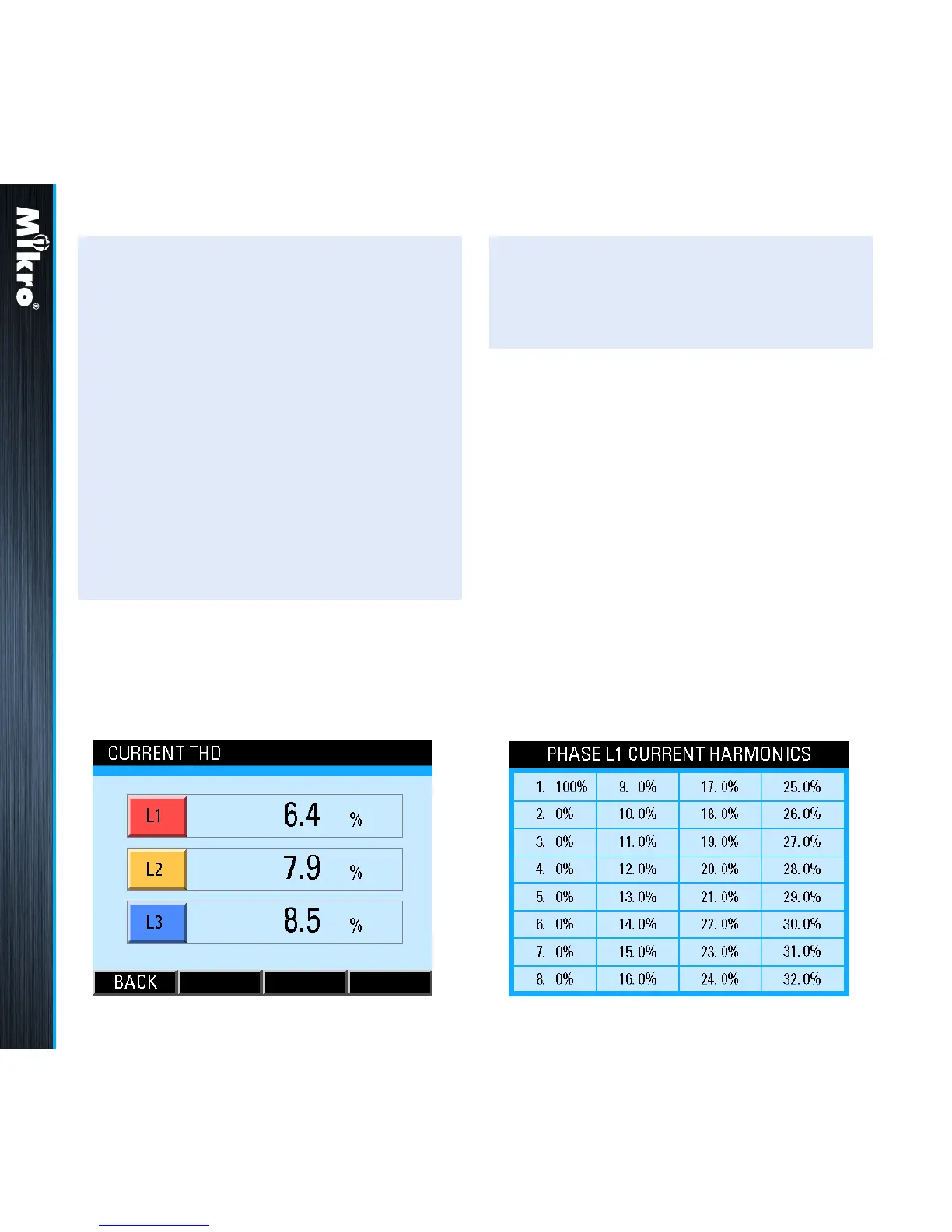
In the Current THD parameter page, the current
THD for each phase is displayed as shown in
Fig 41.
Fig 41 : Current THD parameter page
TouCH BuTTon funCTions:
• to return to the Current Harmonics page,
touch the BACK (F4) button.
TouCH BuTTon funCTions:
• to alternate between the odd and even
harmonics spectrum display, touch the EVEN
(F2) or ODD (F2) button.
• to display the spectrum of the next phase,
touch the NEXT (F3) button.
• to jump to the THD parameter page as shown
in Fig 41, touch the THD (F1) button.
• otherwise, touch the BACK (F4) button to
return to the CURRENT sub-menu.
3.4.8
CurrEnT HarMoniCs
TaBlE
The Current Harmonics Table page shows
the harmonic currents as a percentage of the
fundamental current for each phase up to the
32
nd
order as shown in Fig 42 for phase L1:
Fig 42 : Phase L1 Current Harmonics page



 To Next Page