57
Meter Operations 3.7.5 3.8
For DPM680B, selecting the Communication
Settings parameter item will lead to the Modbus
sub-page directly.
TouCH BuTTon funCTions:
• to abort clearing the energy register values,
touch the NO (F2) button.
• otherwise, touch the YES (F2) button to clear
the energy registers and the user will be
prompted for password authentication as in
section 3.2.
3.7.5
rEsET EnErGY
CounTErs
When the Reset Energy Counter page is
selected, the user will be prompted with a Clear
All Registers? conrmation.
3.8
sETTinG suB-MEnu
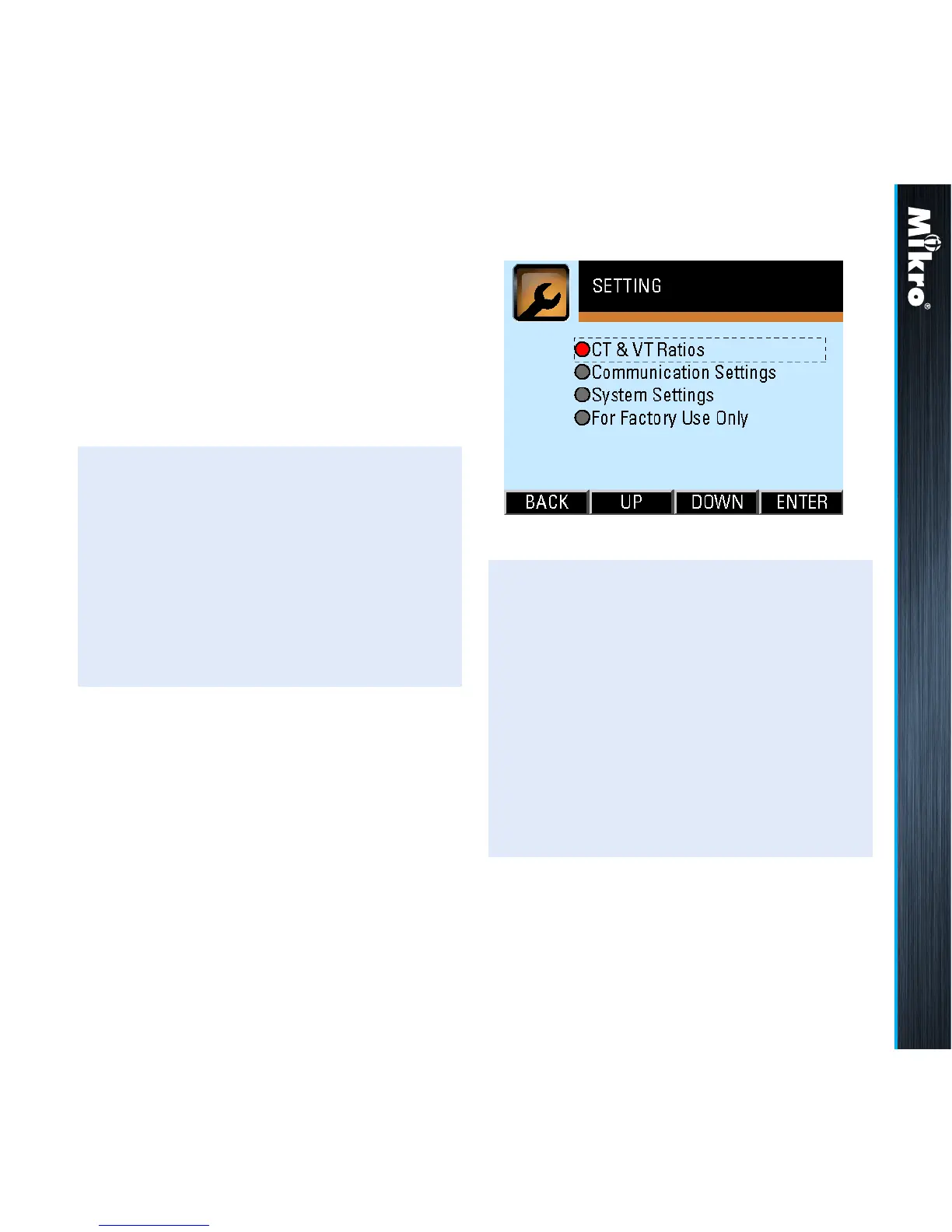
The SETTING sub-menu allows the selection of
parameter pages as shown in Fig 71:
Fig 71 : SETTING sub-menu
TouCH BuTTon funCTions:
• to select the parameter page of interest,
touch either the UP (F2) or DOWN (F3)
button until the parameter item is highlighted
(within a dashed rectangular box and a RED
dot to its left). To conrm this selection, touch
the ENTER (F4) button.
• to return to the MAIN MENU, touch the
BACK (F1) button.



 To Next Page