64
3.8.3.2
DaTE & TiME
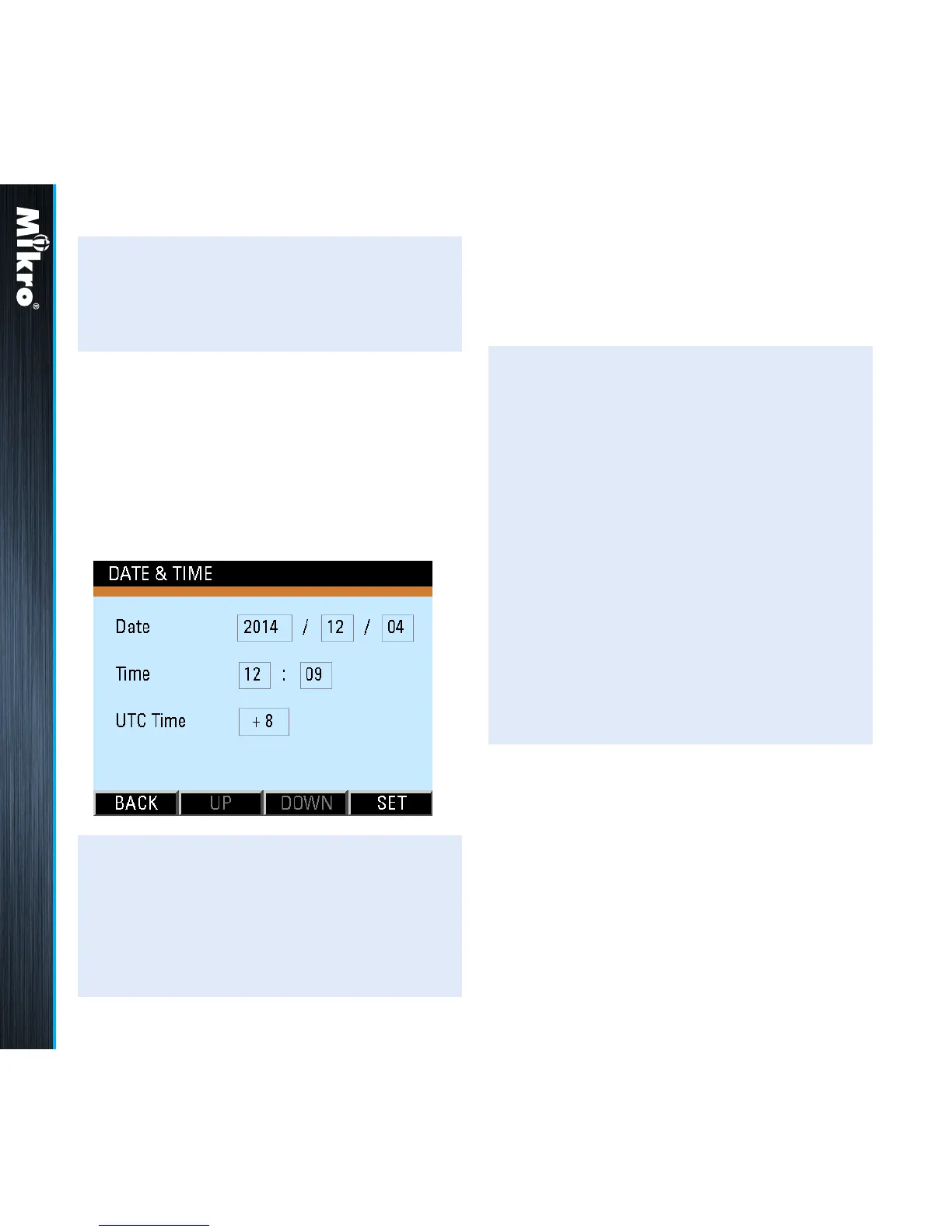
The Date & Time sub-page displays and allows
the setting of date, time and local UTC time offset
as shown in Fig 79:
Fig 79 : Date & Time sub-page
Meter Operations 3.8.3.1 3.8.3.2
In the input mode, the UP (F2) and DOWN (F3)
buttons will become active and the background
colour of the active eld will be changed to white.
TouCH BuTTon funCTions:
• to input new settings, touch the SET (F4)
button.
• otherwise, touch the BACK (F1) button to
return to the System Settings page.
TouCH BuTTon funCTions:
• to increase the number, touch the UP (F2)
button.
• to decrease the number, touch the DOWN
(F3) button.
• to select the next eld to change, touch the
NEXT (F4) button and repeat the above 2
steps.
• to save the settings and/or return to the Date
& Time sub-page, touch the BACK (F1)
button.
The date format is year / month / day.
The time is hour : minute in the 24-hour format.
The year is settable from 2000 to 2050 and
the settable day of the month depends on the
selected month and the applicable leap year.
TouCH BuTTon funCTions:
• to return to the System Settings page,
touch the BACK (F2) button.



 To Next Page