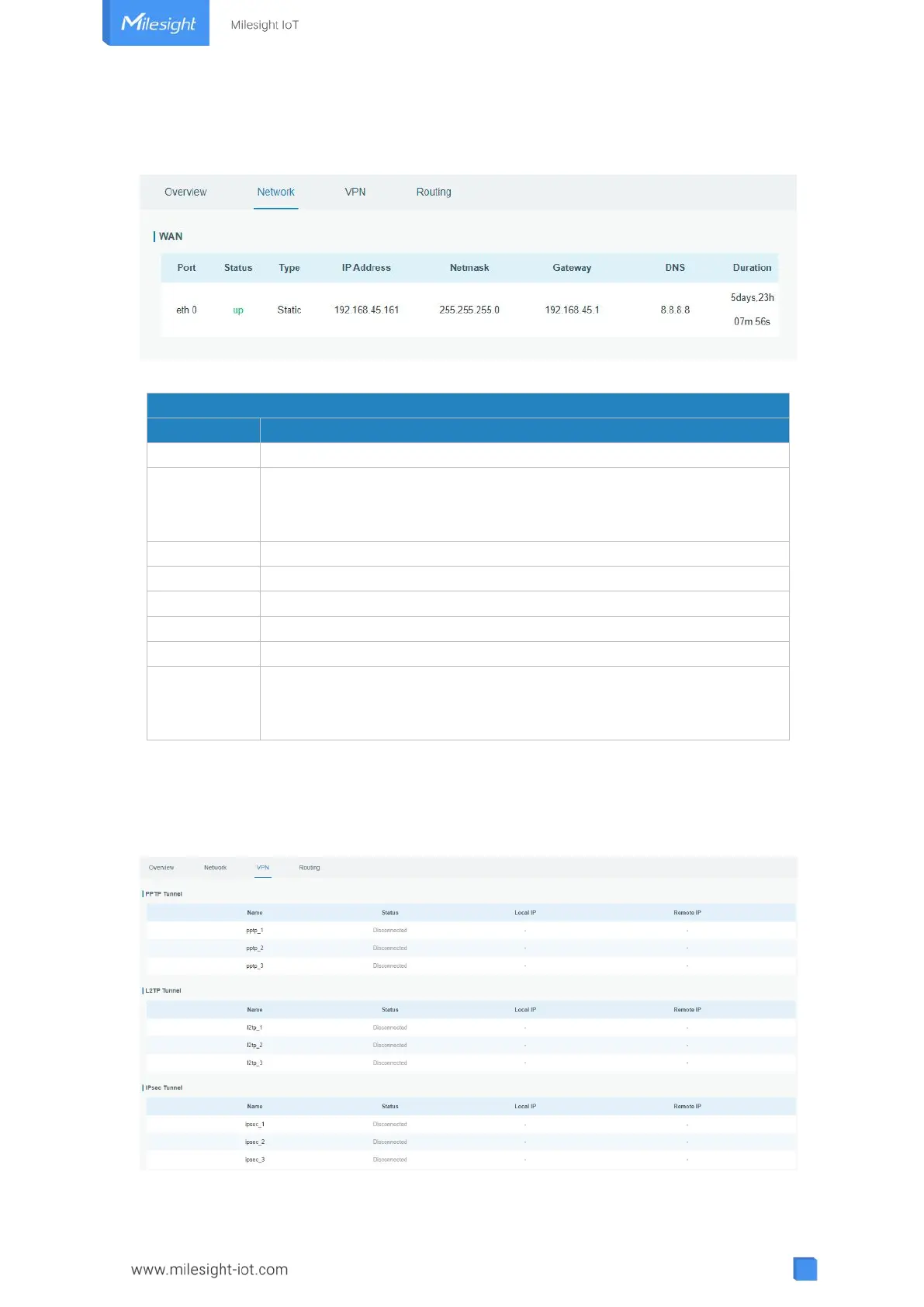
3.1.2 Network
On this page you can check the Ethernet port status of the gateway.
Figure 3-1-2-1
Show the name of the Ethernet port.
Show the status of the Ethernet port. "Up" refers to a status that WAN
is enabled and Ethernet cable is connected. "Down" means Ethernet
cable is disconnected or WAN function is disabled.
Show the dial-up type of the Ethernet port.
Show the IP address of the Ethernet port.
Show the netmask of the Ethernet port.
Show the gateway of the Ethernet port.
Show the DNS of the Ethernet port.
Show the information about how long the Ethernet cable has been
connected to the Ethernet port when the port is enabled. Once the port
is disabled or Ethernet cable is disconnected, the duration will stop.
Table 3-1-2-1 WAN Status
3.1.3 VPN
You can check VPN status on this page, including GRE, PPTP, L2TP, IPsec, OpenVPN and
DMVPN.
Figure 3-1-3-1



 To Next Page