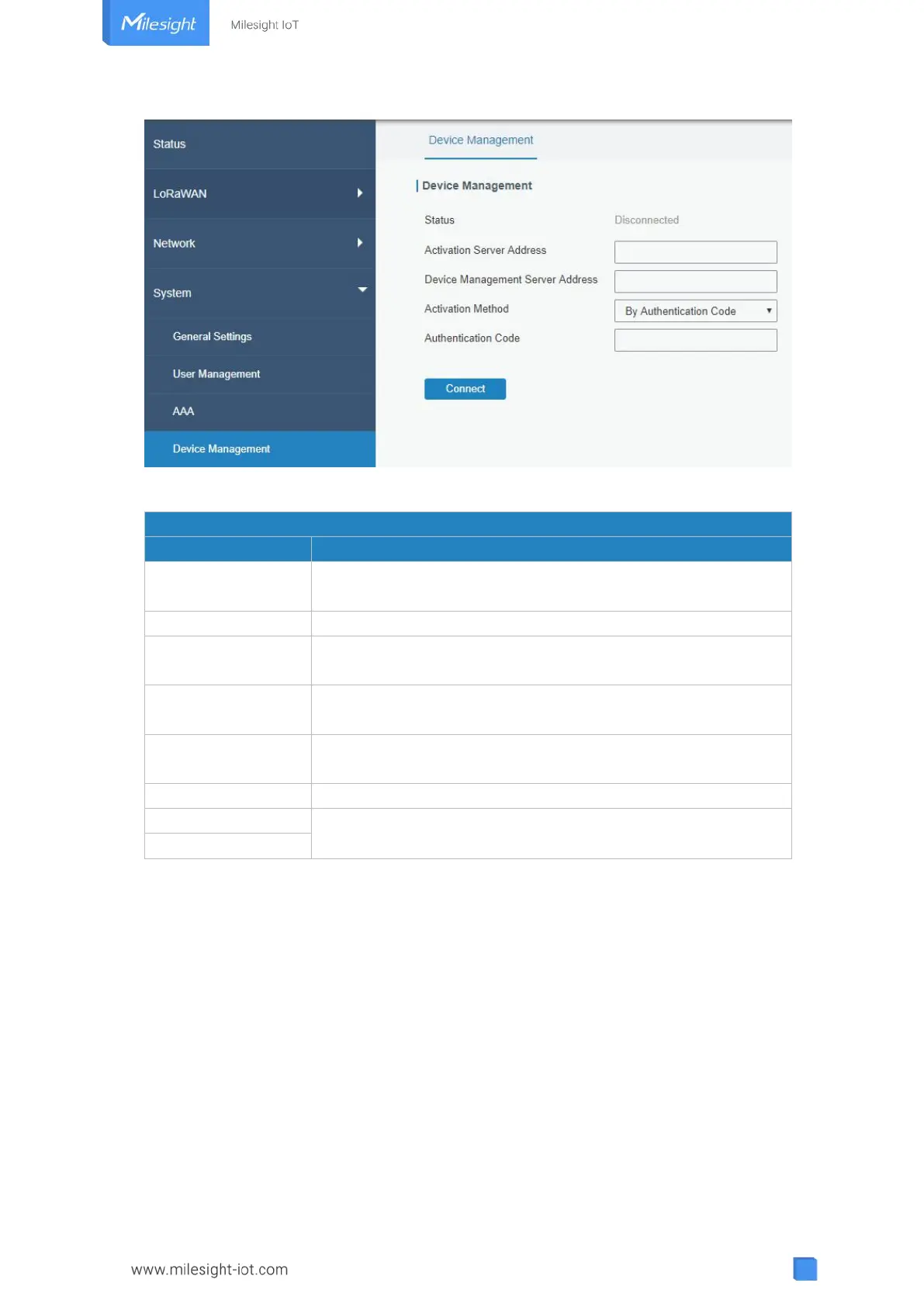
Figure 3-4-4-1
Show the connection status between the gateway and the
DeviceHub.
Click this button to disconnect the gateway from the DeviceHub.
IP address or domain of the DeviceHub.
The URL address for the device to connect to the DeviceHub,
e.g. http://220.82.63.79:8080/acs.
Select activation method to connect the gateway to the
DeviceHub server, options are "By Authentication ID" and "By ID".
Fill in the authentication code generated from the DeviceHub.
Fill in the registered DeviceHub account (email) and password.
Table 3-4-4-1
3.4.5 Events
Event feature is capable of sending alerts by Email when certain system events occur.
3.4.5.1 Events
You can view alarm messages on this page.



 To Next Page