Chapter 4 Application Examples
4.1 Restore Factory Defaults
4.1.1 Via Web Interface
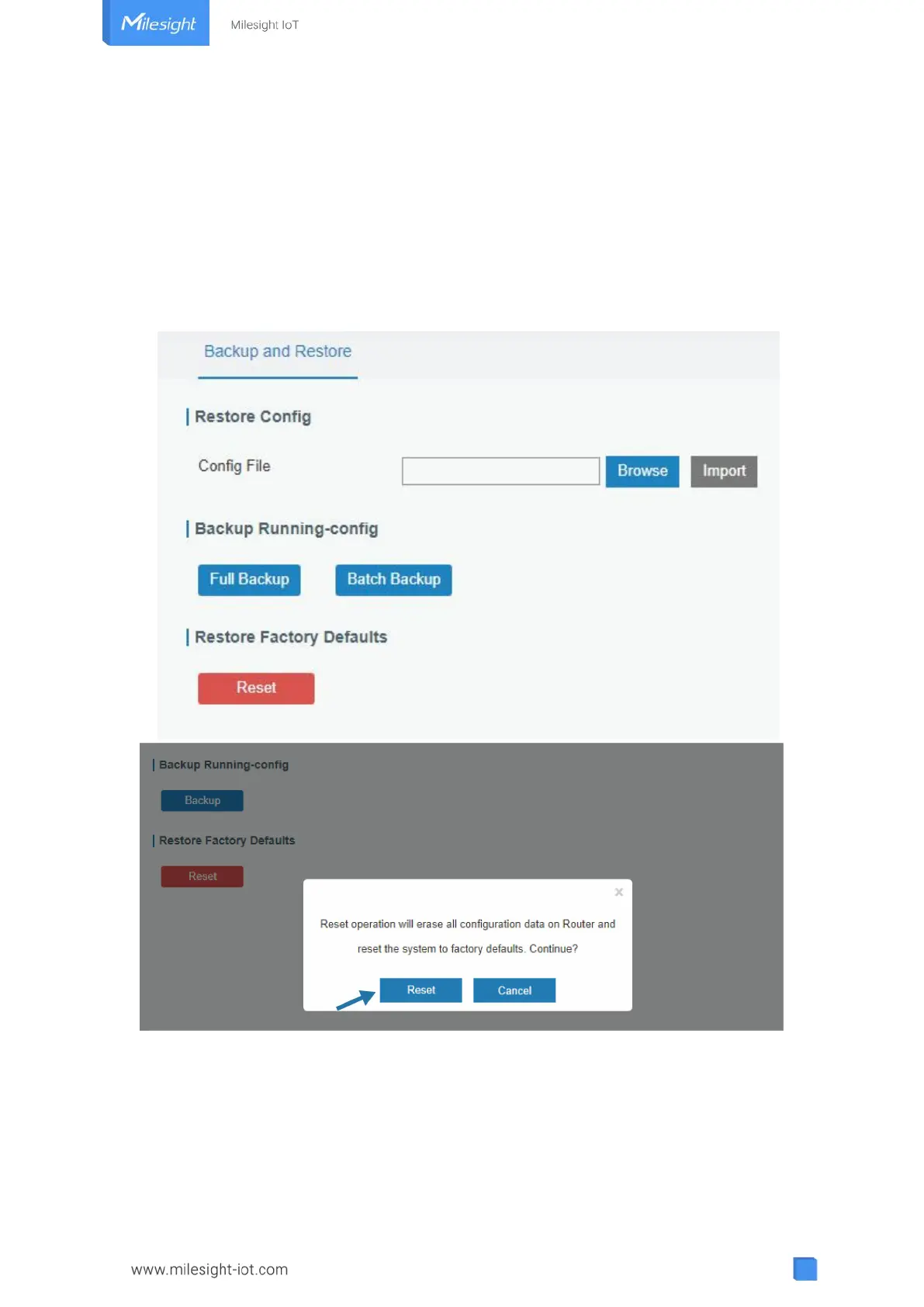
1. Log in web interface, and go to “Maintenance → Backup and Restore”.
2. Click “Reset” button under the “Restore Factory Defaults”.
You will be asked to confirm if you’d like to reset it to factory defaults. Then click “Reset”
button.
Then the gateway will reboot and restore to factory settings immediately.



 To Next Page