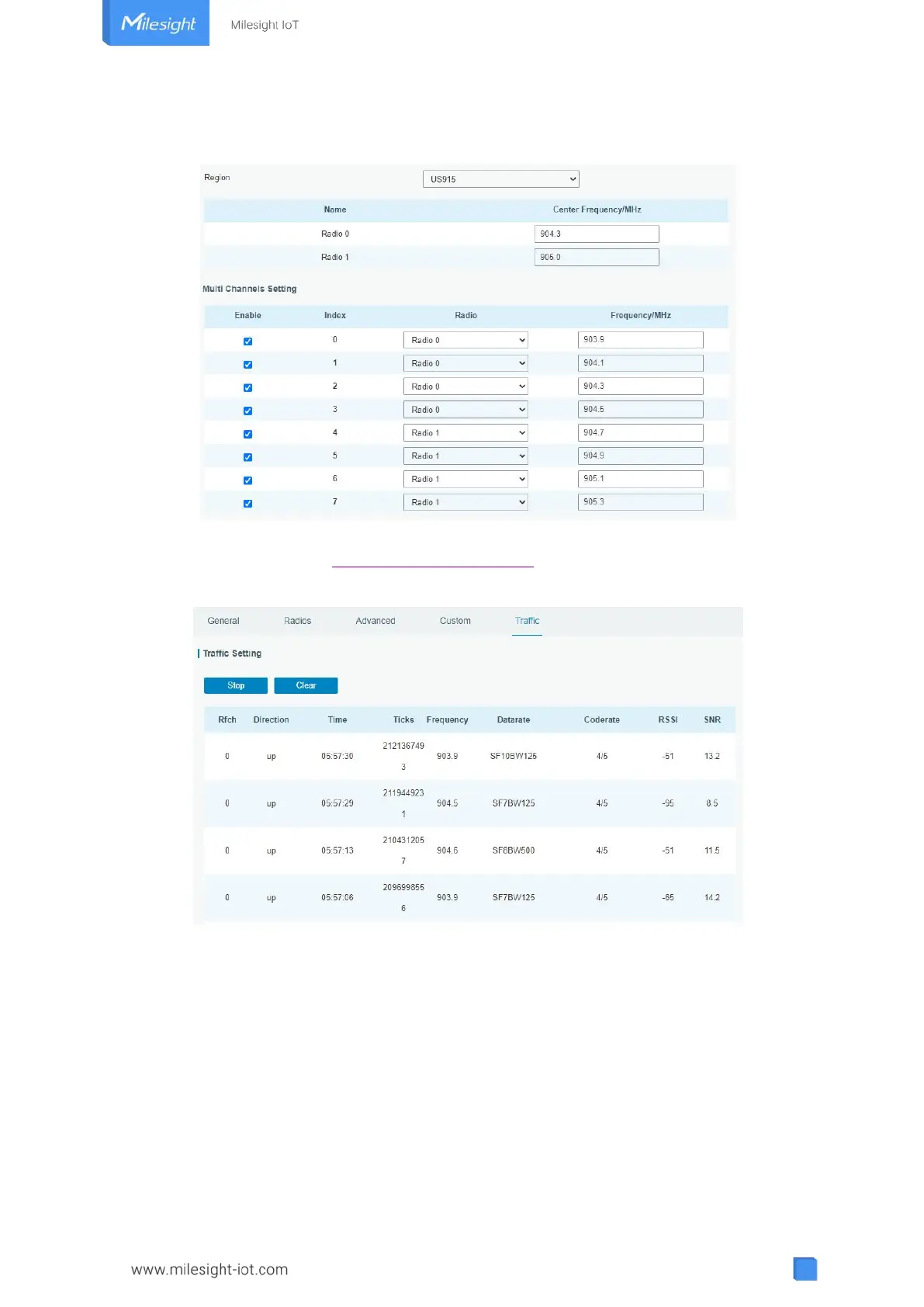
3. Go to “Packet Forwarder → Radio” page to configure antenna type, center frequency
and channels. The channels of the gateway and network server need to be the same.
4. Add the gateway on network server page. For more details about the network server
connection please refer to Milesight IoT Support portal.
5. Go to “Traffic” page to view the data communication of UG63.
4.5 Connect to Milesight IoT Cloud
1. Go to “Packet Forwarder → General” page to enable the embedded network server.



 To Next Page