Table 3-2-1-5 FSK Channel Setting Parameters
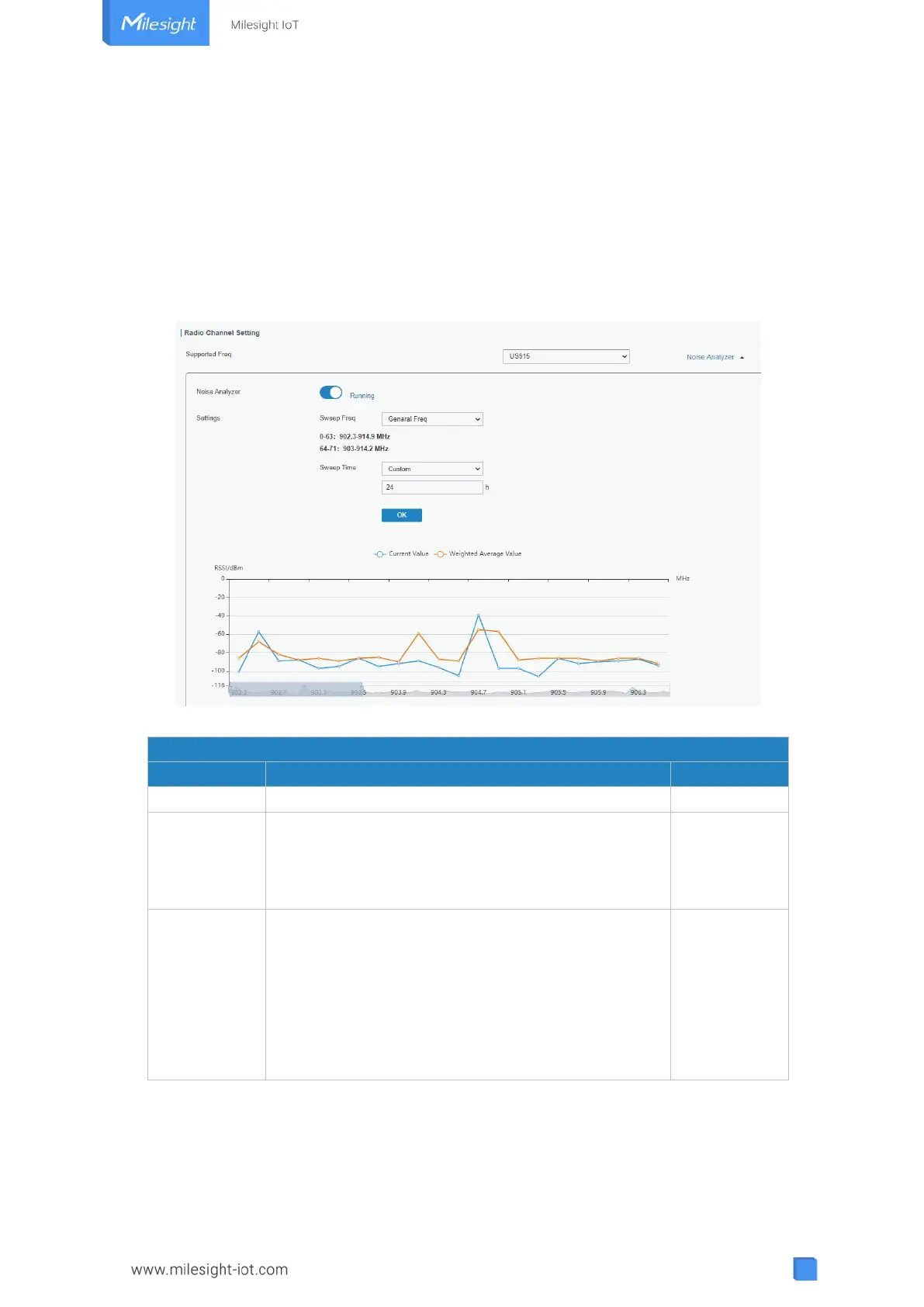
3.2.1.3 Noise Analyzer
Noise analyzer is used for scanning the noise of every frequency channel and giving a
diagram for users to analyze the environment interference condition and select best
deployment. RSSI indicates the sensitivity for every channel. Lower the RSSI value, better
the signal. It’s not suggested to enable this feature when using package forwarder since it
will affect the downlink transmission.
Figure 3-2-1-6
Click to enable noise analyzer feature.
Select the frequency sweeping range.
General Freq: frequencies based on the LoRaWAN
®
regional parameters document
Custom: custom the frequency range
Enable the noise analyzer continuously or within a
period of time.
If Custom is selected, the noise analyzer will stop
automatically after the pre-configured time.
Note: It’s suggested to custom the time since noise
analyzer feature will affect the normal data
transmission.
Table 3-2-1-6 Noise Analyzer Setting Parameters
3.2.1.4 Advanced
This section is about settings in details of beacon transmitting and validating.



 To Next Page