4.7 Device Configuration
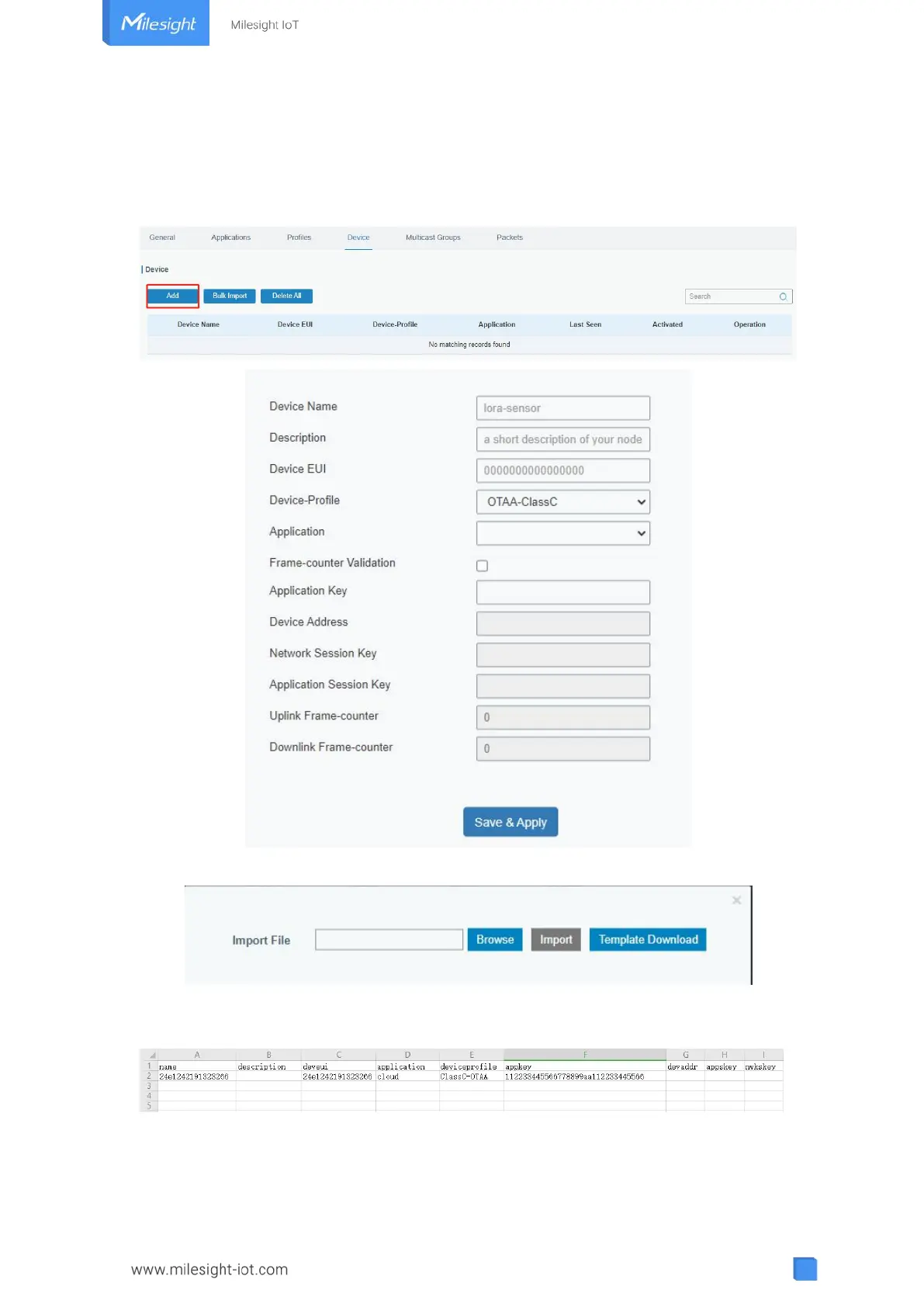
Go to “Device” page and click “Add” to add LoRaWAN
®
node devices. Due to memory
limitation, it’s suggested to add not more than 20 devices. Please select correct device
profile according to device type.
You can also click “Bulk Import” if you want to add many nodes all at once.
Click “Template Download” to download template file and add device information to this
file. Application and device profile should be the same as you created on web page.
Import this file to add bulks of devices.



 To Next Page