connection. Range: 0-600.
Set the maximum times of retry to detect the L2TP
connection failure. Range: 0-10.
User can enter some other PPP initialization strings in this
field and separate the strings with blank space.
Table 3-3-2-6 L2TP Parameters
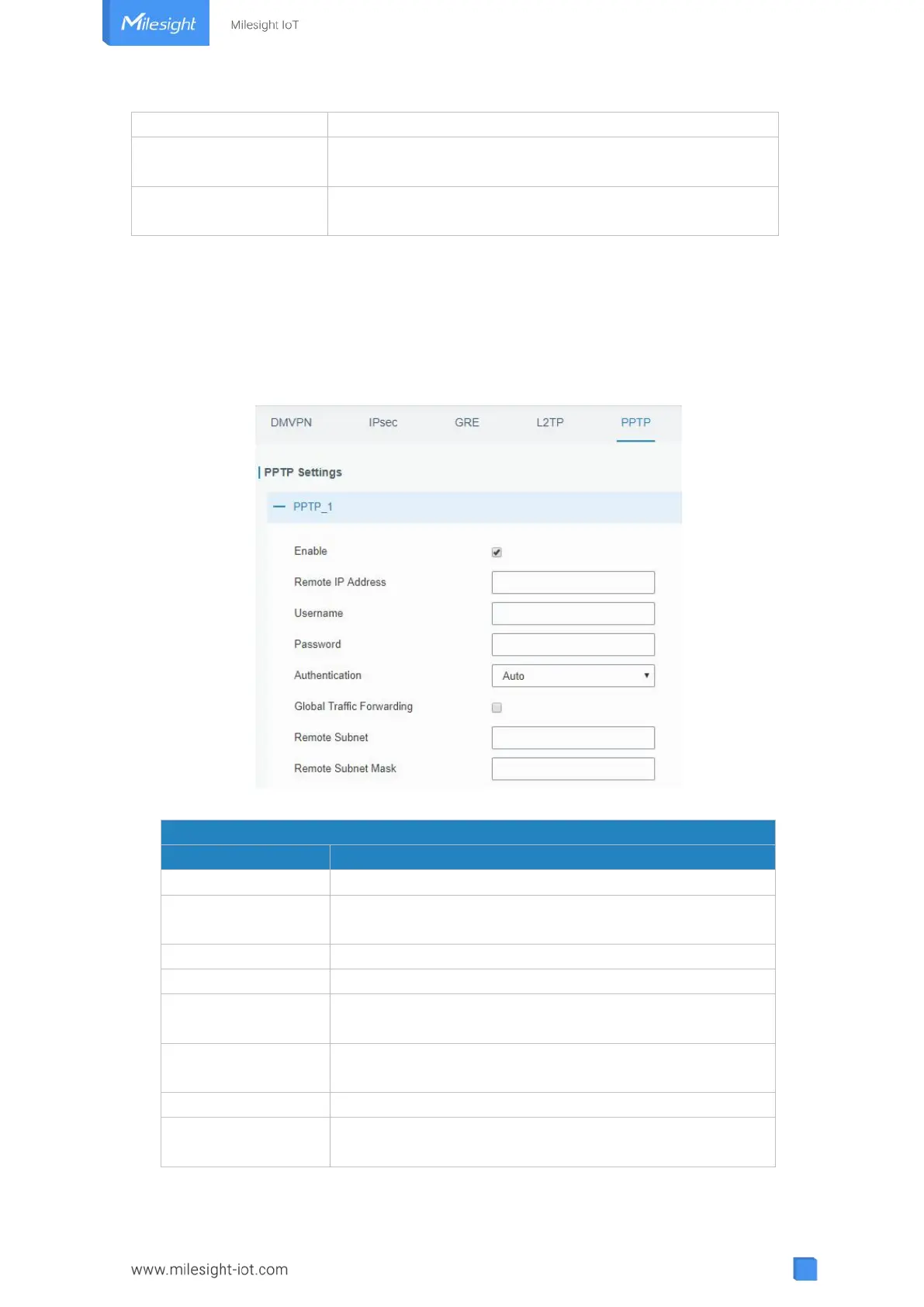
3.3.2.5 PPTP
Point-to-Point Tunneling Protocol (PPTP) is a protocol that allows corporations to extend
their own corporate network through private "tunnels" over the public Internet. Effectively, a
corporation uses a wide-area network as a single large local area network.
Figure 3-3-2-8
Enable PPTP client. A maximum of 3 tunnels is allowed.
Enter the public IP address or domain name of PPTP
server.
Enter the username that PPTP server provides.
Enter the password that PPTP server provides.
Select from "Auto", "PAP", "CHAP", "MS-CHAPv1", and
"MS-CHAPv2".
All of the data traffic will be sent out via PPTP tunnel once
enable this function.
Set the peer subnet of PPTP.
Set the netmask of peer PPTP server.
Table 3-3-2-7 PPTP Parameters



 To Next Page