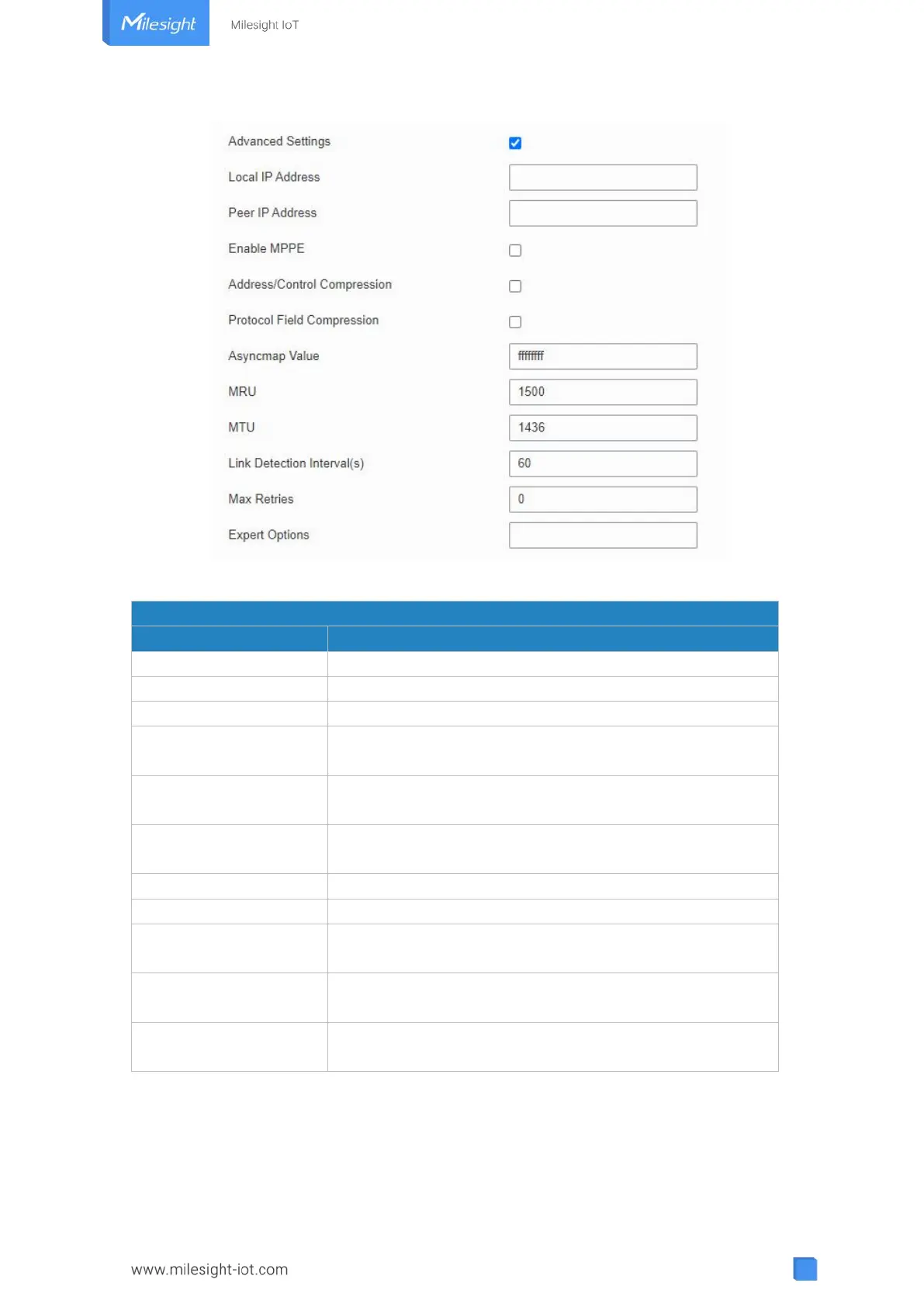
Figure 3-3-2-9
Set IP address of PPTP client.
Enter tunnel IP address of PPTP server.
Address/Control
Compression
For PPP initialization. User can keep the default option.
Protocol Field
Compression
For PPP initialization. User can keep the default option.
One of the PPP protocol initialization strings. User can keep
the default value. Range: 0-ffffffff.
Enter the maximum receive unit. Range: 0-1500.
Enter the maximum transmission unit. Range: 0-1500.
Link Detection Interval
(s)
Set the link detection interval time to ensure tunnel
connection. Range: 0-600.
Set the maximum times of retrying to detect the PPTP
connection failure. Range: 0-10.
User can enter some other PPP initialization strings in this
field and separate the strings with blank space.
Table 3-3-2-8 PPTP Parameters



 To Next Page