Related Configuration Example
Packet fowarder configuration
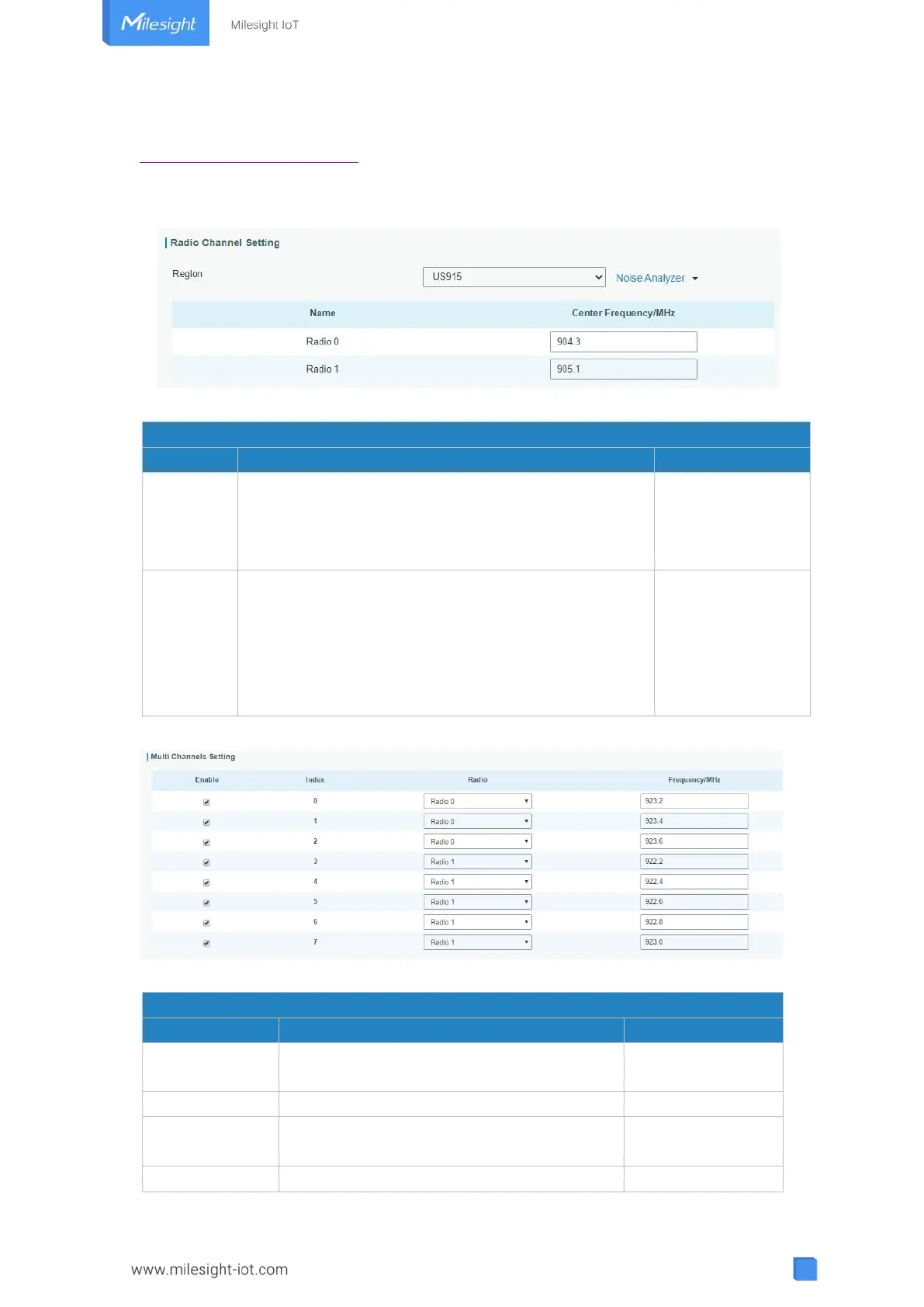
3.2.1.2 Radios
Figure 3-2-1-2
Radios-Radio Channel Setting
Choose the LoRaWAN
®
frequency plan used for the
upstream and downlink frequencies and datarates.
Available channel plans depend on the gateway’s
model.
Based on the
gateway’s model
Radio 0 : supports transmitting and receiving packet.
Radio 1 : only supports receiving packet from nodes.
Based on what is
specified in the
LoRaWAN
®
regional
parameters
document
Table 3-2-1-2 Radio Channels Setting Parameters
Figure 3-2-1-3
Radios-Multi Channel Setting
Click to enable this channel to transmit
packets.
Indicate the ordinal of the list.
Choose Radio 0 or Radio 1 as center
frequency.
Enter the frequency of this channel.



 To Next Page