Chapter 2 Access to Web GUI
This chapter explains how to access to Web GUI of the UG63.
Username: admin
Password: password
Connect PC to UG63 ETH port directly or through PoE injector to access the web GUI of
gateway. The following steps are based on Windows 10 system for your reference.
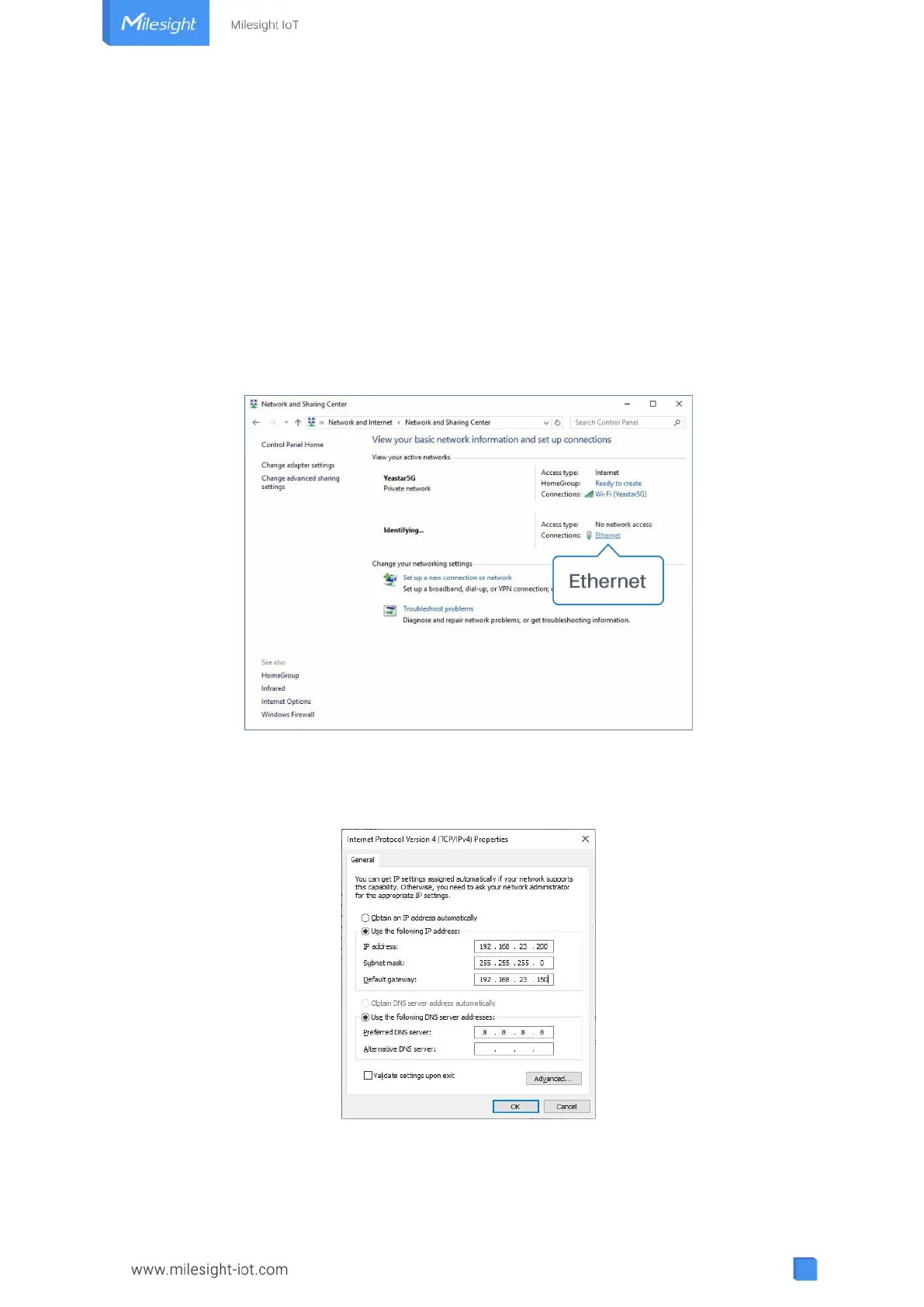
1. Go to “Control Panel” → “Network and Internet” → “Network and Sharing Center”, then
click “Ethernet” (May have different names).
2. Go to “Properties” → “Internet Protocol Version 4 (TCP/IPv4)” and select “Use the
following IP address”, then assign a static IP manually within the same subnet of the
gateway.
3. Open a Web browser on your PC (Chrome is recommended) and type in the IP address
192.168.23.150 to access the web GUI.
4. Enter the username and password, click “Login”.



 To Next Page