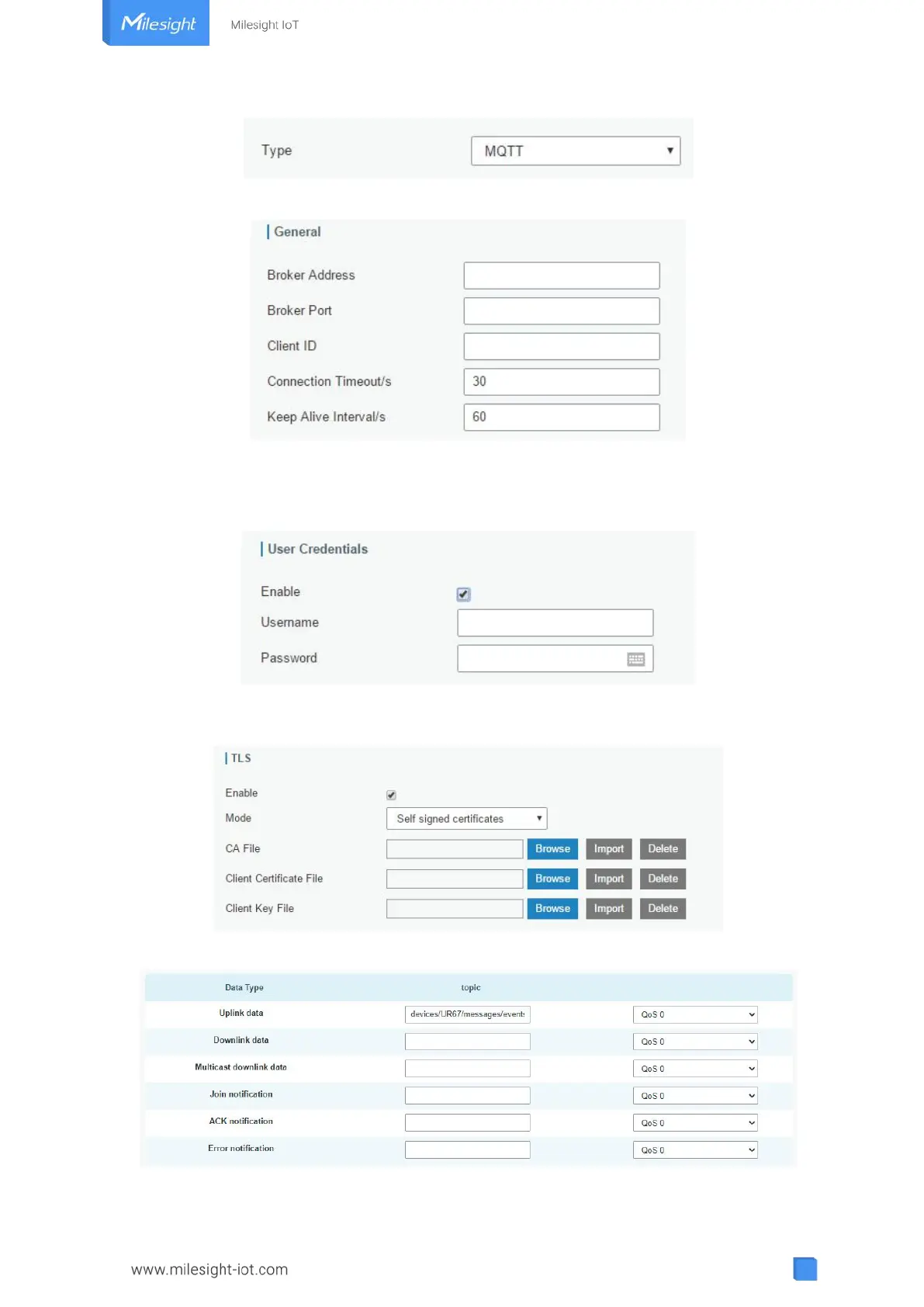
Step 2: Fill in MQTT broker general settings.
Step 3: Select the authentication method required by the server.
If you select user credentials for authentication, you need to enter the username and
password for authentication.
If certificate is necessary for verification, please select mode and import CA certificate,
client certificate and client key file for authentication.
Step 4: Enter the topic to receive data and choose the QoS.



 To Next Page