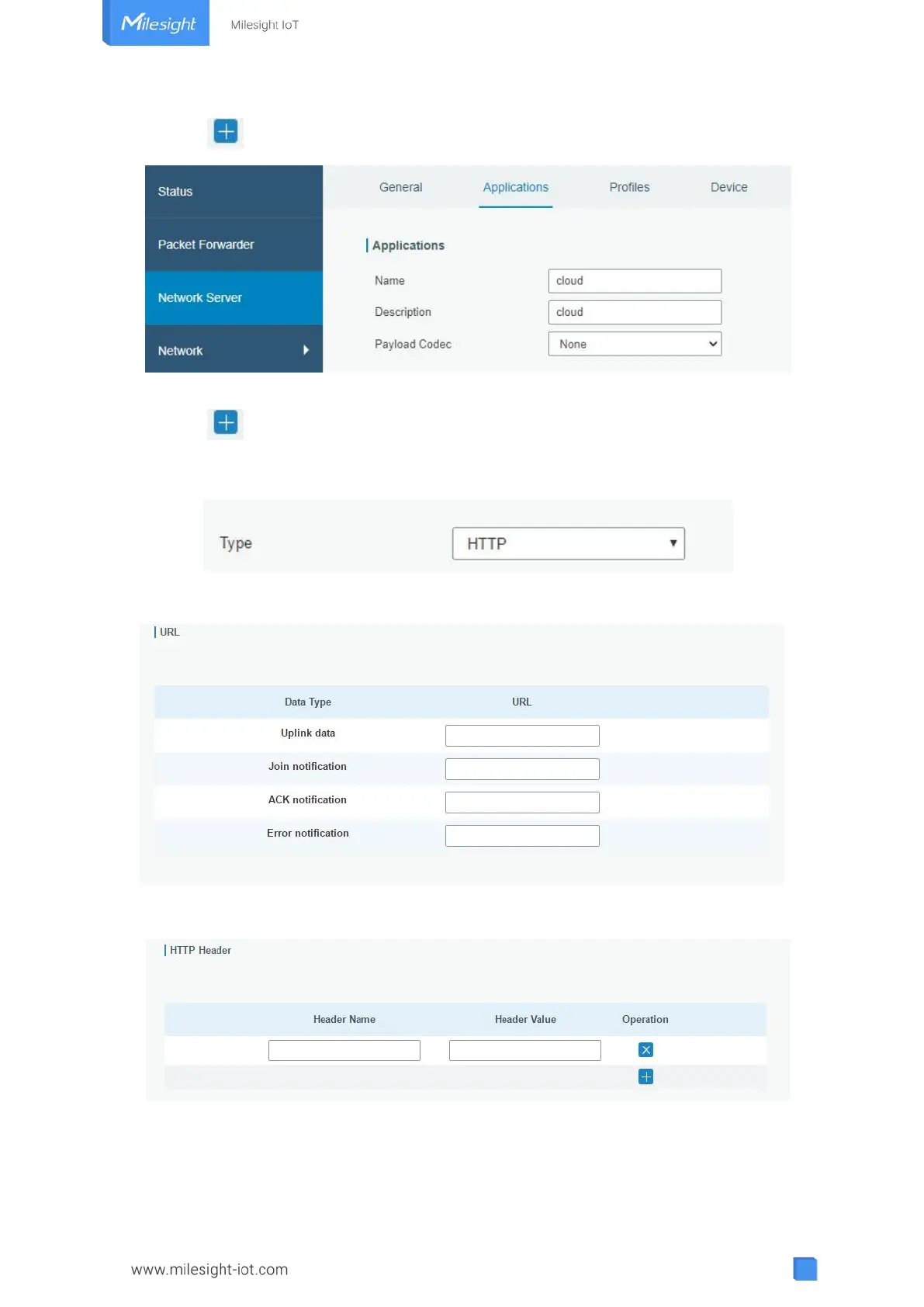
2. Click to enter the configuration page, displayed as the following picture:
3. Click “Save” to create this application.
4. Click to add a data transmission type.
HTTP or HTTPS:
Step 1: select HTTP or HTTPS as transmission protocol.
Step 2: Enter the destination URL. Different types of data can be sent to different URLs.
Enter the header name and header value if there is user credentials when accessing the
HTTP(s) server.
MQTT:
Step 1: select the transmission protocol as MQTT.



 To Next Page