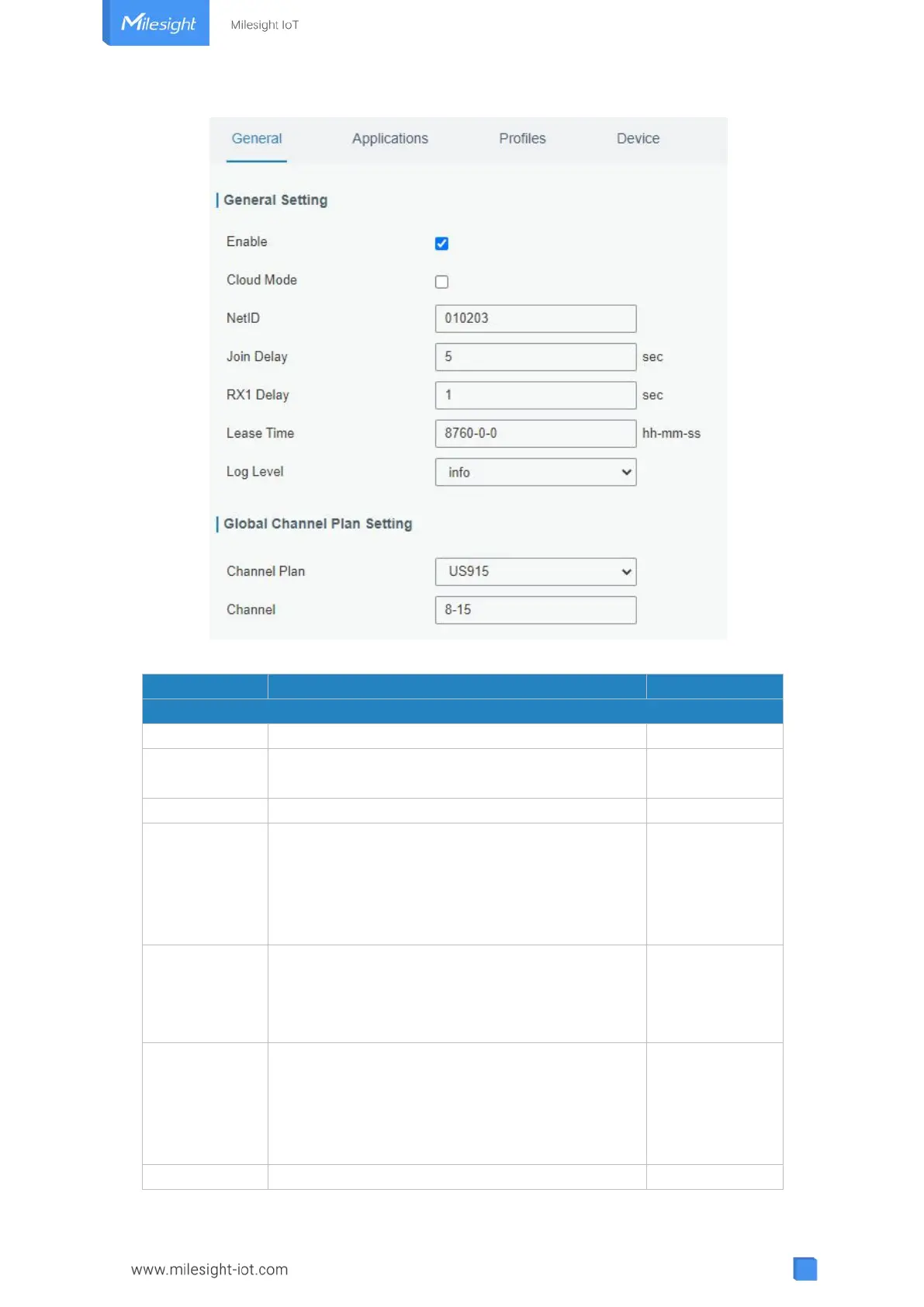
Figure 3-2-2-1
Click to enable Network Server mode.
Enabled to connect gateway to Milesight IoT
Cloud or Yeastar Workplace platform .
Enter the network identifier.
Enter the interval time between when the
end-device sends a Join_request_message to
network server and when the end-device prepares
to open RX1 to receive the Join_accept_message
sent from network server.
Enter the interval time between when the
end-device sends uplink packets and when the
end-device prepares to open RX1 to receive the
downlink packet.
Enter the amount of time till a successful join
expires. The format is hours-minutes-seconds. If
the join-type is OTAA, then the end-devices need
to join the network server again when it exceeds
the lease time.



 To Next Page