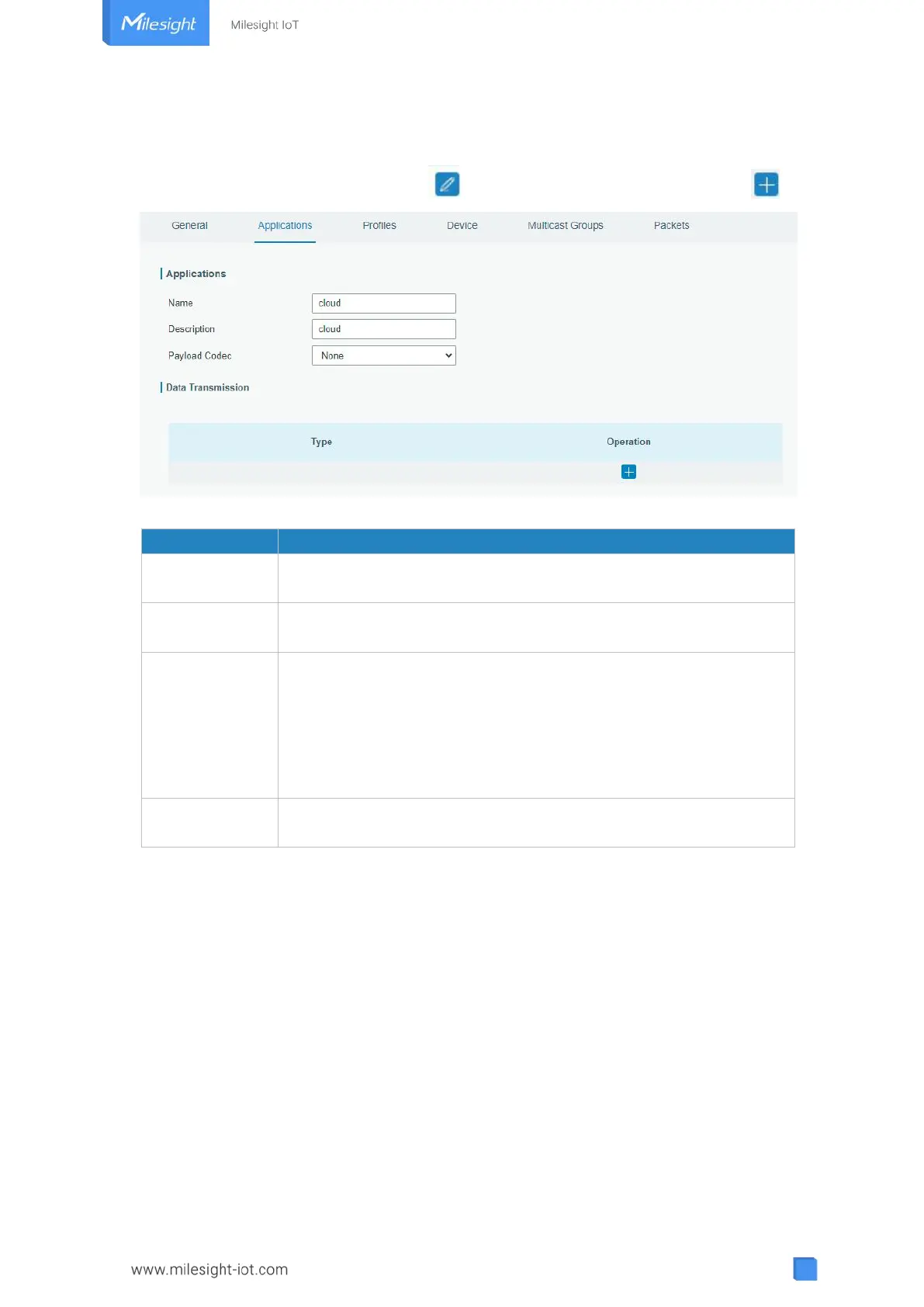
devices with the same “Payload Codec” and data transmission destination can be added
under the same application.
You can edit the application by clicking or create a new application by clicking .
Figure 3-2-2-3
Enter the name of the application profile.
E.g Smoker-sensor-app.
Enter the description of this application.
E.g a application for smoker sensor.
Select from: “None”, “Cayenne LPP”, “Custom”.
None: This mode enables devices not to encode data.
Cayenne LPP: This mode enables devices to encode data with the
Cayenne Low Power Payload (LPP).
Custom: This mode enables devices to encode data with the decoder
function and the encoder function which you have entered the code.
Data will be sent to your custom server using the MQTT,HTTP or
HTTPS protocol.
Table 3-2-2-3 Application Parameters



 To Next Page