UG65 User Guide
www.milesight-iot.com 26
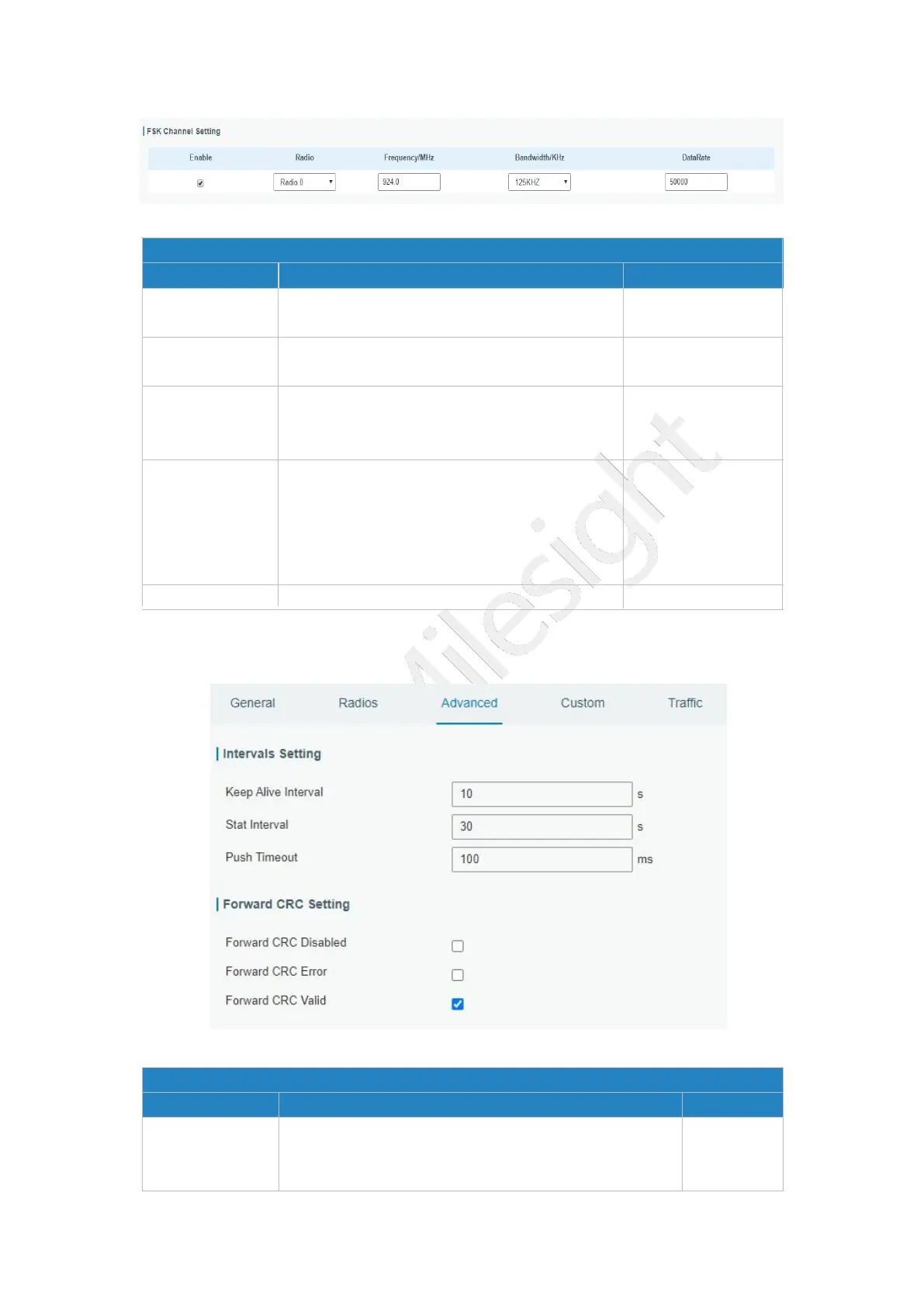
Figure 3-2-1-6
Radios-FSK Channel Setting
Item Description Default
Enable
Click to enable this channel to transmit
packets.
Disabled
Radio
Choose Radio 0 or Radio 1 as center
frequency.
Radio 0
Frequency/MHz
Enter the frequency of this channel.
Range: center frequency±0.9.
Based on the
supported
frequency
Bandwidth/MHz
Enter the bandwidth of this channel.
Recommended value: 125KHz, 250KHz,
500KHz
Based on the
supported
frequency
Data Rate Enter the data rate. Range
:
500-25000. 500
Table 3-2-1-5 FSK Channel Setting Parameters
3.2.1.3 Advanced
Figure 3-2-1-7
Advanced
Item Description Default
Keep Alive
Interval
Enter the interval of keepalive packet which is sent
from gateway to network server to keep the
connection stable and alive.
10
(Note:500 KHz is belong to the
bandwidth of the FCC)



 To Next Page