UG65 User Guide
www.milesight-iot.com
Figure 3-3-1-4
Enter the username provided by your Internet Service Provider (ISP).
Enter the password provided by your Internet Service Provider (ISP).
Link Detection
Interval (s)
Set the heartbeat interval for link detection. Range: 1-600.
Set the maximum retry times after it fails to dial up. Range: 0-9.
Obtain peer DNS automatically during PPP dialing. DNS is necessary
when user visits domain name.
Table 3-3-1-4 PPOE Parameters
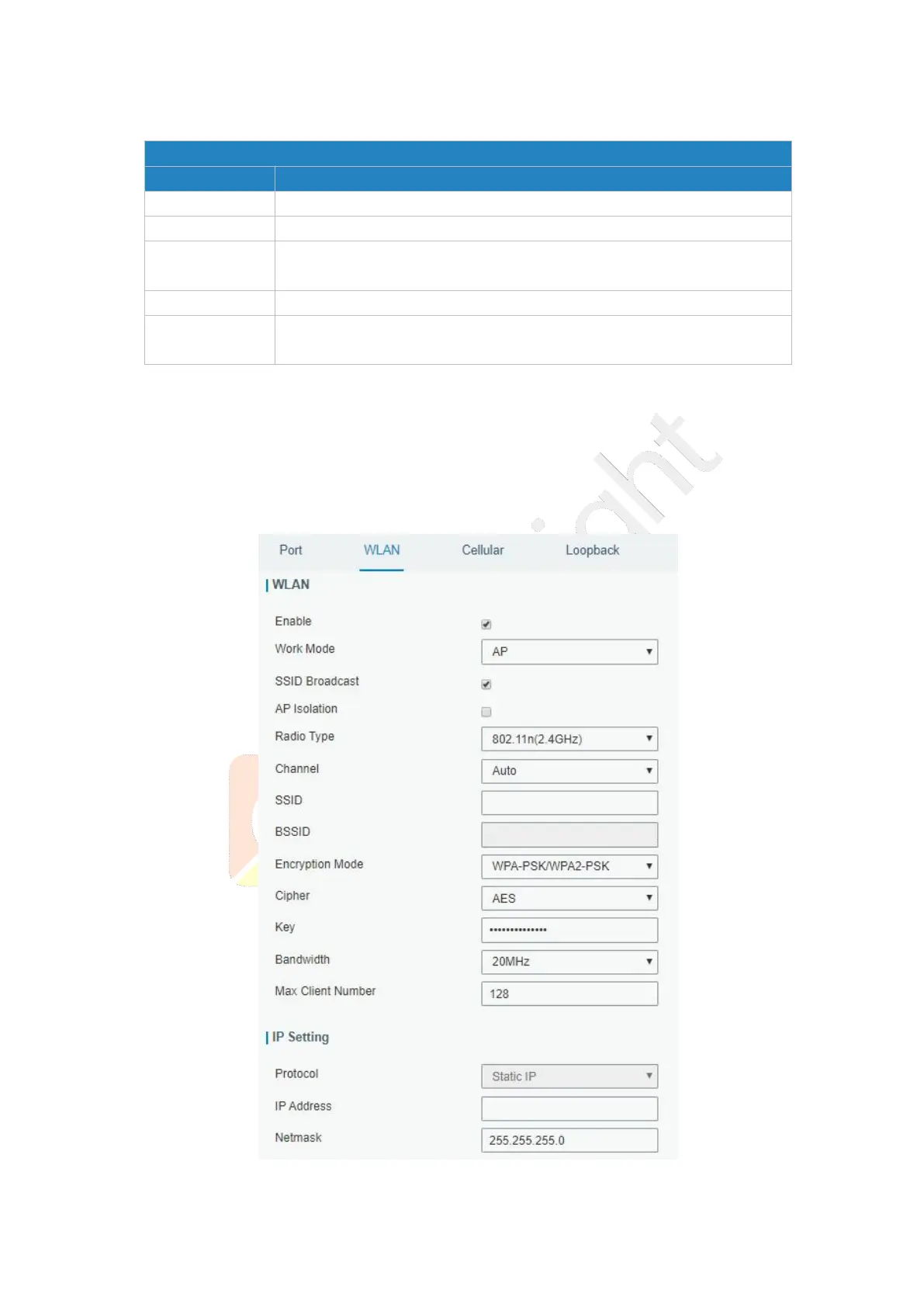
3.3.1.2 WLAN
This section explains how to set the related parameters for Wi-Fi network. UG65 supports
802.11 b/g/n, as AP or client mode.
Figure 3-3-1-5



 To Next Page