UG65 User Guide
www.milesight-iot.com
3.2.2.5 Packets
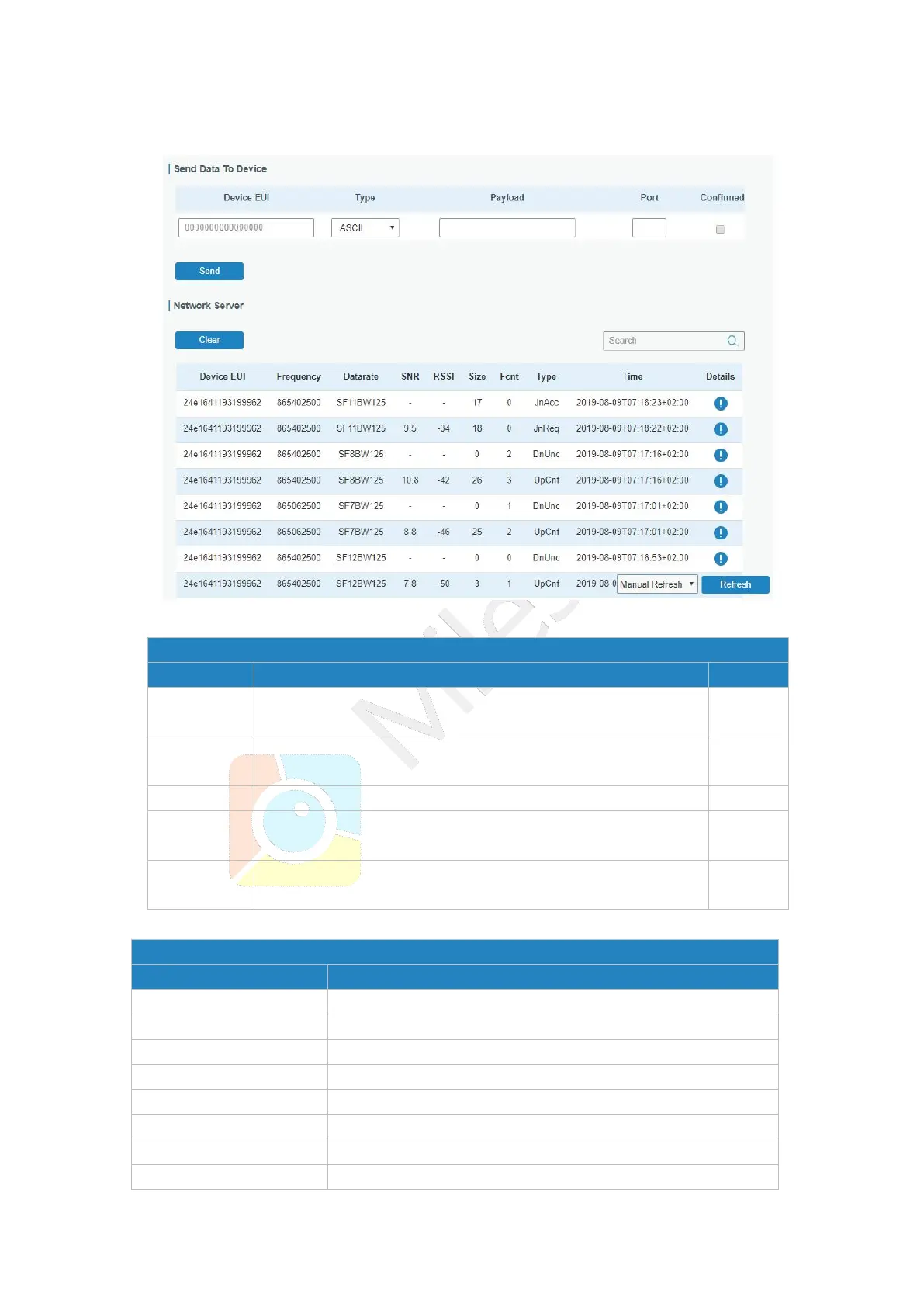
Figure 3-2-2-12
Enter the EUI of the device to receive
the payload.
Choose from: “ASCII”, “hex”, “base64”.
Choose the payload type to enter in the payload Input box.
Enter the message to be sent to this device.
Enter the LoRaWAN
®
frame port for packet transmission
between device and Network Server.
After enabled, the end device will receive downlink packet
and should answer “confirmed” to the network server.
Table 3-2-2-10 Send Data to Device Parameters
Show the EUI of the device.
Show the used frequency to transmit packets.
Show the used datarate to transmit packets.
Show the signal-noise ratio.
Show the received signal strength indicator.
Show the size of payload.
Show the type of the packet:



 To Next Page