UG65 User Guide
www.milesight-iot.com
3.3 Network
3.3.1 Interface
3.3.1.1 Port
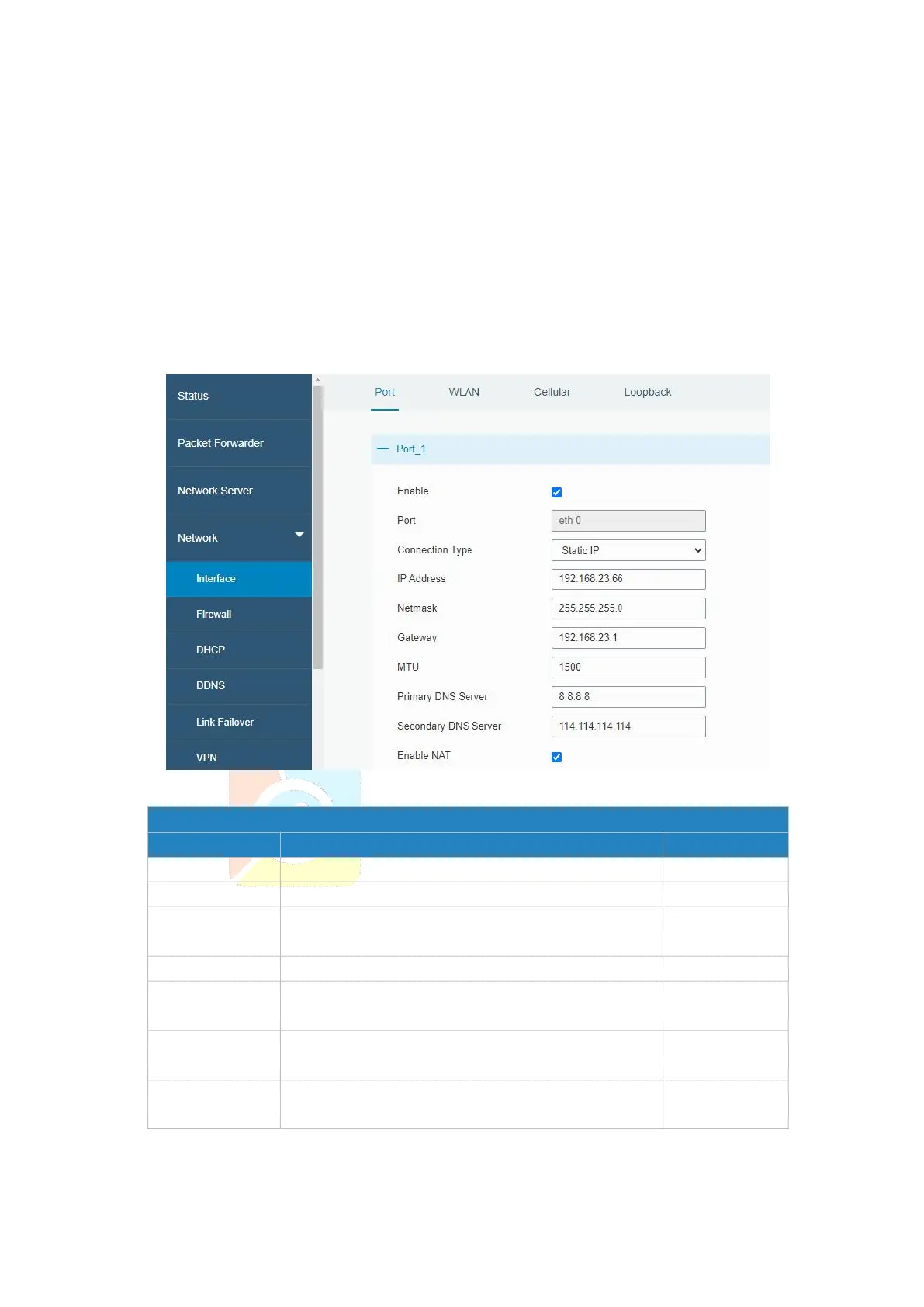
The Ethernet port can be connected with Ethernet cable to get Internet access. It supports
3 connection types.
- Static IP: configure IP address, netmask and gateway for Ethernet WAN interface.
- DHCP Client: configure Ethernet WAN interface as DHCP Client to obtain IP address
automatically.
- PPPoE: configure Ethernet WAN interface as PPPoE Client.
Figure 3-3-1-1
The port that is currently set as eth0 port.
Select from "Static IP", "DHCP Client" and "PPPoE".
Set the maximum transmission unit.
Enable or disable NAT function. When enabled, a
private IP can be translated to a public IP.
Table 3-3-1-1 Port Parameters


 To Next Page