UG65 User Guide
www.milesight-iot.com
Chapter 4 Application Examples
4.1 Packet Forwarder Configuration
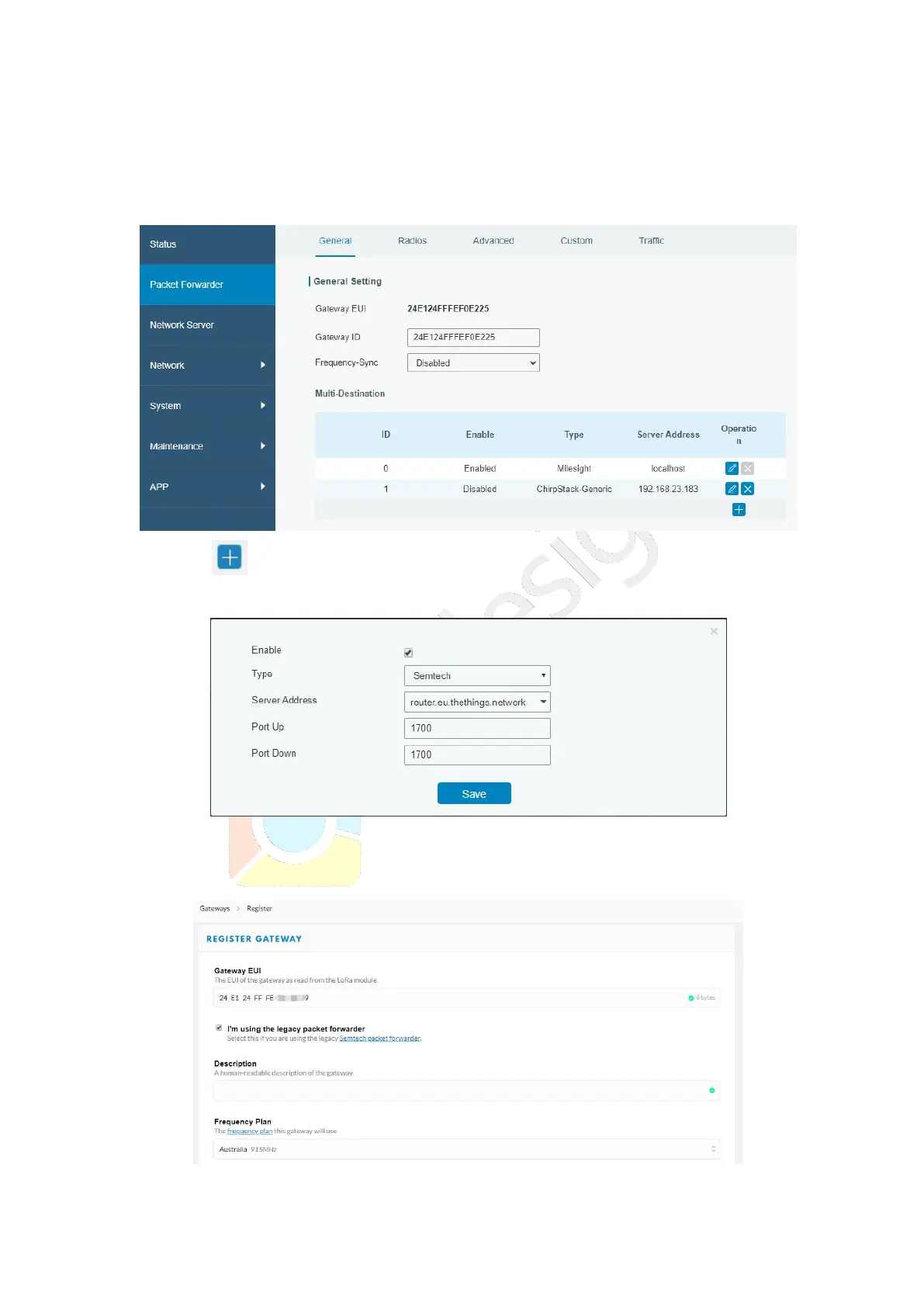
1. Go to “Packet Forwarder” > “General”.
2. Click to add a new network server. “Milesight” type indicates the gateway
network server.
3. Add the gateway on network server page. Take TTN for example, type and save the
gateway EUI and other information when you connect it via Semtech packet forwarder.
After you add the gateway, TTN will show connection status.



 To Next Page