UG65 User Guide
www.milesight-iot.com
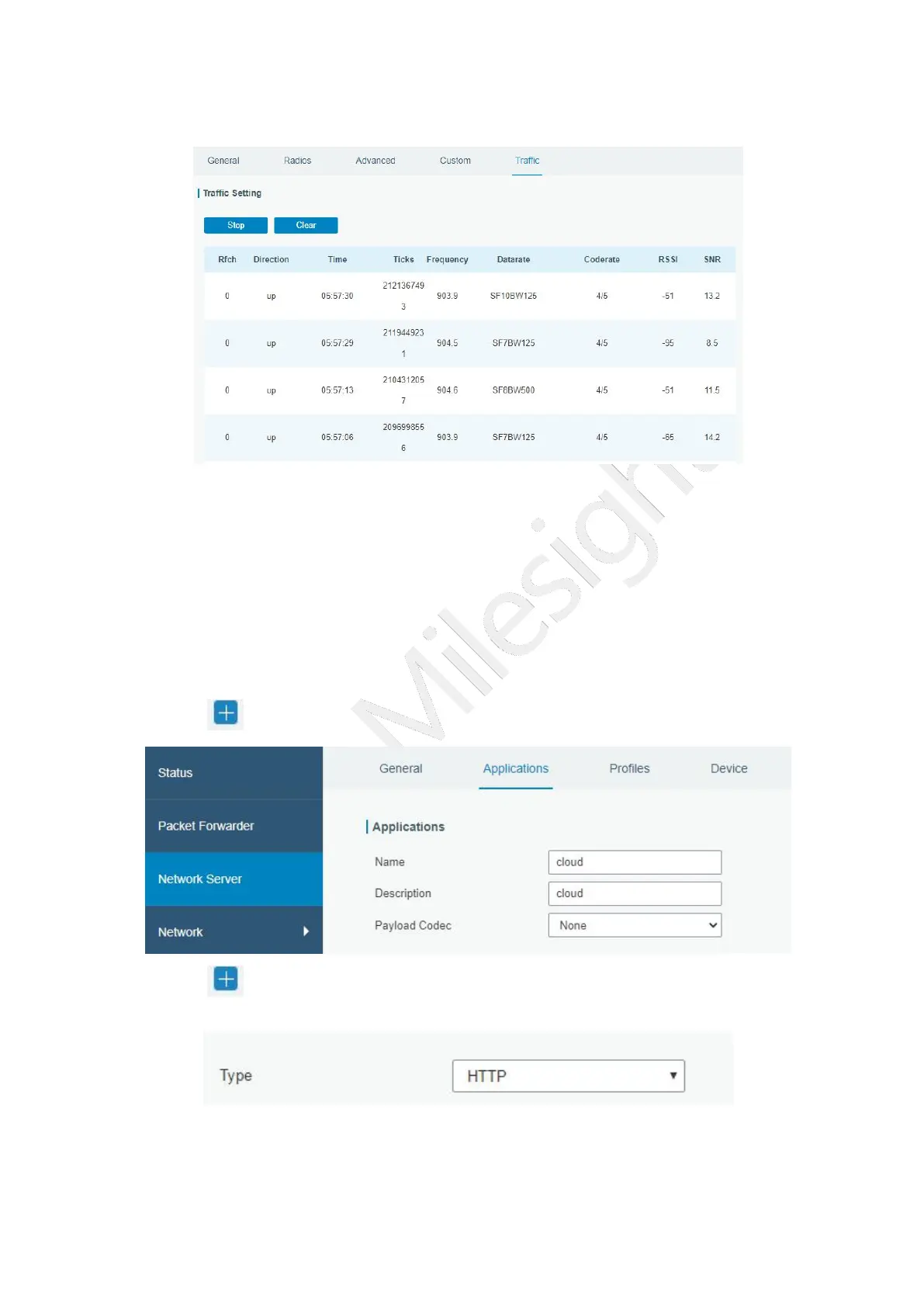
4. Go to “Traffic” page to view the data communication of UG65.
4.2 Application Configuration
You can create a new application on this page, which is mainly used to define the method
of decoding the data sent from end-device and choosing the data transport protocol to
send data to another server address. The data will be sent to your custom server address
using MQTT, HTTP or HTTPS protocol.
1. Go to “Network Server” > “Application”.
2. Click to enter the configuration page, displayed as the following picture:
3. Click to add a data transmission type of HTTP or HTTPS:
Step 1: select HTTP or HTTPS as transmission protocol.
Step 2: Enter the header name and header value as needed.



 To Next Page