EasyManua.ls Logo

Milesight UG65 - Vacm

Milesight UG65
111 pages
Print Icon
To Next Page IconTo Next Page
To Previous Page IconTo Previous Page
Loading...
UG65 User Guide
www.milesight-iot.com
84
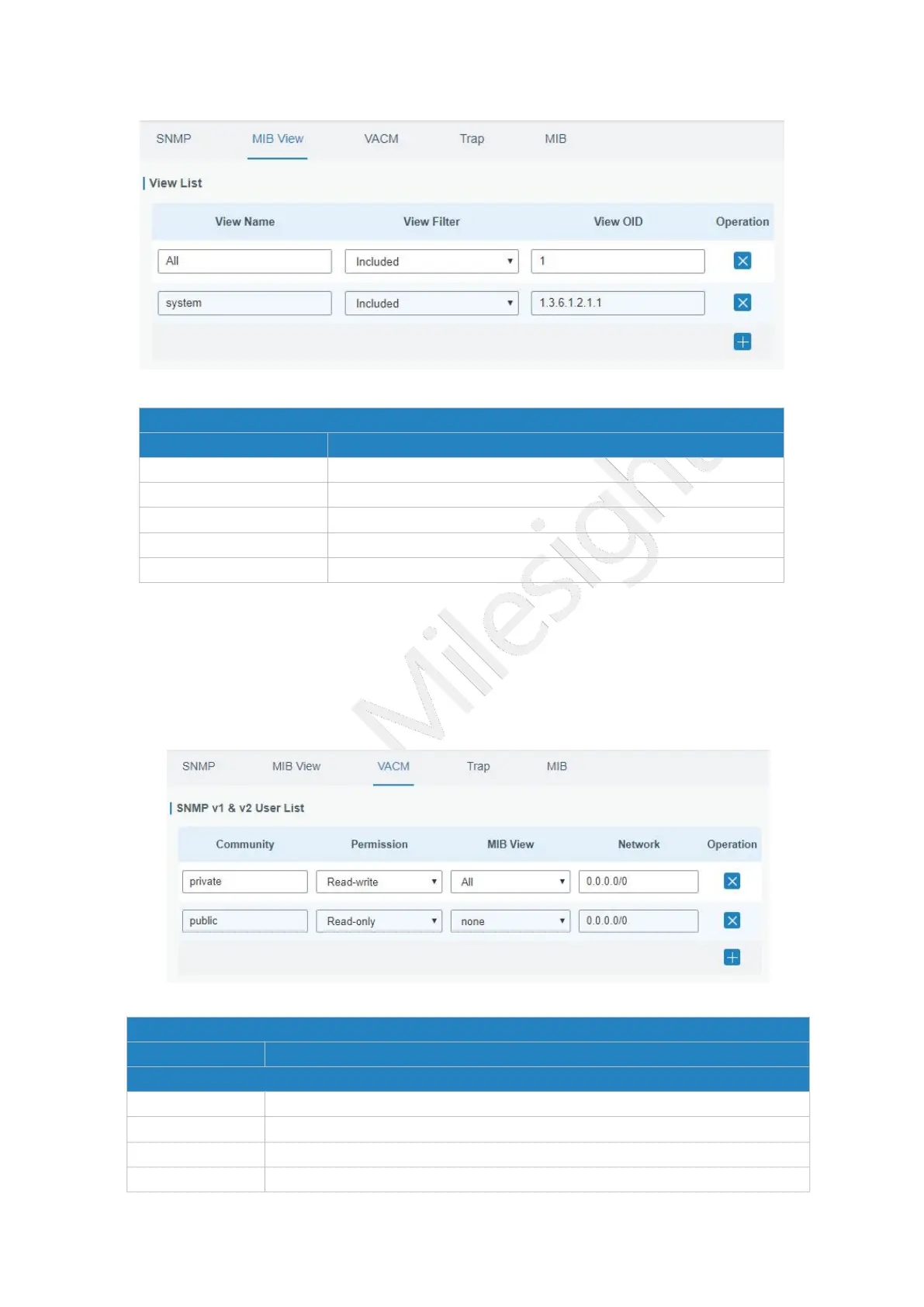
Figure 3-4-3-2
MIB View
Item
Description
View Name
Set MIB view's name.
View Filter
Select from "Included" and "Excluded".
View OID
Enter the OID number.
Included
You can query all nodes within the specified MIB node.
Excluded
You can query all nodes except for the specified MIB node.
Table 3-4-3-2 MIB View Parameters
3.4.3.3 VACM
This section describes how to configure VCAM parameters.
Figure 3-4-3-3
VACM
Item
Description
SNMP v1 & v2 User List
Community
Set the community name.
Permission
Select from "Read-Only" and "Read-Write".
MIB View
Select an MIB view to set permissions from the MIB view list.
Network
The IP address and bits of the external network accessing the MIB view.

Other manuals for Milesight UG65

Related product manuals