UG65 User Guide
www.milesight-iot.com
specified in the LoRaWAN
®
regional parameters
document.
Enter the RX2 channel frequency which used for
the RX2 receive-window. The range is based on
what is specified in the LoRaWAN
®
regional
parameters document.
List of factory-preset frequencies. The range is
based on what is specified in the LoRaWAN
®
regional parameters document.
Enter the time for confirmed downlink
transmissions. Only applicable to class C.
Table 3-2-2-7 Device Profiles Advanced Setting Parameters
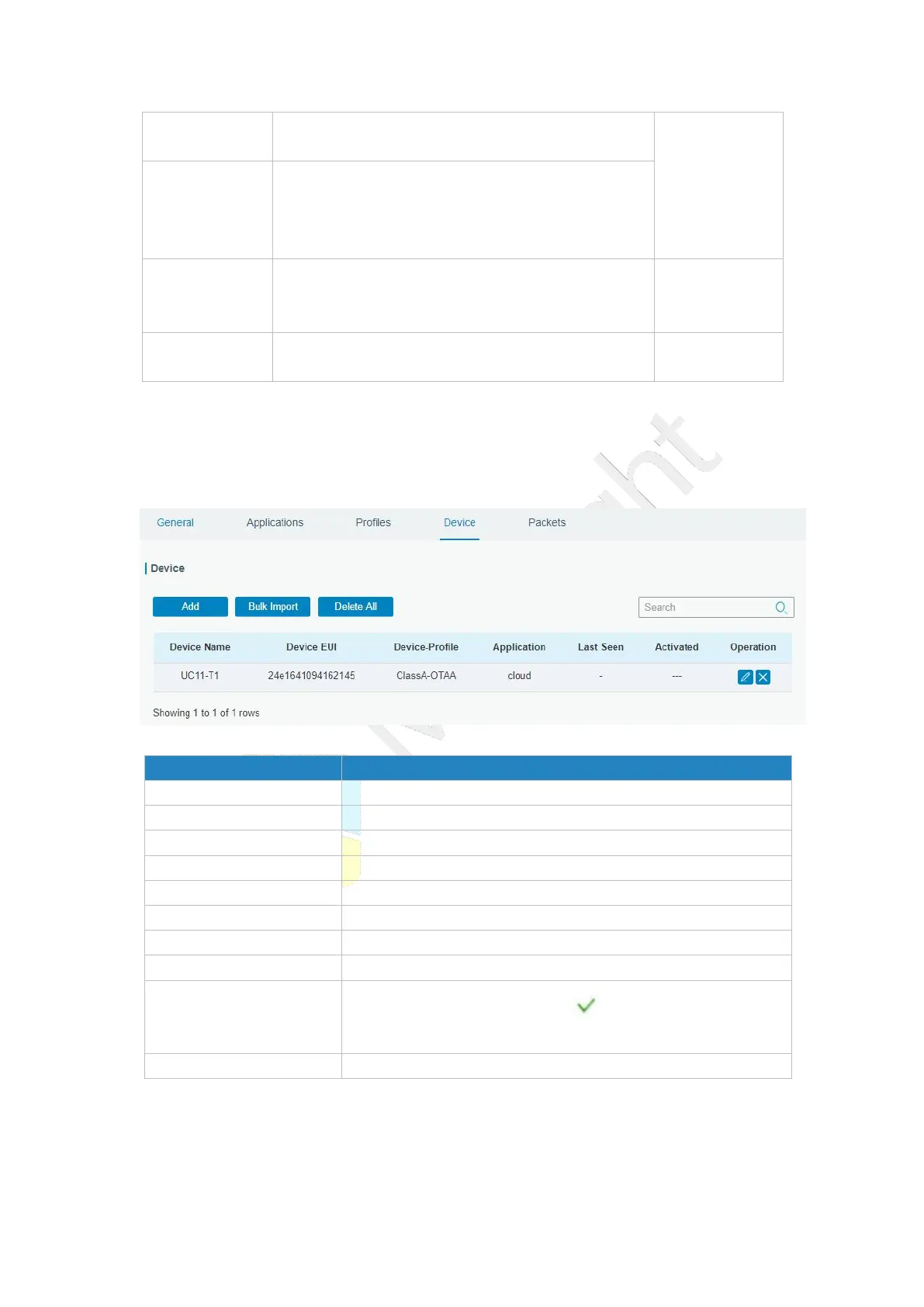
3.2.2.4 Device
A device is the end-device connecting to, and communicating over the LoRaWAN
®
network.
Figure 3-2-2-10
Download template and import multiple devices.
Delete all devices in the list.
Show the name of the device.
Show the EUI of the device.
Show the name of the device’s device profile.
Show the name of the device’s application.
Show the time of last packet received.
Show the status of the device . means that the device
has been activated.
Edit or delete the device.
Table 3-2-2-8 Device Parameters



 To Next Page