UG65 User Guide
www.milesight-iot.com
be activated by personalization. Activation by
personalization directly ties an end-device to a
specific network bypassing the join request -
join accept procedure.
Select from: “Class A” and “Class C”.
Class A: Class A operation has the lowest
power consumption for applications that
require downlink communication from the
server shortly after the end-device has sent an
uplink transmission.
Class C: End-device of Class C will continuously
open receive windows, only closed when
transmitting. Class C end-device will spend
more power than Class A or Class B but they
offer the lowest latency for server to end-device
communication.
Table 3-2-2-6 Device Profiles Setting Parameters
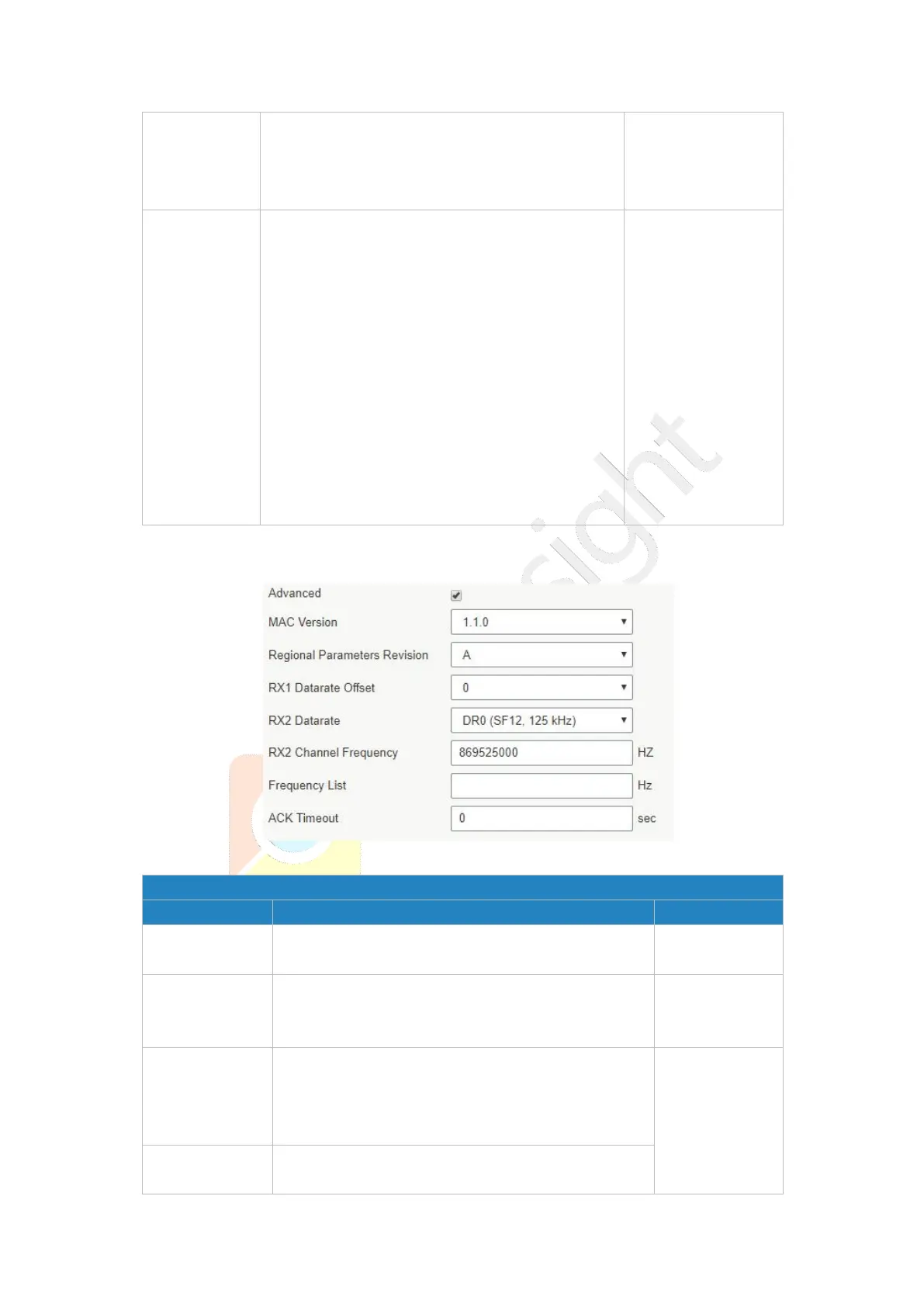
Figure 3-2-2-9
Device Profile Advanced Settings
Choose the version of the LoRaWAN
®
supported
by the end-device.
Regional
Parameter
Revision
Revision of the Regional Parameters document
supported by the end-device.
Enter the offset which used for calculate the RX1
data-rate, based on the uplink data-rate.
The range is based on what is specified in the
LoRaWAN
®
regional parameters document.
Based on what
is specified in
the LoRaWAN
®
regional
parameters
document
Enter the RX2 datarate which used for the RX2
receive-window. The range is based on what is



 To Next Page