UG65 User Guide
www.milesight-iot.com
3.3.5 Link Failover
This section describes how to configure link failover strategies, such as VRRP strategies.
Configuration Steps
1. Define one or more SLA operations (ICMP probe).
2. Define one or more track objects to track the status of SLA operation.
3. Define applications associated with track objects, such as VRRP or static routing.
3.3.5.1 SLA
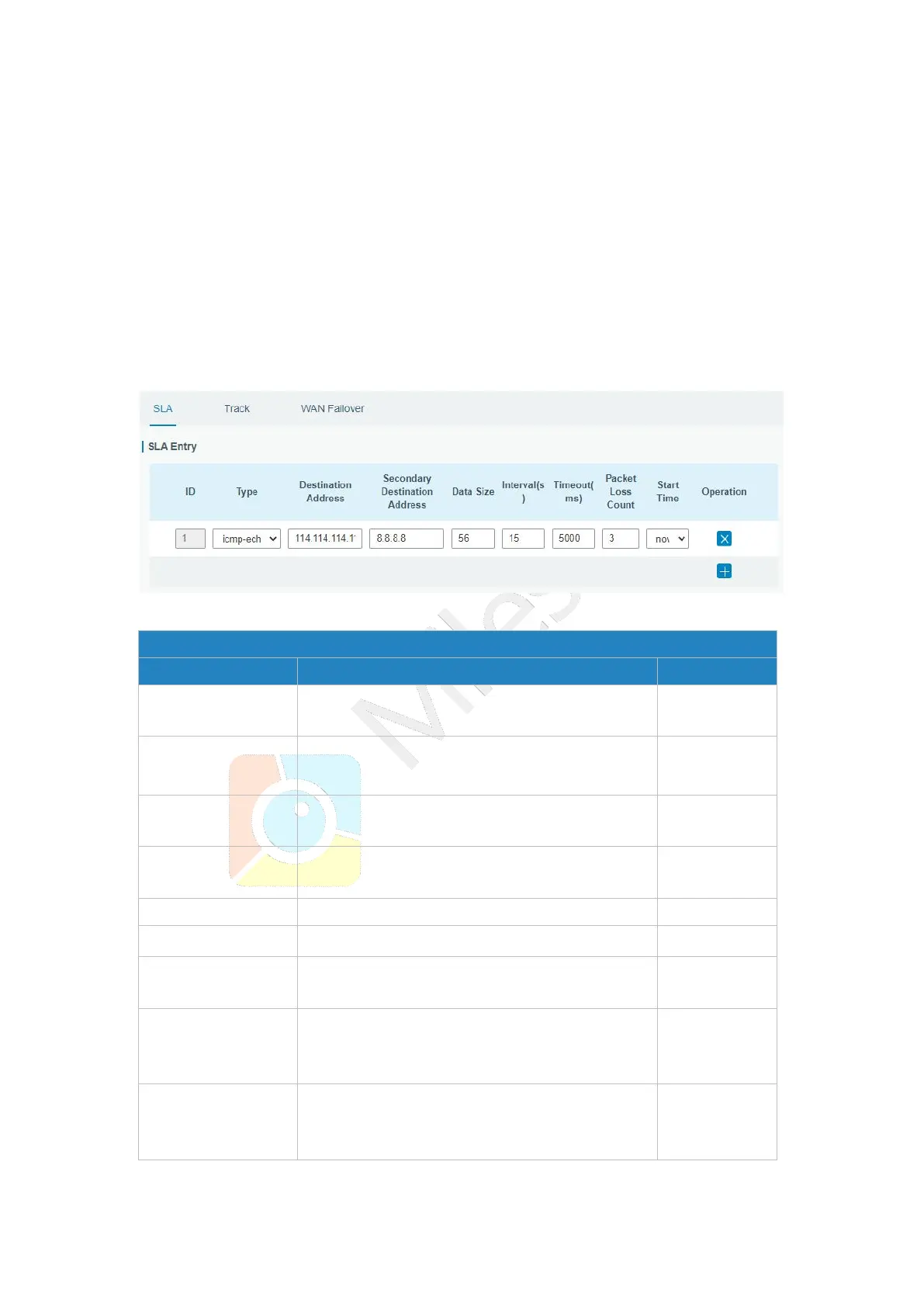
SLA setting is used for configuring link probe method. The default probe type is ICMP.
Figure 3-3-5-1
SLA index. Up to 10 SLA settings can be added.
Range: 1-10.
ICMP-ECHO is the default type to detect if the
link is alive.
Secondary
Destination Address
The secondary detected IP address.
User-defined data size. Range: 0-1000.
User-defined detection interval. Range: 1-608400.
User-defined timeout for response to determine
ICMP detection failure. Range: 1-300000.
Define packet loss count in each SLA probe. SLA
probe fails when the preset packet loss count is
exceeded.
Detection start time; select from "Now" and blank
character. Blank character means this SLA
detection doesn't start.
Table 3-3-5-1 SLA Parameters



 To Next Page