UG65 User Guide
www.milesight-iot.com
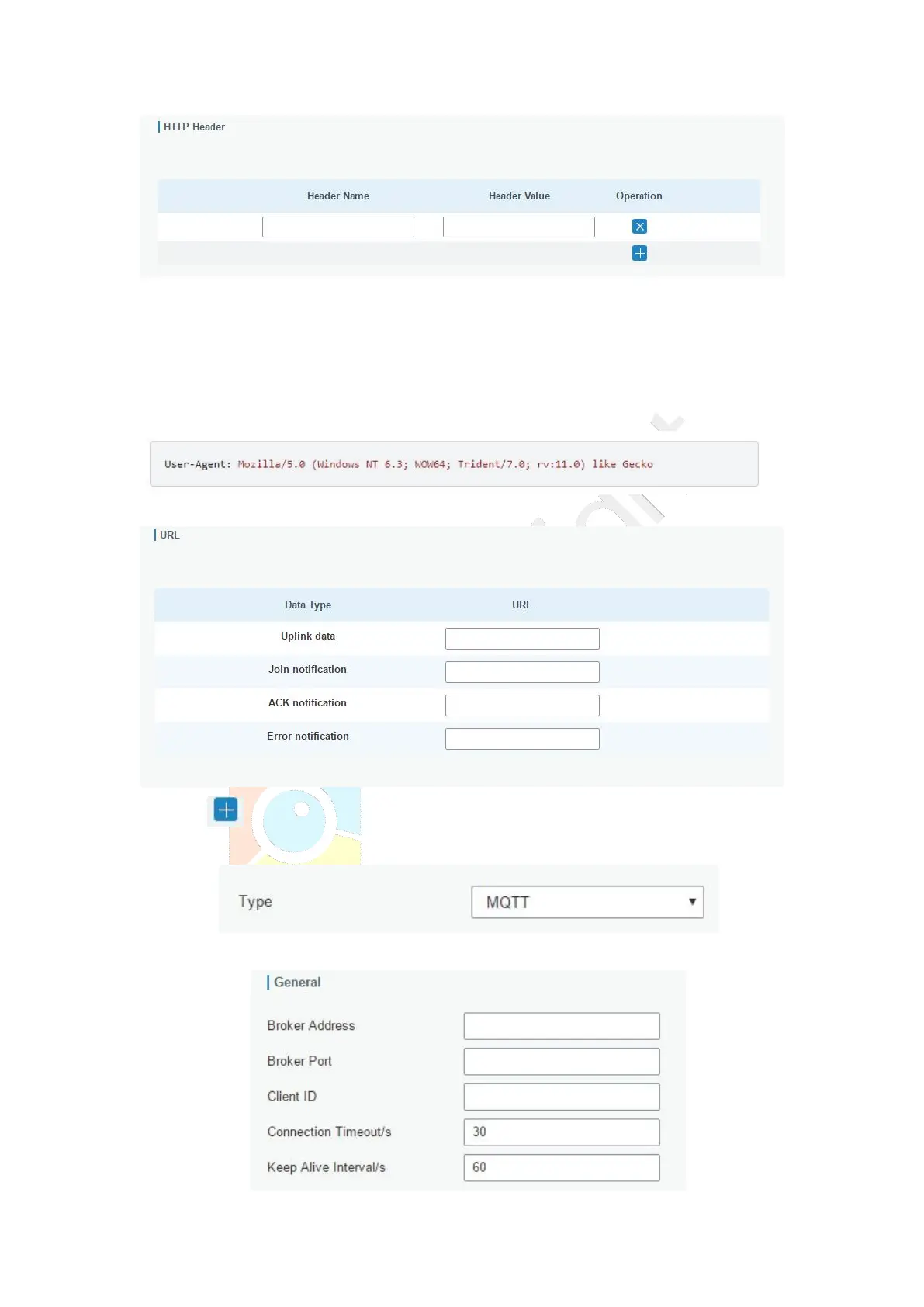
Headers are name/value pairs that appear in both request and response messages. The
name of the header is separated from the value by a single colon.
For example, this request message provides a header called User-Agent whose value is
Mozilla/5.0 (Windows NT 6.3; WOW64; Trident/7.0; rv:11.0) like Gecko. The purpose of this
particular header is to supply the web server with information about the type of browser
making the request.
Step 3: Enter the destination URL. Different types of data can be sent to different URLs.
4. Click to add a data transmission type of MQTT:
Step 1: select the transmission protocol as MQTT.
Step 2: Fill in general settings.



 To Next Page