UG65 User Guide
www.milesight-iot.com
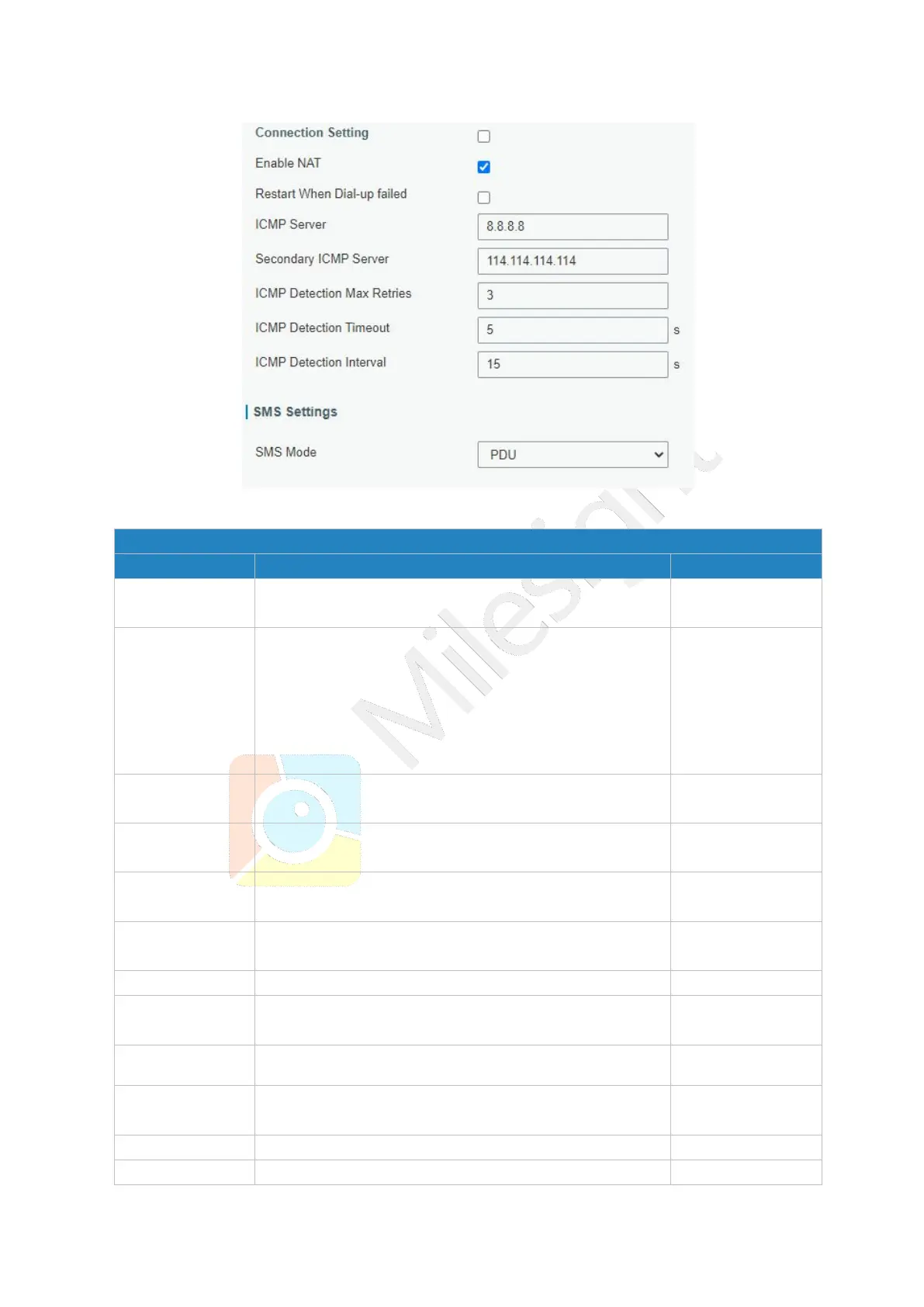
Figure 3-3-1-9
Check the option to enable the corresponding SIM
card.
Select from "Auto”, "Auto 3G/4G”, "4G Only" and "3G
Only".
Auto: connect to the network with the strongest signal
automatically.
4G Only: connect to 4G network only.
And so on.
Enter the Access Point Name for cellular dial-up
connection provided by local ISP.
Enter the username for cellular dial-up connection
provided by local ISP.
Enter the password for cellular dial-up connection
provided by local ISP.
Enter the dial-up center NO. For cellular dial-up
connection provided by local ISP.
Enter a 4-8 characters PIN code to unlock the SIM.
Select from "Auto", "PAP", "CHAP", "MS-CHAP", and
"MS-CHAPv2".
Enable or disable roaming.
Enter the local SMS center number for storing,
forwarding, converting and delivering SMS message.
Enable or disable NAT function.
When this function is enabled, the gateway will restart



 To Next Page