Milestone Srl MA213-003 – DMA-80 EVO – User Manual
108
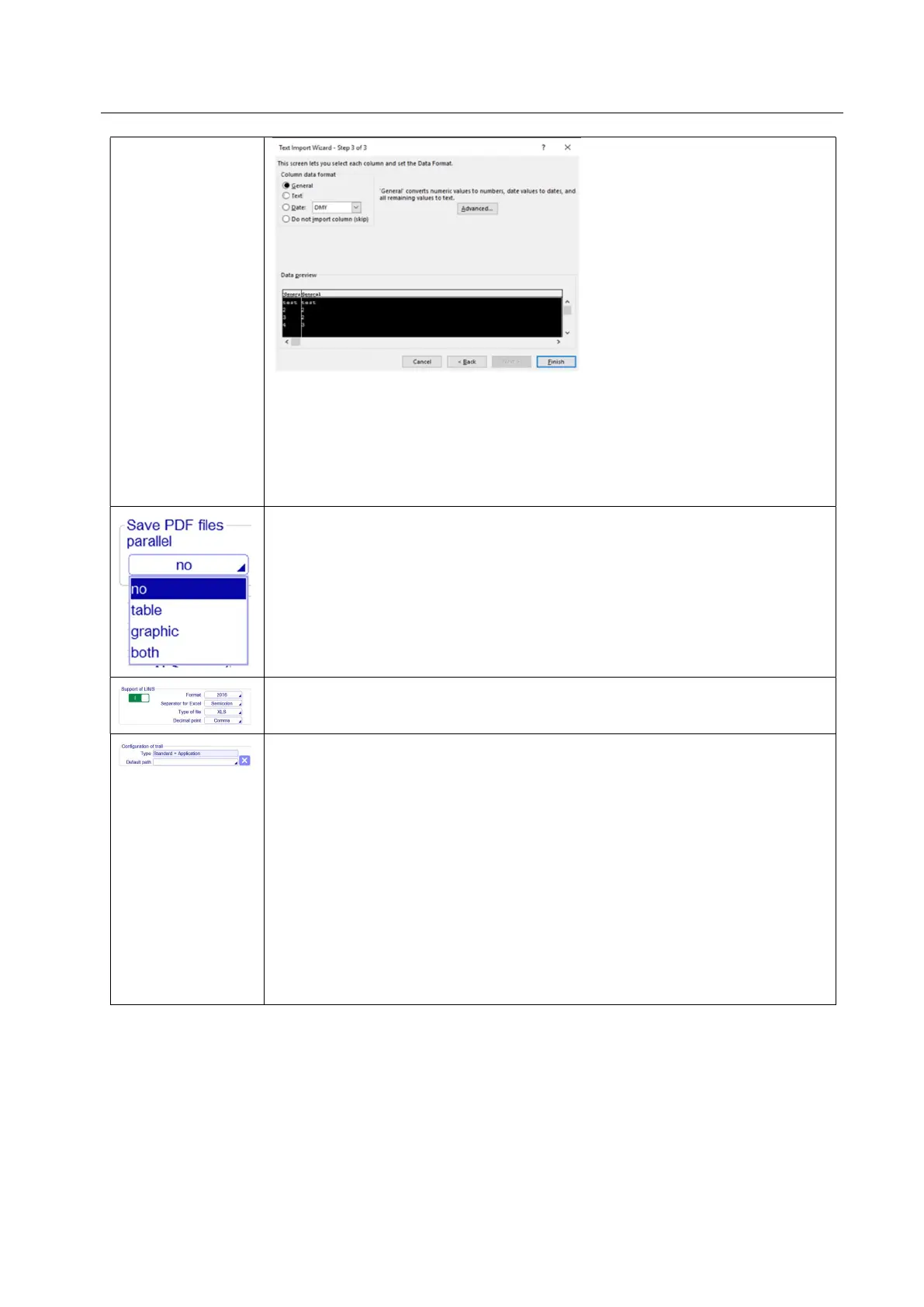
8. It may ask you 'Where do you want to put the data?'. It will allow you to click
into any cell on the blank worksheet to determine where the data should go.
Click 'OK' to proceed.
9. The data should now appear in the spreadsheet. Where column headings are
included these will appear in the top row. Check that fields have not lost leading
zeros where applicable.
Save PDF files parallel: a copy of the files in PDF format can be saved. You can
choose if save a copy of only the tables or graphics or both.
Support of LIMS: Select this option, if an external LIMS system is connected to
the unit. You can use different options for saving excel files.
Configuration of trail: here it is possible to set different levels of trail. This is
possible only with Service login:
- Standard: the software saves a trace of all setting changes and device errors in
the history trail tables.
- Standard + Applications: the software saves a trace of all setting/applications
(calibration, method and measurements) changes and device errors in the
history trail tables.
- Standard + Application + Confirmation: the software saves a trace of settings
and application (calibrations, methods and measurements) changes and error
devices in the history trail table asking you everytime with a message the reason
of that action
Default path: here you can choose the saving path of history trail



 To Next Page