Milestone Srl MA213-003 – DMA-80 EVO – User Manual
112
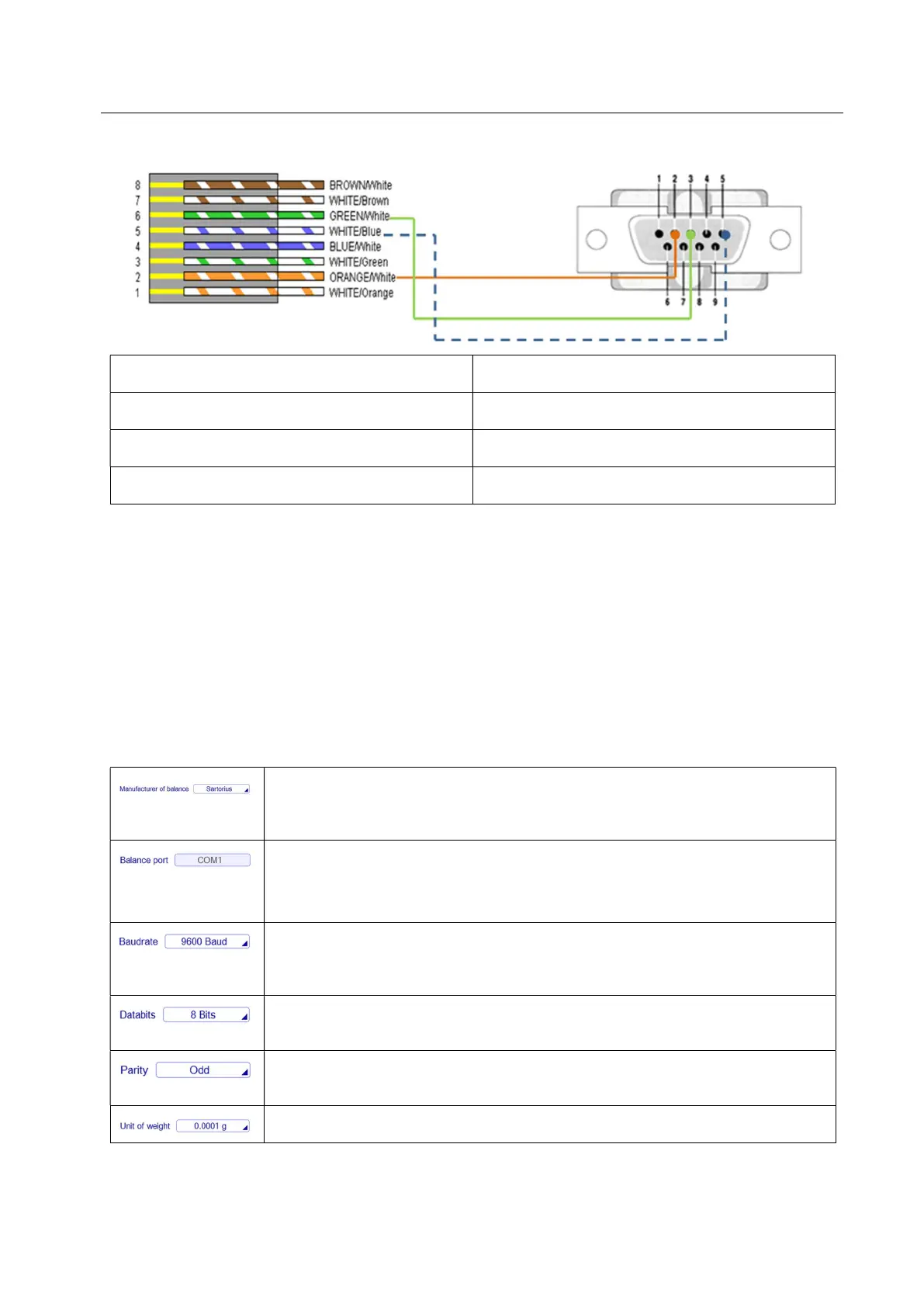
PIN CONNECTIONS
RJ45 connector PINS 9 pins RS232 male connector PINS
2, orange wire 2
6, green wire 3
5, white blue wire 5
b) P/N WAA0220-PC: Sartorius balance mod. BCE224i-1S + interface cable USB A-C for connection
with PC (for DMA controlled by PC software package).
The interface cable USB A-C is a common cable sold in any electronic shop.
5.15.2.9.1 Sartorius balance mod. BCE224i-1S configuration
- DMA software parameters (bold parameters are proper for BCE224i-1S model)
Manufacturer of balance: It is possible to select among: Sartorius, Precisa, Kern
and Others (options available starting from DMA-80 software rev. 02-E) in
according with model of balance connected
Balance port: Port (COM) in the terminal where the balance is connected.
In case of DMA on PC software package, select the available port of the PC
where ethe balance is connected
Baudrate: Number of distinct symbol changes (signalling events) made to the
transmission medium per second (you can choose among: 300, 600, 1200,
2400, 4800, 9600, 19200)
Databits: Number of bits used to represent one character of data (you can
choose between 7 or 8 bit)
Parity: It indicates when a number is even or odd (you can choose among: even,
odd or none)
Unit of weight: it is possible to choose different unit of weight


 To Next Page
 Loading...
