— 1.9 Calibration, adjustment
— 1.9.1 * External cal./adjustment; standard weight
— 1.9.3 External cal./adjustment; selectable weight
(menu item 1.18.1)
— 1.9.6 External linearization with default weights
— 1.9.7 External linearization with user weights (entry
under 1.18)
— 1.9.10
Key – locked by pressing and holding
down
— 1.10 Calibration/adjustment function
— 1.10.1 Calibration with automatic adjustment
— 1.10.2 * Calibration with manual adjustment
— 1.11.1 1 percent/max. load
— 1.11.2 * 2 percent/max. load
— 1.12 Power-on zero range
— 1.12.2 2 percent/max. load
— 1.12.3 5 percent/max. load
(Adjustment option according to model type)
— 1.12.4 * 10 percent/max. load
— 1.13 Power-on tare/zero
— 1.13.2 O and reload the old tare values
— 1.13.3 Only power-on zero range
— 1.16
External calibration
1)
— 1.17 Unit for calibration weight
7.2.1 Set "Mandatory calibration" function
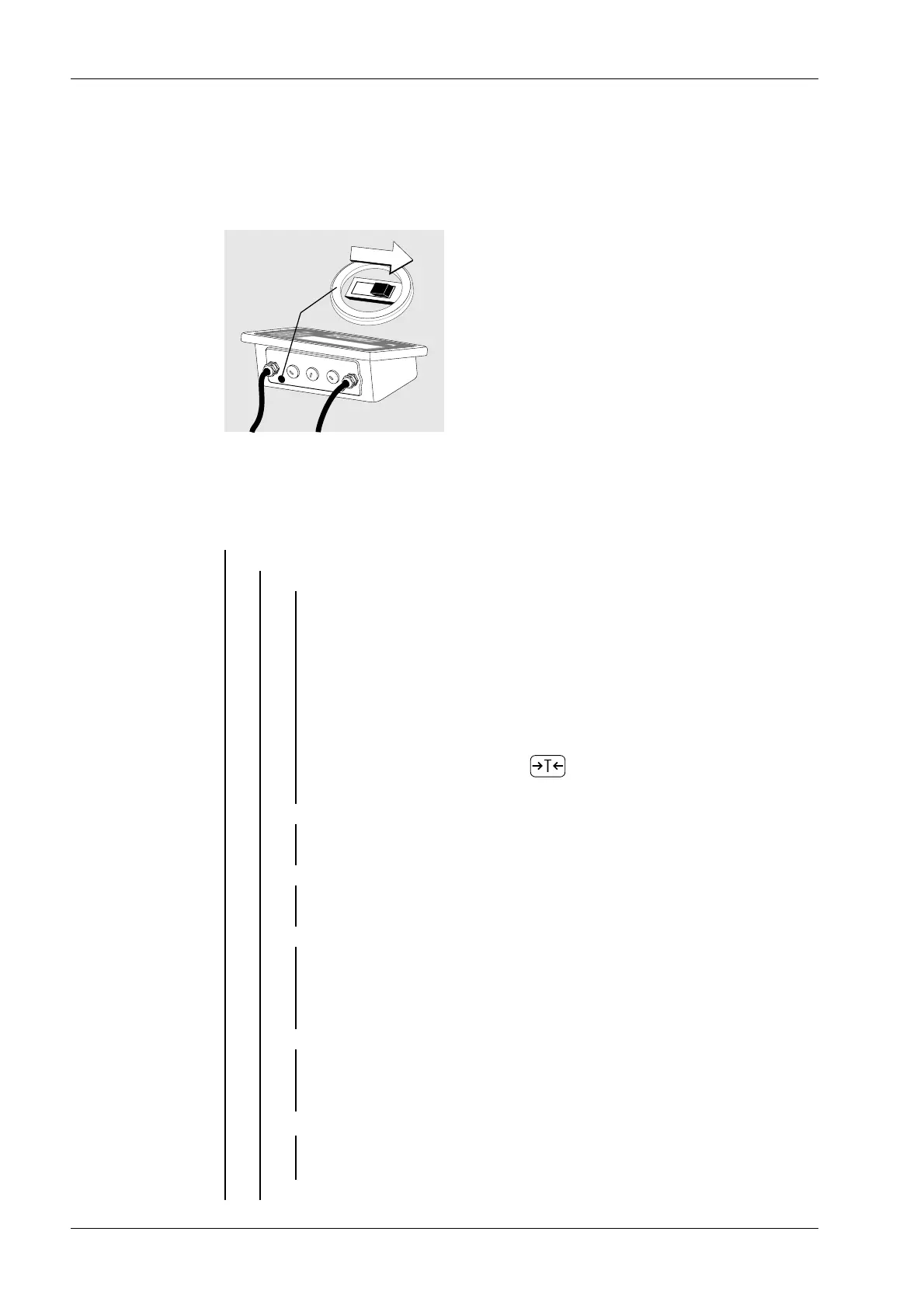
There is a switch to change over to "Goods weighing in legal metrology" (ADC
conguration: [VERIF.] selected for legal metrology). This is located under a cover cap to
the rear left of the weighing platform housing.
Switch to the right = free
Switch to the left = setting for legal metrology
7.2.2 Adjustable parameters
SETUP
Ex Indicator Midrics 1 (MIXS1) 7 Operating
EN-72 Minebea Intec



 To Next Page