8 Data interfaces
8.1 General information
The indicator has an intrinsically safe data interface, which can be connected to a
computer (or another peripheral device) via a barrier (e.g.YDI05-Z). A computer can be
used to change, start and monitor scale functions and application program functions.
When using third-party or commercially available RS‑232 connection cables:
NOTICE
The pin assignments are often not compatible with Minebea Intec devices.
Non-compliance can lead to errors or to the damage to the indicator and any peripheral
devices connected to it.
The pin assignment should be checked against the connection diagrams and
unassigned cables should be disconnected.
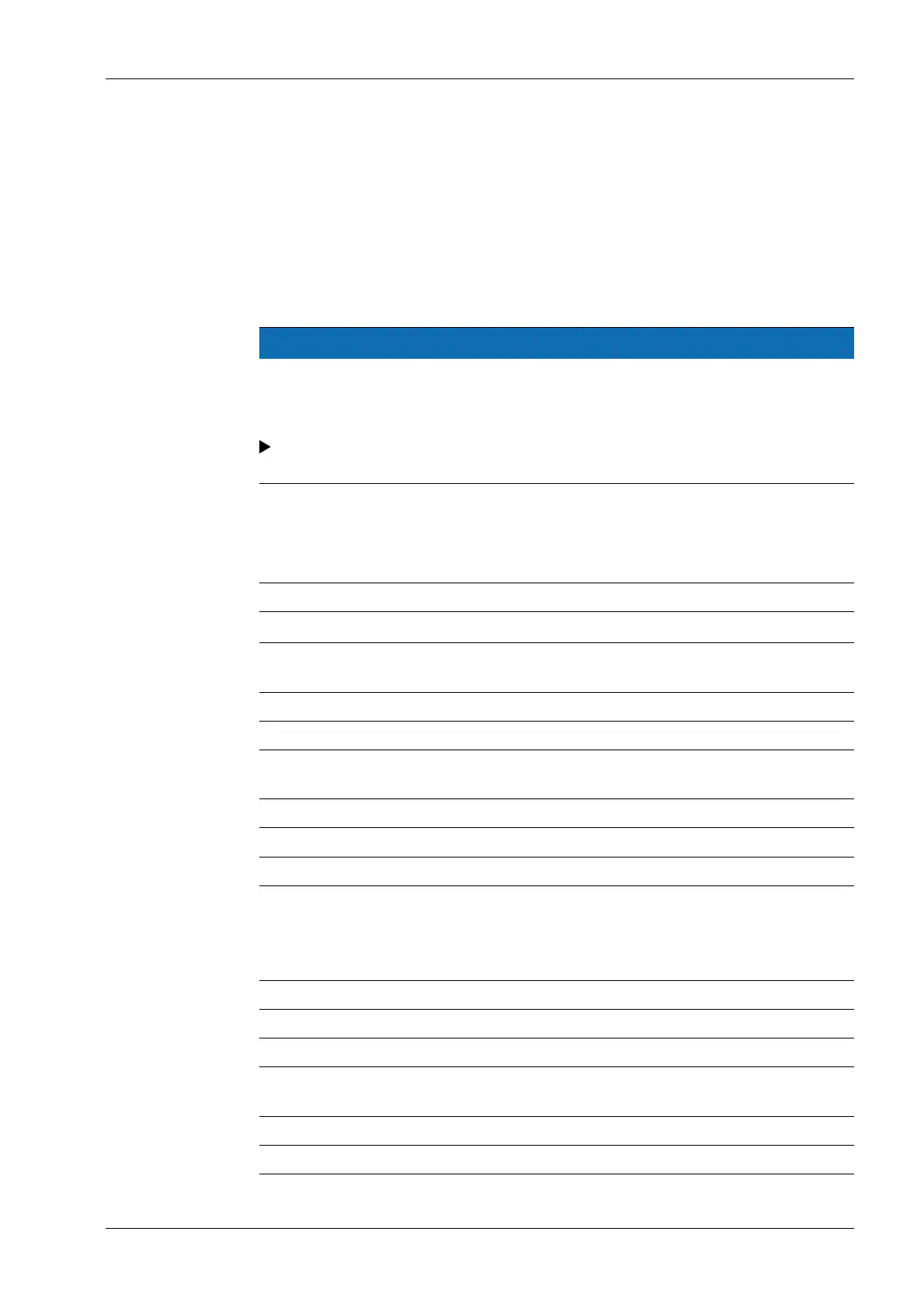
8.2 Specication
8.2.1 Serial interface
Interface operation: full duplex
Levels:
RS‑232 / RS‑422
Transmission rate: 150, 300, 600, 1200, 2400, 4800, 9600,
19,200 baud (depending on operating mode)
Parity: Blank, Odd, Even, Without
Character transfer: Stop bits, 7-bit ASCII, parity, 1 or 2 stop bits
Handshake operating mode: for 2-wire interface: Software (XON/XOFF)
for 4-wire interface: Hardware (CTS/DTR)
Operating mode: SBI, XBPI*, SMA, various printers
SBI: Output format: 16 characters, 22 characters
Applicative protocol printing: Output of a congurable print protocol
* Operating mode XBPI always with 9600 baud, 8-bit, parity odd, 1 stop bit
Factory setting of the parameters:
Depending on the congured device, example: Setting operating type SBI
Transmission rate 1200 baud
Parity Odd
Stop bits 1 stop bit
Handshake Hardware handshake, following CTS still 1 charac-
ter
Data bits 7
Network address 0
8 Data interfaces Ex Indicator Midrics 1 (MIXS1)
Minebea Intec EN-77



 To Next Page