45
Signum 3 Ex
Operation
)
10) Save the character
11) Enter additional letters as
described above�
After entering the last letter,
save the input by pressing
the ) key
k
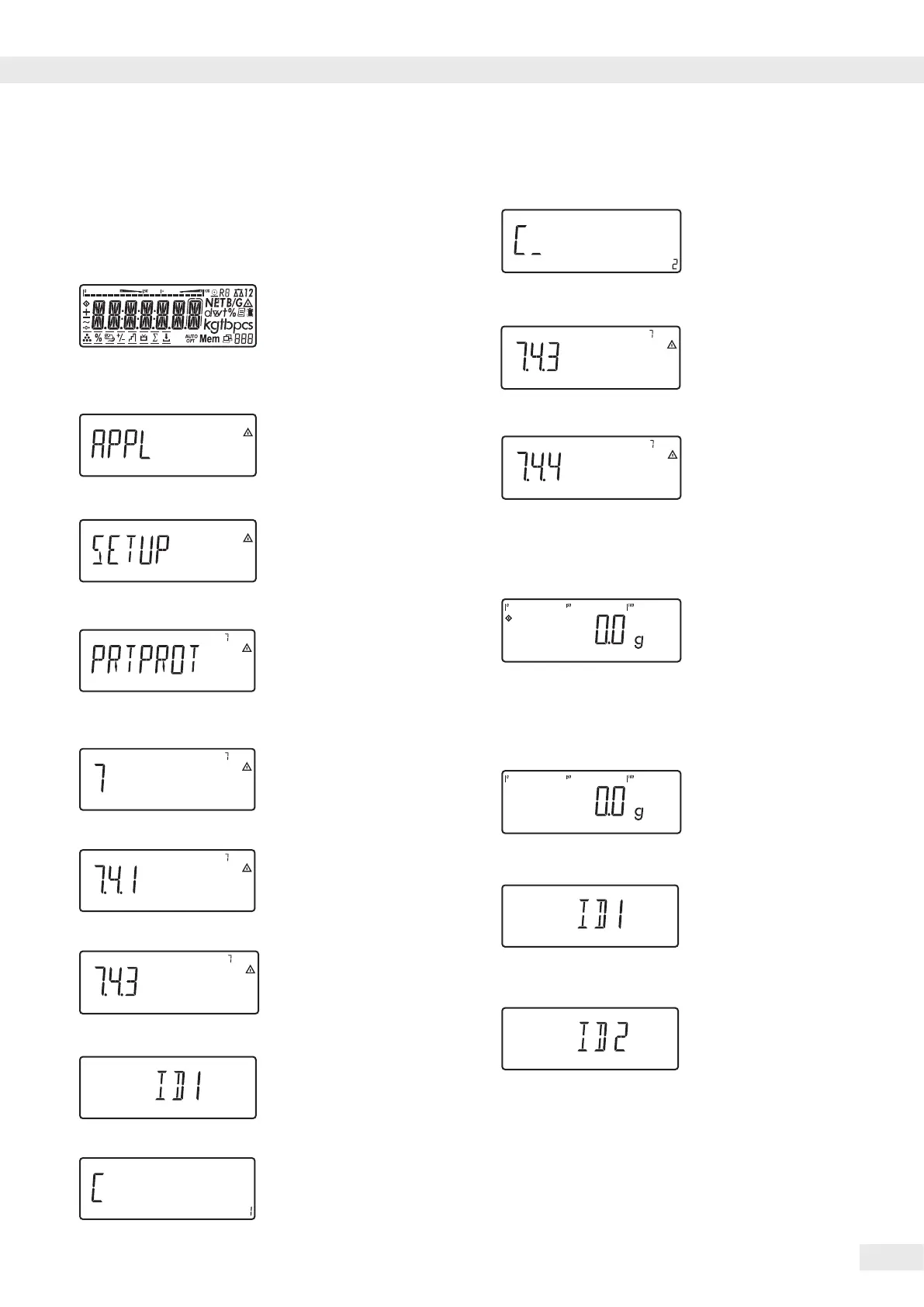
– Open the 7.4.4 ID2 name
menu item
– Repeat starting with step 8
(
12) Exit this menu level and
congure other settings as
desired, or
)
13) Press and hold to exit the
menu
Example:
Enter ID code values�
The value “123” should be entered for ID code 1�
d
1) Activate input of ID code
values�
123
2) Enter the value for ID code 1
(in this example:
123)�
�
�
�
5)
Exit after ID4 using the
dkey
•
•
•
Example:
Enter ID code names�
For ID codes 1 and 2,
enter “Batch no�” and “Cust�” as names�
e
1) Turn on the device�
)
2) While all segments are lit,
press the ) key
The rst item in the main
menu is shownAPPL
k
3) Select the setup menu item
for the ID code settings (press
k repeatedly until setup is
displayed)
)
4) Select the Setup menu
5) Select the prtprot menu
item for the ID code settings
(press k repeatedly until
prtprot is displayed)
)
6) Select level 7�
)
7) Press the ) key until 7.4.1
appears in the display�
k
– Select the 7.4.3 ID1 name
menu item (press the key
until prtprot appears in
thedisplay)
)
8) Press the ) key to enable
alphanumeric input�
p
,
p
,
p
,
p
9) 1� Enter the rst character
using the p and k keys
(in this example: c)
Operation



 To Next Page
 Loading...



