108
My Maps
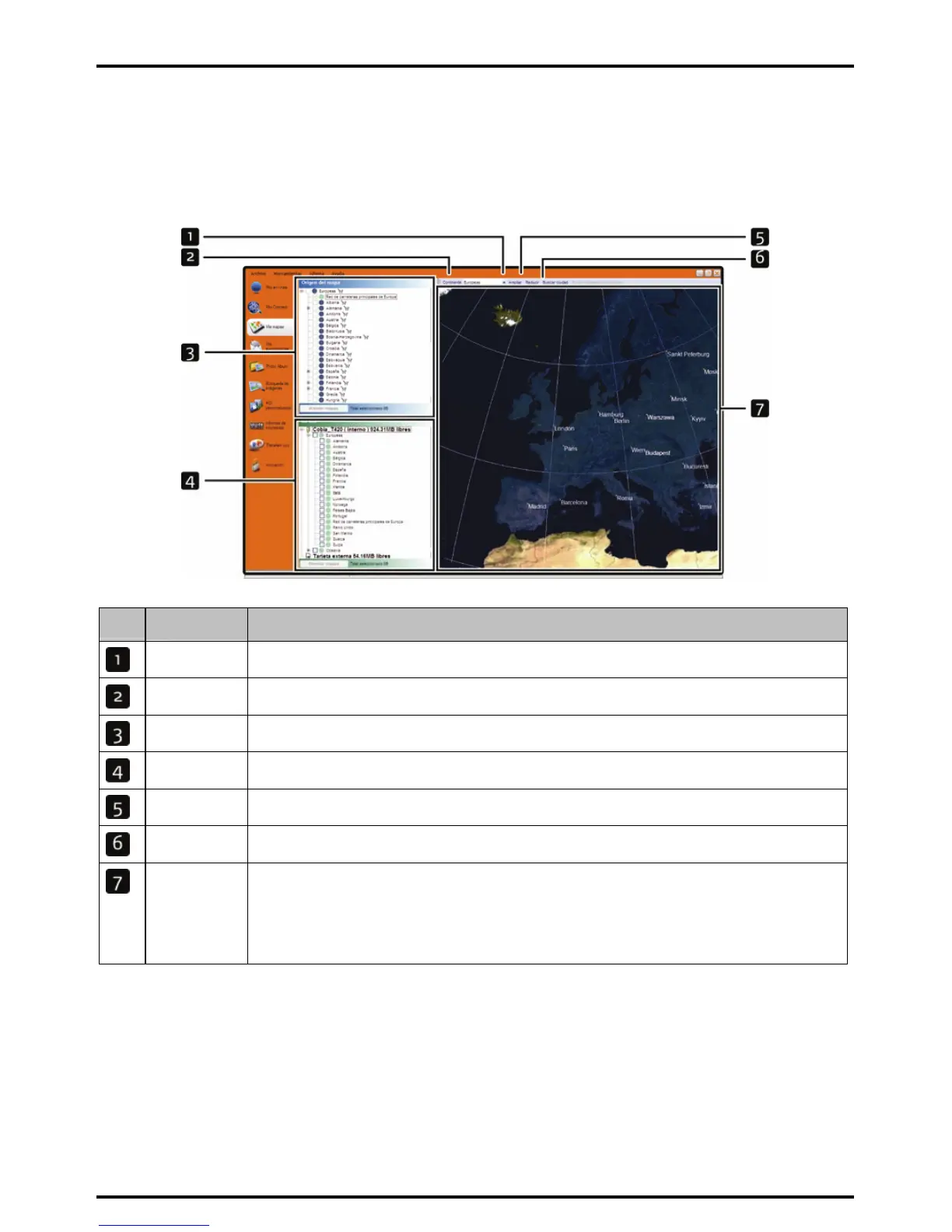
The My Map application allows you to install new maps, remove maps from your device and purchase new
maps.
Start Æ All Programs Æ Mio Æ MioMore Desktop Æ My Maps
Element Description
Zoom In Click to zoom in.
Continent A drop down list of continents that have maps available for your Mio.
Map Source A list of maps on the DVD or available for purchase via the Mio store website.
My Mio A list of maps installed on your Mio.
Zoom Out Click to zoom out.
Find City Click to open the Find City window to search for a city or town.
Globe A map of the world or a continent selected indicating the maps:
z on the current DVD,
z installed on your Mio or memory card, or
z available from Mio.
How do I install maps onto my Mio?
Your Mio comes with one or more pre-activated maps.
You can install maps from the enclosed DVDs to a memory card or your Mio internal memory; however you
may need to purchase a Map Product Key to activate the maps.
If you are not sure which map contains the town or city that you want to install, you can use the Find City
window to identify the correct map. For more information, see “
How do I know which map contains a particular
city or town?” on page
111.














 To Next Page