129
Traffic and other TMC Events
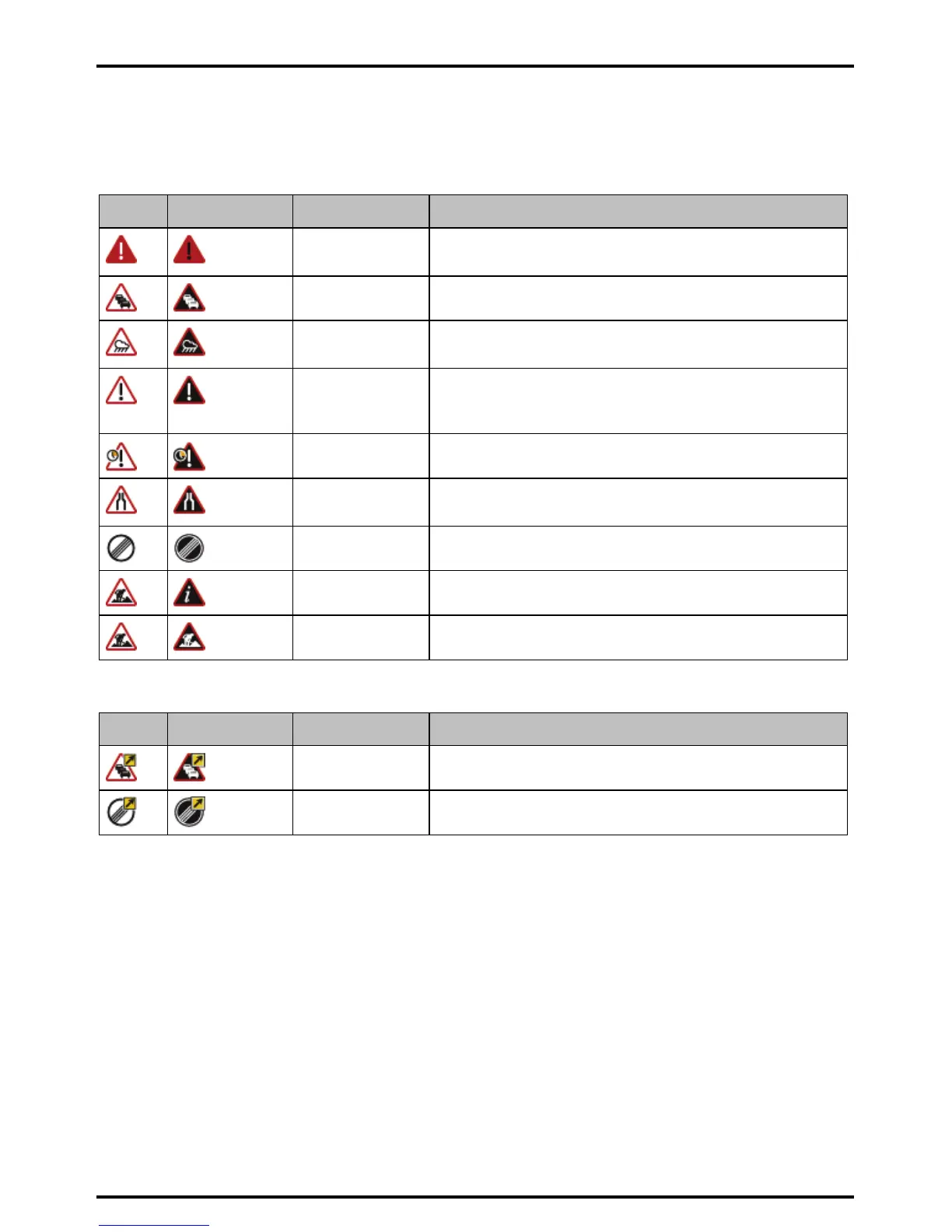
Each TMC Event is sorted in to one of nine categories. When an Event is received, one of the following icons will
display:
Event Avoided Event Message Type Event Description
Danger There is a dangerous situation on the route; for example, people are
on the road.
Traffic Any event that will cause a delay on a route.
Weather Weather conditions are adversely affecting a route; for example,
there is ice on the road.
Warnings Weather conditions are adversely affecting a route; for example,
there is ice on the road it is not serious enough to be considered a
dangerous situation; for example, a minor accident has taken place.
Forecast An event is expected to occur on a route.
Restrictions There is a restricted flow of traffic on a route; for example, a lane has
been closed on a motorway.
Clearance A Traffic Event that has now been cleared.
Information All other events.
Roadworks Roadworks are taking place on a route.
If a Traffic or Clearance event has a recommended detour, the following icons will display:
Event Avoided Event Message Type Event Description
Traffic Detour A Traffic Event, for which a detour is recommended.
Clearance Re-route A Clearance Event, for which a re-route is recommended.
Note: Avoided Event icons will only display on the 2D Map and 3D Map, at the Event location.














 To Next Page