126
Reference
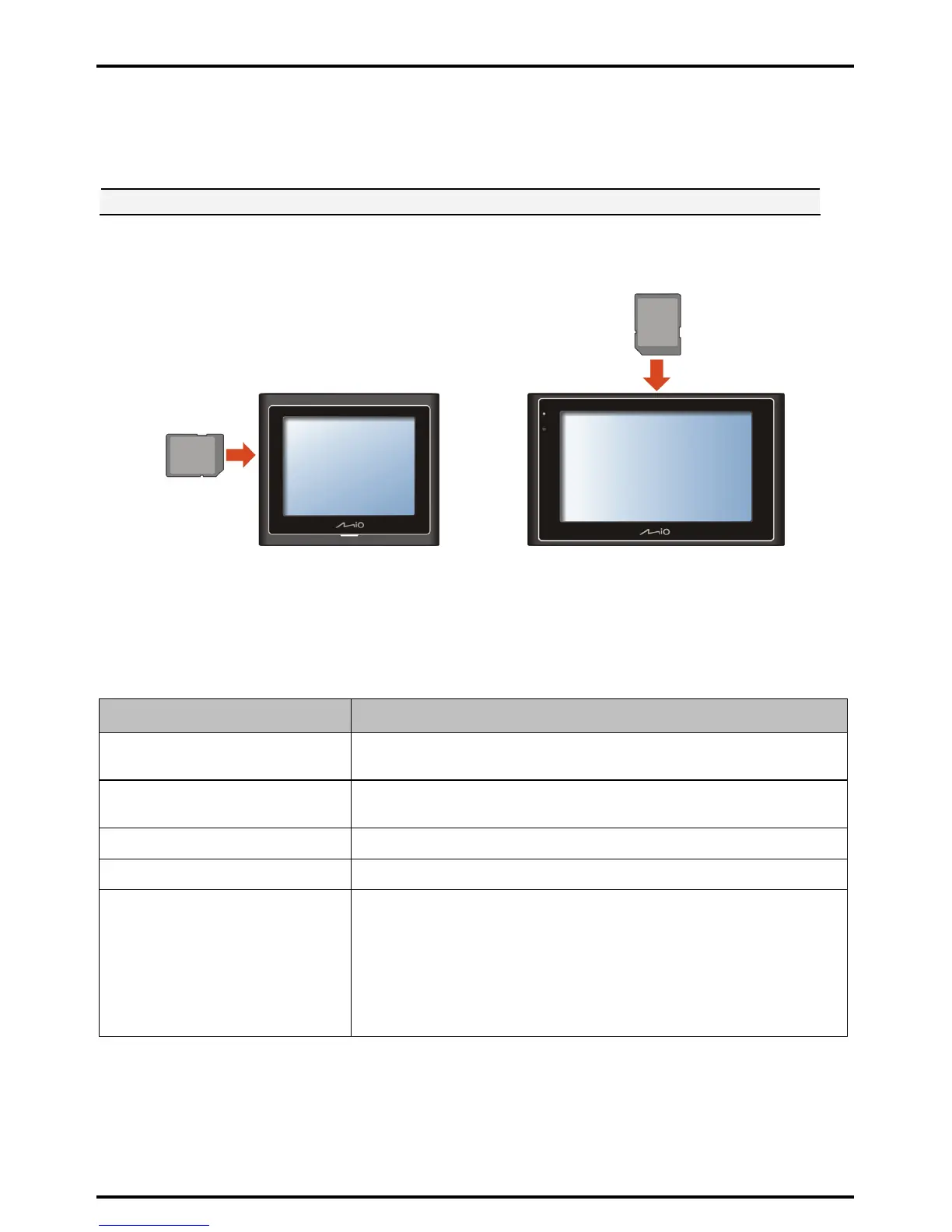
Inserting a memory card
CAUTION: Do not apply pressure to the centre of the memory card.
Hold the card (SD, SDHC, or MMC) by the edges and gently insert it into the slot with the label facing the front
of the Mio.
Moov 100/200-Series Moov 300/500-Series
To remove a card, gently push the top edge of the card inwards to release it, and pull it out of the slot.
Troubleshooting
Note: If you encounter a problem you cannot solve, contact an authorized service center for assistance.
Problems Solutions
Power does not turn on when using
battery power.
The remaining battery power may be too low to run your Mio. Charge the battery.
Screen responds slowly. Make sure that your Mio is not running out of battery power. If the problem still
persists, reset your Mio.
Screen freezes. Reset your Mio. (See “Shutdown and hardware reset” for information.)
Screen is hard to read. Make sure that the backlight of the display is set to a high-enough brightness.
Cannot establish a connection with a
computer.
Make sure that your Mio and your computer are both turned on before trying to
establish a connection.
Make sure that the cable is securely plugged into the USB port on your computer
and on the Mio. Connect the USB cable directly to your computer—do not run the
cable through a USB hub.
Reset your Mio before connecting the cable. Always disconnect your Mio before
you restart your computer.














 To Next Page