58
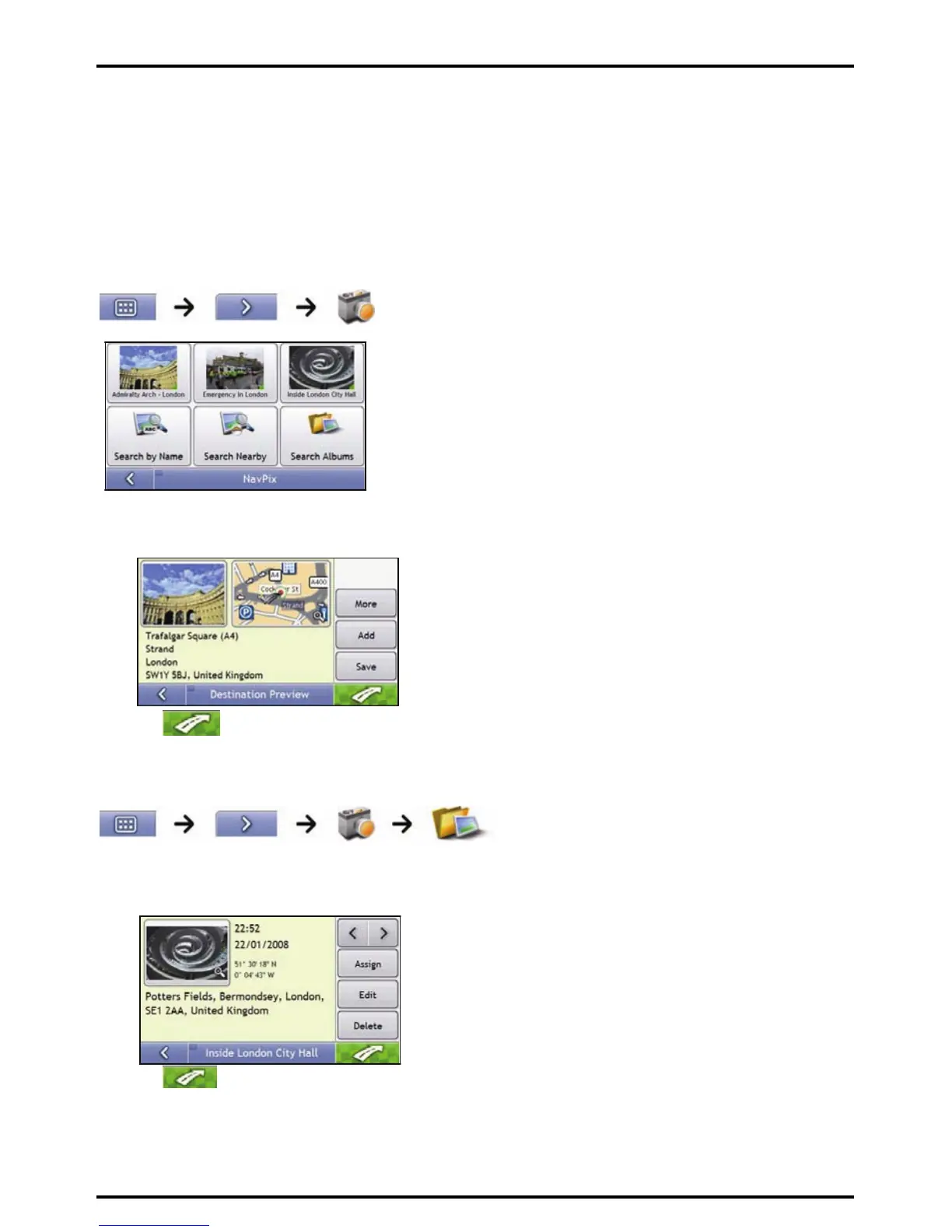
How do I navigate to a NavPix?
Your Mio contains preinstalled NavPix that you can navigate to. If you have not yet navigated to a NavPix, three
of the preinstalled NavPix will display on the Go To NavPix screen. Otherwise, three of your recently used
NavPix are displayed.
Note: To navigate to a NavPix location, either a GPS fix must have been available when the NavPix was taken, or GPS
coordinates have been added using MioMore Desktop.
How do I navigate to a recent NavPix?
1. Tap the NavPix you want to navigate to.
The Preview screen will display.
2. Tap
.
Your Mio will calculate the route from your current location. The 3D Map screen will display.
How do I navigate to a NavPix I have downloaded, or was preinstalled?
1. Tap a NavPix.
The NavPix Details screen will display.
2. Tap
.
Your Mio will calculate the route from your current location. The 3D Map screen will display.














 To Next Page