59
How do I save a NavPix to a favourite?
Note: When a NavPix is saved to an existing favourite, only the image, and not the GPS coordinates, are associated with the
favourite.
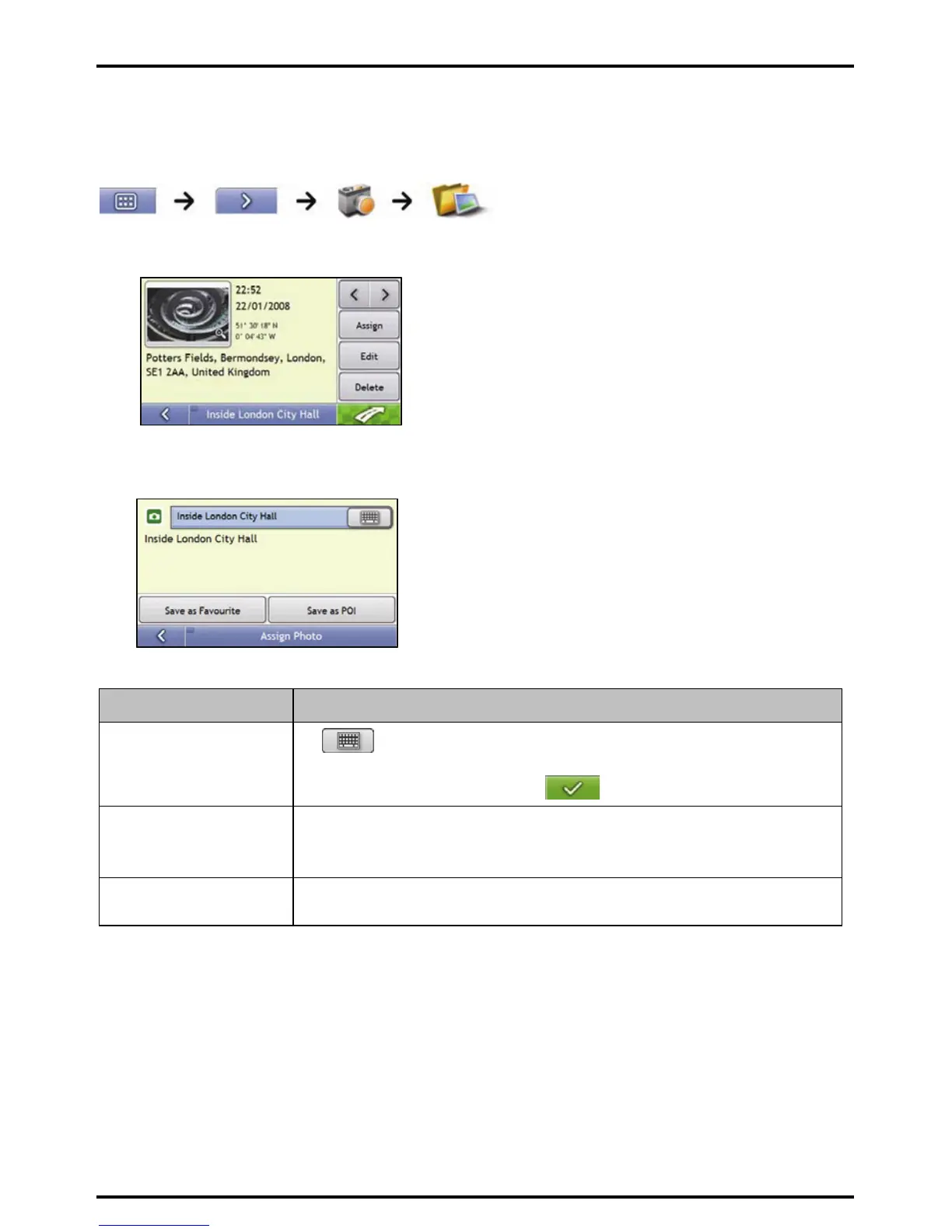
1. From the Album screen, select and tap a NavPix.
The NavPix Details screen will display.
2. From the NavPix Details screen, tap Assign.
The Save Photo screen will display.
3. Complete the following:
If you want to ... Then ...
edit the name of the favourite
tap
.
The Keyboard screen will display.
Enter a name for your Favourite, then tap
save the NavPix as a Favourite
(when GPS coordinates are
associated with a picture)
tap Save as Favourite and select A new favourite from the list.
The NavPix is saved as a new Favourite and the Photo Details screen will display.
Note: You cannot save a NavPix as a favourite if GPS coordinates are not available.
save a picture to an address tap Save as Favourite and select a favourite from the list.
The NavPix is saved to a favourite and the Photo Details screen will display.














 To Next Page