12. Usage
MiR250 User Guide (en) 11/2020 - v.1.3 ©Copyright 2020: Mobile Industrial Robots A/S. 176
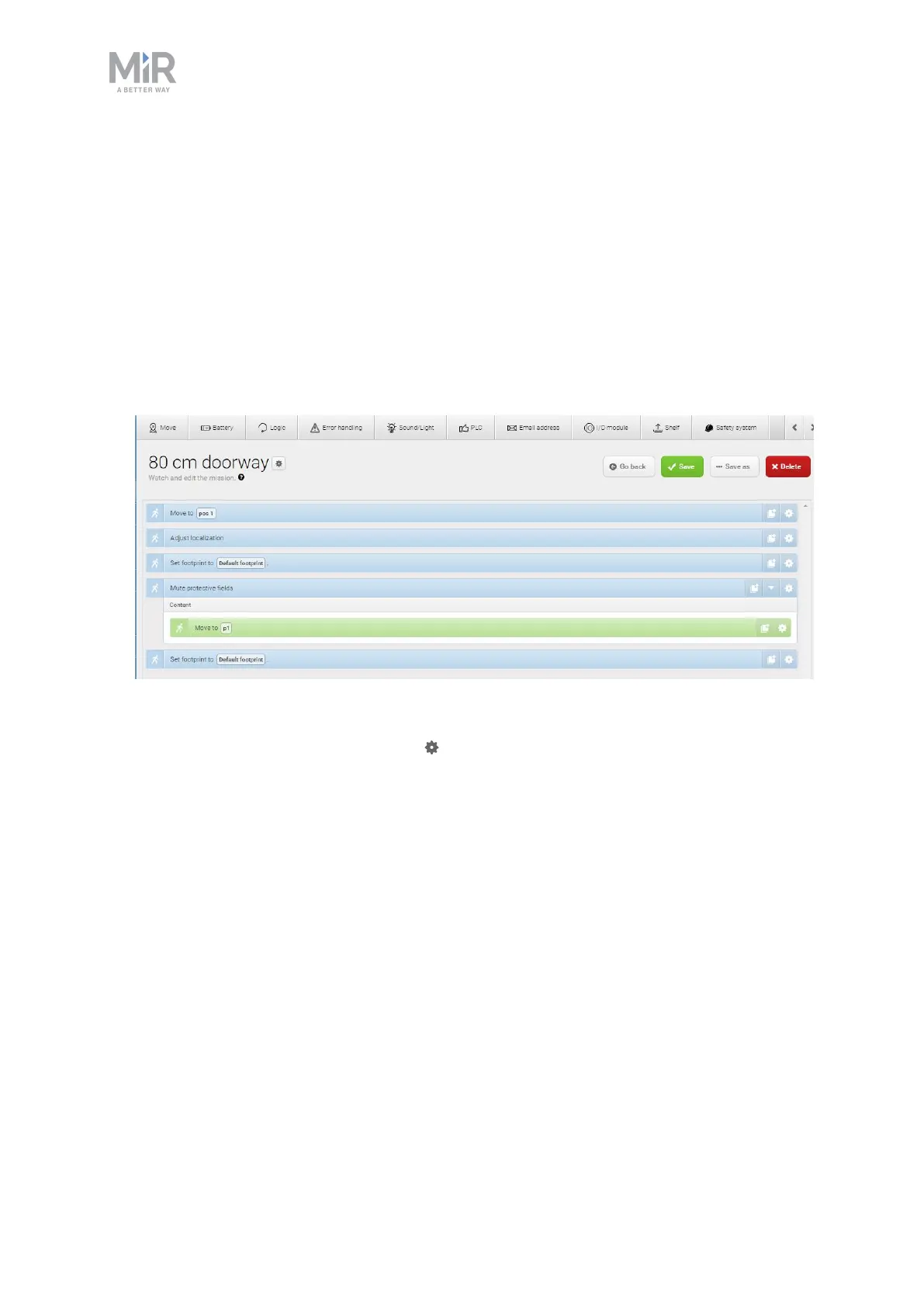
2. Name the mission 80 cm doorway. Select the group and site you want it to belong to.
Select Create mission.
3. Select the following actions:
• In the Move menu, select Move to.
• In the Move menu, select Adjust localization.
• In the Move menu, select Set footprint.
• In the Safety system menu, select Mute protective fields.
• In the Move menu, select Move to and drag it into the Mute protective fields action.
• In the Move menu, select Set footprint.
The following steps describe which parameters each action should be set to. To modify
the parameters, select the gearwheel at the right end of the action line to open the
action dialog box. When you have set the parameters, select Validate and close.



 To Next Page