3. Product presentation
MiR500 User guide (en) 09/2019 - v.1.3 ©Copyright 2018-2020: Mobile Industrial Robots A/S. 26
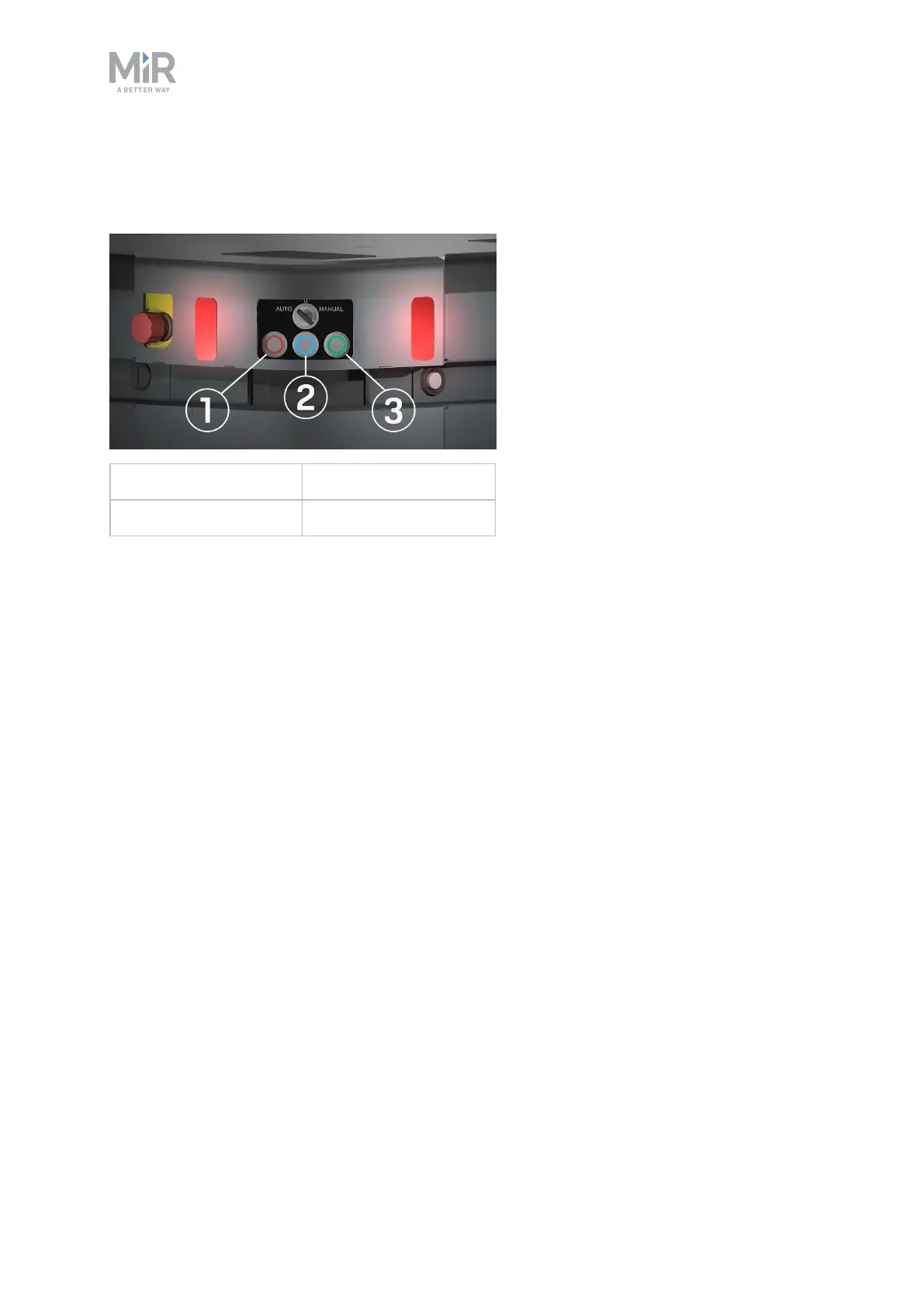
The control panel buttons
The buttons on the control panel have the following functions.
1. Stop 3. On/Off
2. Restart
Stop
Pressing the button stops the robot. After pressing this button, you must press the Restart
button to let the robot continue operating.
Color indication:
• Red: The robot is on.
Restart
Pressing this button:
• Clears the emergency stop state.
• Lets the robot continue operating after the Stop button was pressed.
• Lets the robot continue operating after powering up or after the operating mode change.
Color indication:
• Blinking red: The robot is waiting for a user action (clear the emergency stop state,
acknowledge the change of operating mode, etc.)
On/Off
Pressing this button for five seconds turns the robot on or shuts it down.
Color indication:



 To Next Page