3. Safety functions
MiR500 User guide (en) 09/2019 - v.1.3 ©Copyright 2018-2020: Mobile Industrial Robots A/S. 50
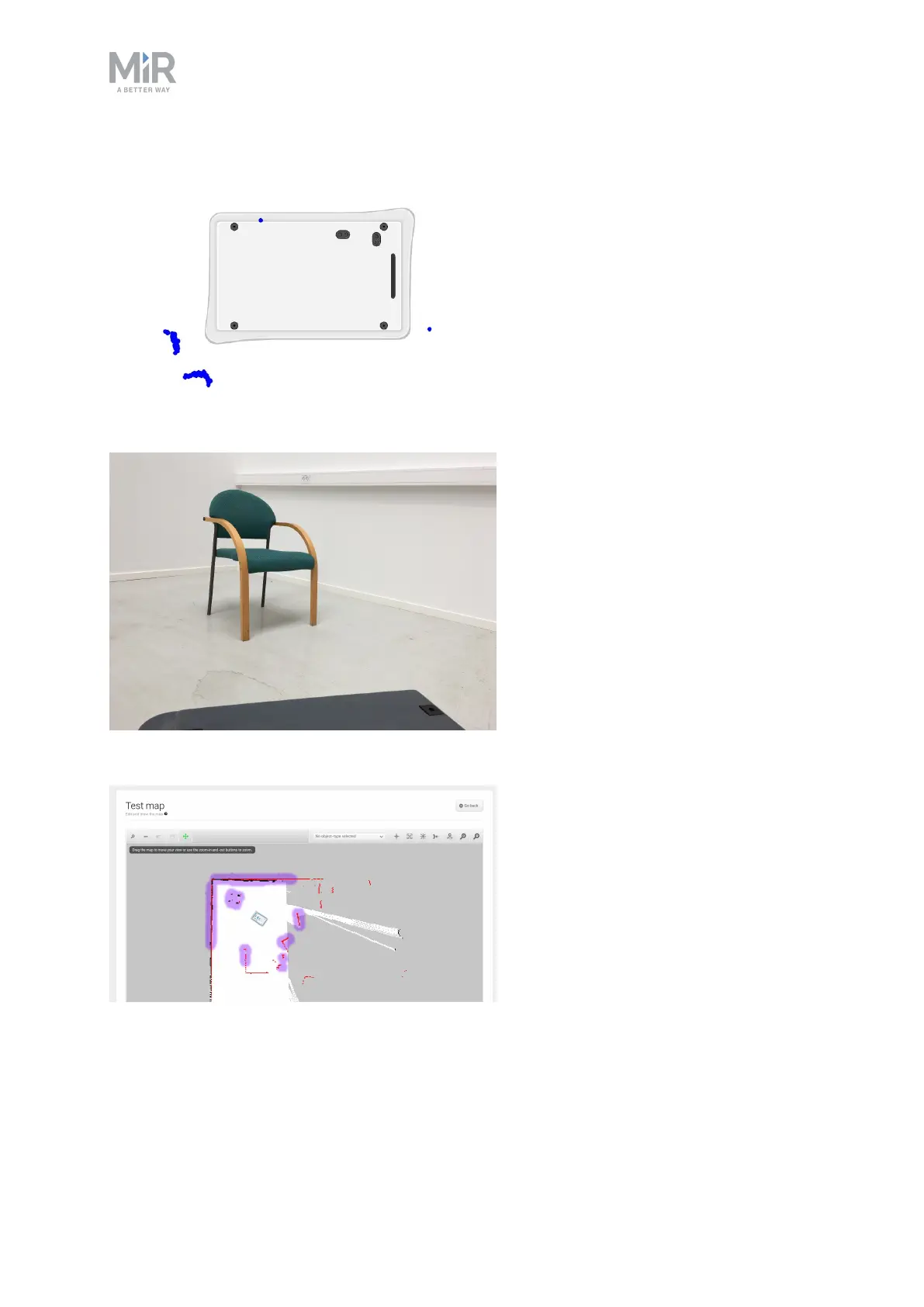
The following illustrations show how the robot sees the surrounding environment.
Figure 3.1. The laser scanners detect a dynamic object in the bottom left corner.
Figure 3.2. Human eyes see the chair and surrounding details.
Figure 3.3. Laser scanners of the robot will only detect parts of the chair. Here, the scanners detect the four
legs of the chair in the upper left corner of the map.



 To Next Page