5. Commissioning
MiR500 User guide (en) 09/2019 - v.1.3 ©Copyright 2018-2020: Mobile Industrial Robots A/S. 82
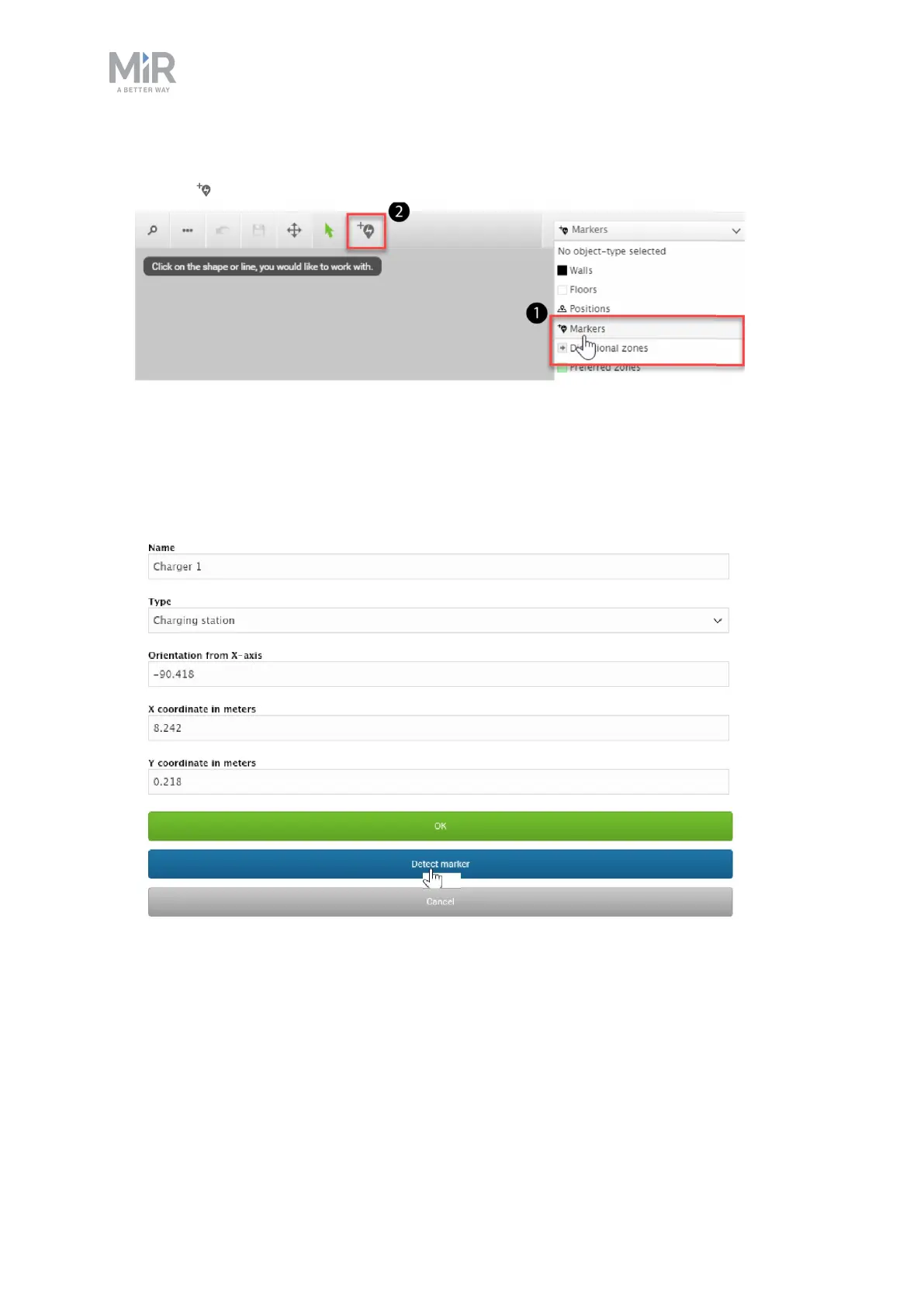
3. In the Object-type drop-down menu, select Markers (1), and then select Draw a new
marker (2).
4. In the Create marker window, enter a name for the marker and select Type > . This is
the name of the 48V Charging station in the robot interface.
5. Select Detect marker. The Detect-marker function tracks the position of the charging
station using the on the charger and automatically sets the X, Y, and Orientation values in
the robot, enabling it to dock to the charging station.



 To Next Page