Home
Mirae
Industrial Equipment
Mx200
Page 107
Mirae Mx200 - Page 107
681 pages
Manual
Save Page as PDF
To Next Page
To Next Page
To Previous Page
To Previous Page
Loading...
Chapter 4 M
x-Series
Unit Descr
iption
4-
33
•
Types
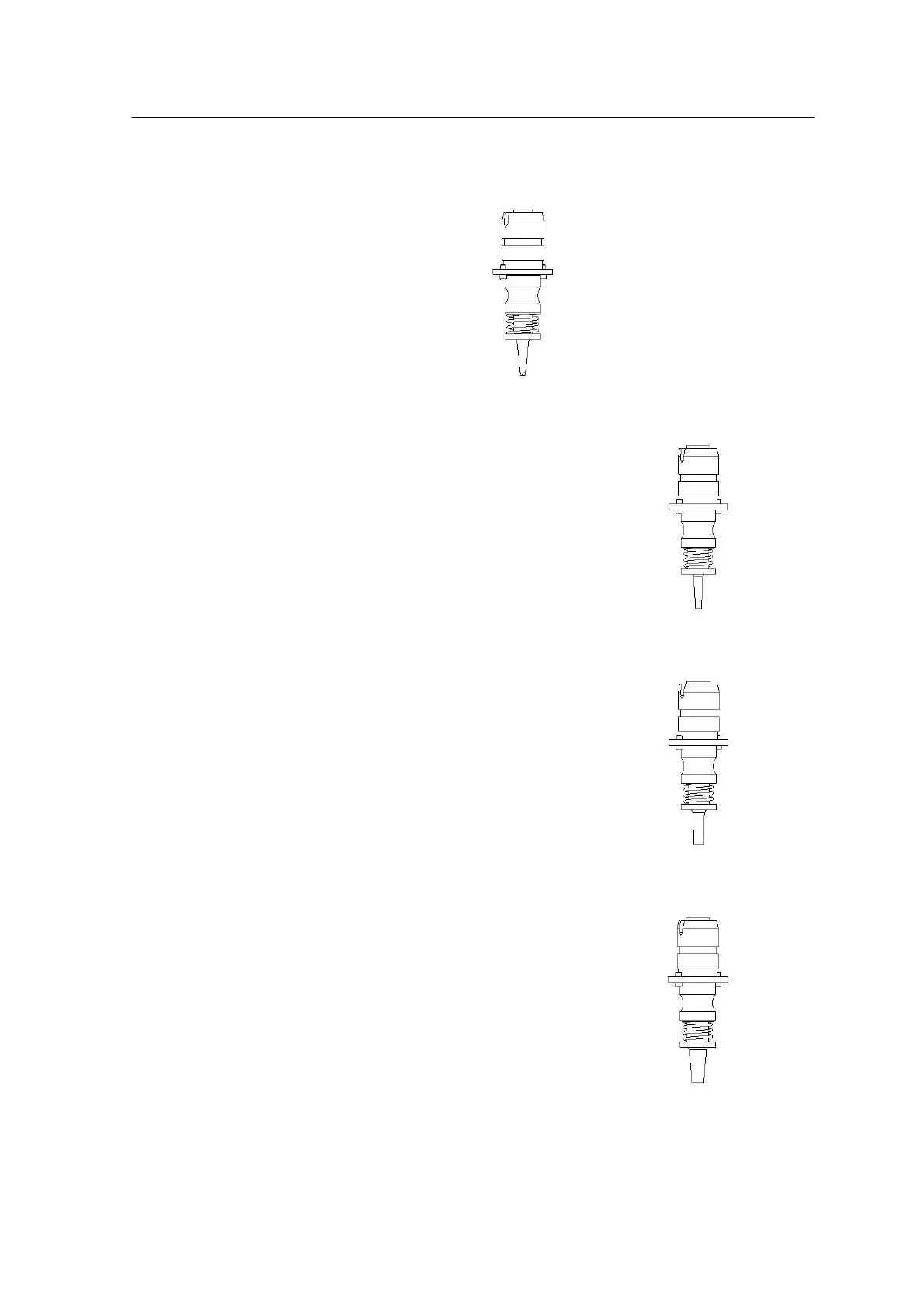
<Figure 4-17> show
s t
he avai
lable standard noz
zle units.
<Figure 4-17A Type H-4C Nozzle >
<Figure 4-17B Type A Nozzle>
<Figure 4-17C Type B-1 Nozzle>
<Figure 4-17D Type C Nozzle>
106
108
Table of Contents
Main Page
Specifications and Features
26
Table of Contents
26
High Performance
29
High Productivity
31
High Reliability
33
Technical Specifications
34
Section 2
76
Introduction
77
4-4 MX-Series Operation Manual
78
Positioning Head
93
Vision System(Component Recognition)
96
Vision System - Vision Processor Board
98
Vision System - Upward Camera
99
Vision System - Downward(Head) Camera
100
Automatic Nozzle Changer (Anc)
104
Nozzle Unit
105
Section 3
118
Check/Modif
128
Job Run
129
Programming
131
Mrterminal Setting
131
Mrftp Setting
134
Main(Mx100/200)
135
Setup(Mx100/200)
137
Table of Contents
148
Using Comp Db Editor
173
Setting Other Part Information
186
Place Data
193
Entering Lace Date
193
Data Check
196
Optimizer
198
Mirae Optimizer Phoenix 1.0.0.8
201
Programeditor after Optimization
208
Direct Teaching
211
Data
212
Check
214
Part Inspection and Pic Function
215
Production & Dry Run & Bypass Run
222
Production Environment
225
Utility Menu
227
Machine Setup
267
Customer Set up Check Sheet
268
Set up Flow Chart(Utility)
269
Set up Flow Chart(Precision)
271
Layout
272
Customer Setup Check Manual
274
Cis 3 : Utility & Line Layout
274
Assembly Check
276
Cis 4 : Assembly Check
277
Operation
281
Parameters
281
Cis 5 : Operation & Parameters Check
283
Placement
285
Cis 6 : W/U, Dry Run & Placement
286
W/U, Dry Run
285
Requests
286
Cis 7 : Problems and Requests
287
Regular Check
304
Daily Check (Every 24 Hours)
307
Air Pressure Check (before Running)
307
Cleaning the Linear Motor Stator (before Running)
308
Machine Interior Check (before Running)
309
Abnormal Noise Check (after Running)
310
Weekly Check (Every 150 Hours)
311
Camera Lens and Lens Cover
311
Nozzle Check
313
Tip
316
Checking the Vacuum Pressure at the Nozzle Tip
317
Nozzles Applicable by
318
Component
325
Monthly Check (Every 500 Hours)
326
Linear Scale Check
326
Linear Slide Check
328
Z-Axis Nozzle Shaft Moving Check
332
Z-Axis Rack & Pinion Check
333
R-Axis Bearing Check
336
Timing Belt and Pulley Check
337
Z-Axis Linear Slide Check
339
Air Filter Check
339
Casting off Ng Part Check
341
Solutions Chapter for Errors
353
Emergency Software
378
Errors
378
Communication Error
380
Air Drop
392
Power Error
392
Vision Error
393
10. Conveyor Error
394
Introduction
483
Specification
484
Parts and Functions
484
Types of Pitches (Unit: MM)
487
Chip and Reel Size (Unit: MM)
487
Power Supply
488
C-Feeder Weight (Unit: Kg)
488
. Software and Hardware Installation
619
Chapter 1 . INTRODUCTION
623
Chapter 2 . PROGRAM FUNCTIONS and HARDWARE SPECIFICATION
623
Program Functions
623
Hardware Specification
624
Bar Code Printer (Bcp)
624
Bar Code Reader (Bcr)
624
Computer Specification
624
Slta Box
625
Program Installation
628
Bar Code Printer Driver Installation
629
Bar Code Reader (Bcr) Setup
631
Slta Setup
633
Chapter 3 . SOFTWARE and HARDWARE INSTALLATION
628
How to Use Chapter Program
635
Chapter 4 How to Use Program
637
How to Use Program
637
Program Composition
637
File Menu
638
Util Menu
639
Barcode Print Window
639
Environment Setting Window
641
Help Menu
642
Window Description
643
Feeder Communication Window
643
Feeder Data Display Table
645
Feeder Status Display Window
646
Options Setting
647
Barcode Format
647
Option Page
649
Other Option Page
649
Feeder Number Barcode Print Page
651
Related product manuals
Mirae Mx400
681 pages
Mirae Mx Series
681 pages



 To Next Page