4-6 Offline Feeder Setup Manual
See the section on Environment Setting.
Close
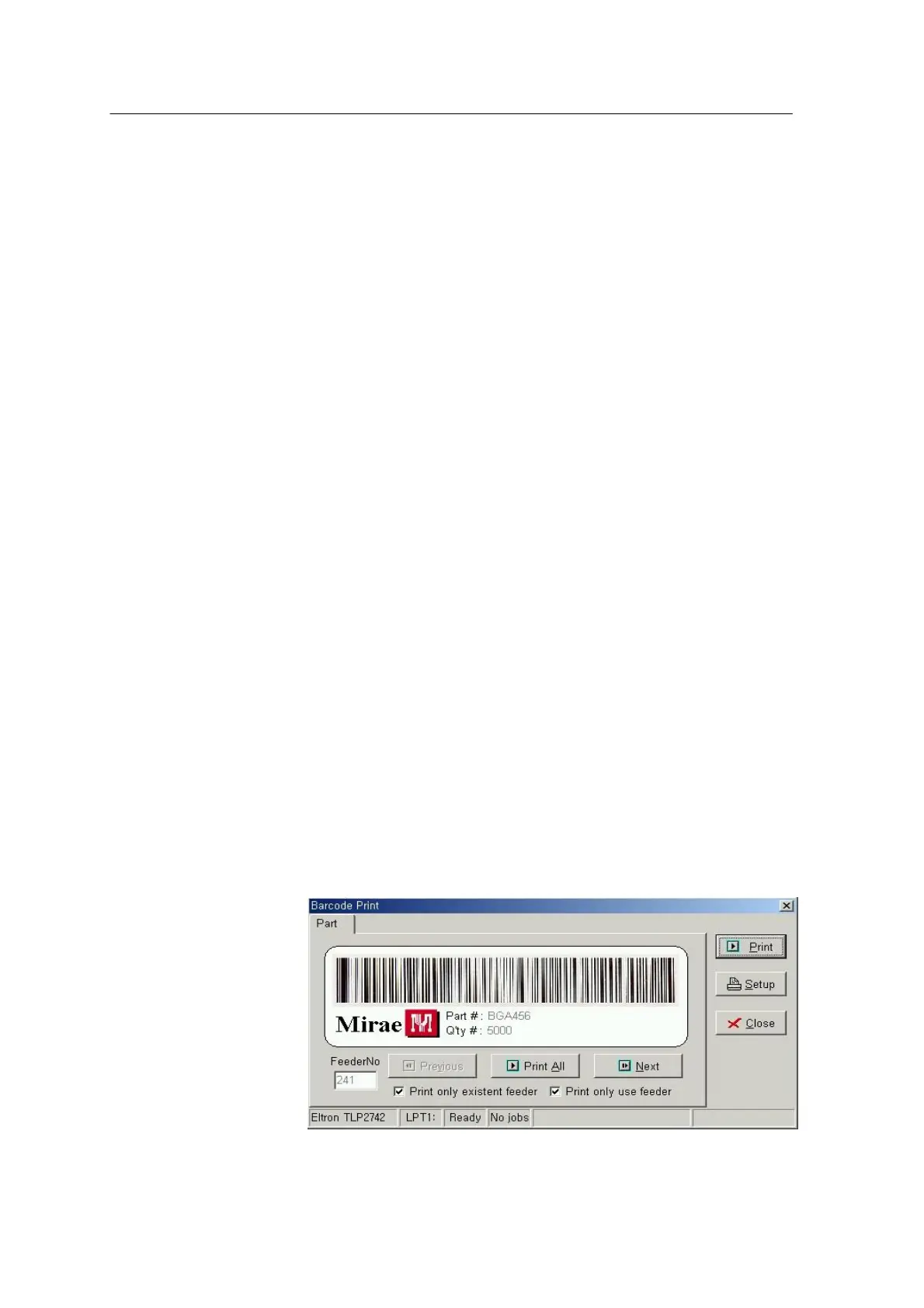
Closes the Barcode Print window.
Part #
Displays the part name saved in the barcode to be printed.
Q’ty
Displays the part quantity saved in the barcode to be printed.
Feeder No
Displays the feeder number contained in PRG data.
Previous
Displays the previous PRG data.
Print All
Prints the barcodes of all PRG data.
Next
Displays the next PRG data.
Print only existent feeder
Prints only the existent feeders when the Print All button is selected.
Print only use feeder
Prints only the feeders set to ‘Use’ in PRG data when the Print All
button is selected.
<Fig. 4-2ᆞ Barcode Pint Page Screen>



 To Next Page