4-14 Offline Feeder Setup Manual
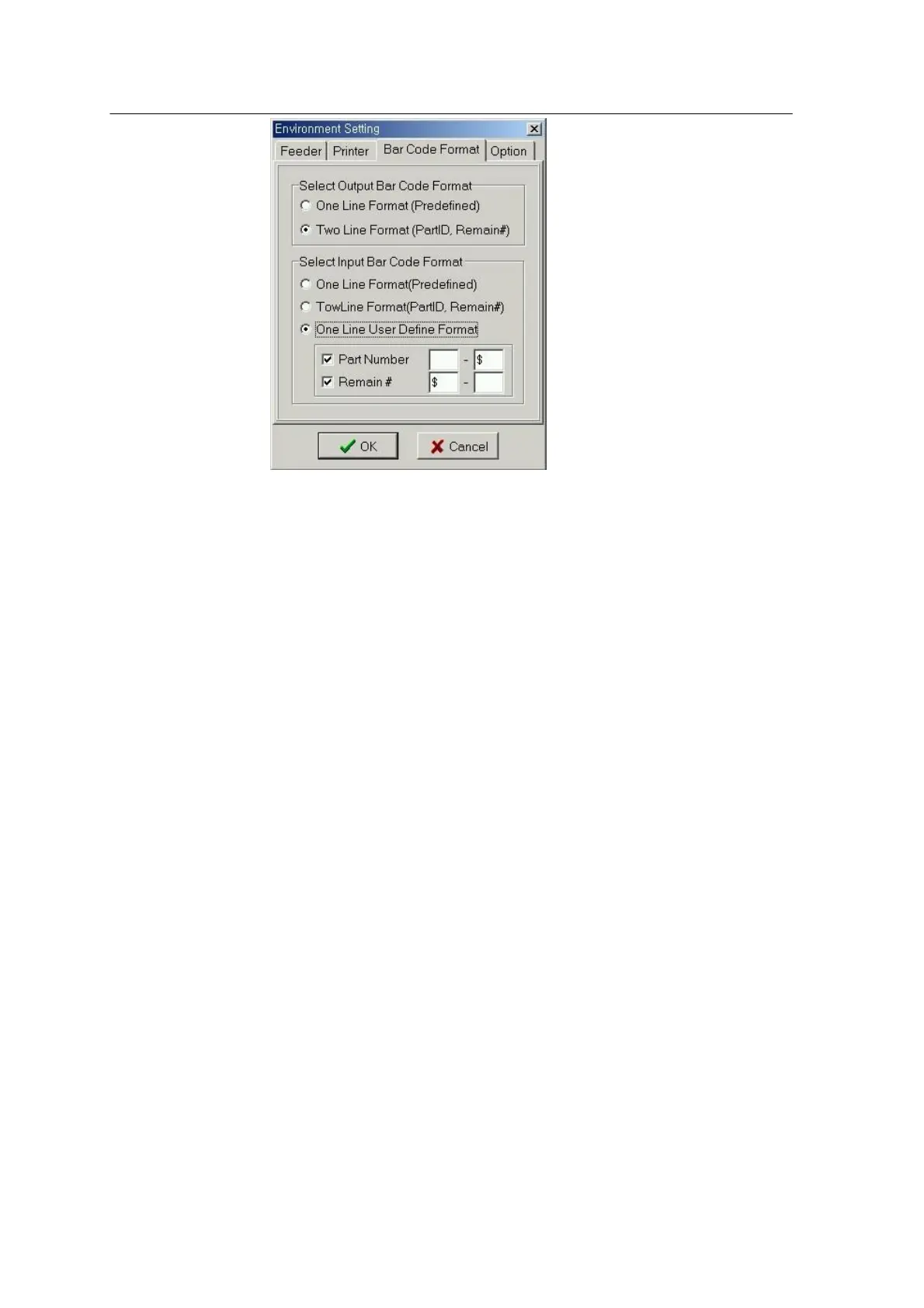
<Fig. 4-9ᆞ Set Input/Output Barcode Format Page>
Select Output Barcode
- One Line (Predefined)
Part Number and the remaining part account are all printed on one
line of barcode in predefined format. (See Figure 4-10).
- Two Line
The barcode for part number is printed in one line and that for
remain count is printed in another line. (See Figure 4-11).
Select Input Barcode
- One Line (Predefined)
Select this format to read the barcode printed in one line.
- Two Line
Select this format to read the barcode in which part number and remain count are printed
in separate lines.
- One Line User Define Format
Select this format to read the barcode in which part number and remain count are printed
in one line, and separated by a special character or printed in fixed positions.
- User Define Format
Part Number/ Remain # Check Button: Select whether to or not to retrieve Part Number /
Remain # in the barcode.
Space indicates start/end.
Characters indicate starting/ending from/to certain characters.
Number indicates the number or figure. `



 To Next Page