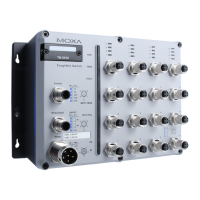
TN-5516/5518 User’s Manual Featured Functions
3-8
NOTE
1. The TN-5500 Series is equipped with a “Hardware-based IP configuration” feature through
the 3 rotary switches physically mounted on the product's front panel. Please reference the
Hardware Installation Guide for how to configure.
2. “Hardware-based IP configuration” is enabled only when the 3 rotary switches are set in
valid values ranging from 001 to 254. The TN-5500’s IP address will be configured as
“192.168.127.XXX”, where “XXX” is the valid value set on the 3 rotary switches.
3. If “Hardware-based IP configuration” is enabled, it overrides the “Auto IP
Configuration” described in this section.
4. Disable “Hardware-based IP configuration” by setting the 3 rotary switches with value
000 (factory default).
5. If the value of the 3 rotary switches is invalid (255 to 999), TN-5500 uses the fixed IP
address 192.168.127.253 by default.
Switch IP Address
Setting Description Factory Default
IP address for the TN-5500 This assigns the TN-5500’s IP address on a
TCP/IP network.
192.168.127.253
Switch Subnet Mask
Setting Description Factory Default
Subnet mask for the
TN-5500
This identifies the type of network to which the
TN-5500 is connected (e.g., 255.255.0.0 for a
Class B network, or 255.255.255.0 for a Class
C network).
255.255.255.0
Default Gateway
Setting Description Factory Default
IP address for gateway This specifies the IP address of the router that
connects the LAN to an outside network.
None
DNS IP Address
Setting Description Factory Default
IP address for DNS server This specifies the IP address of the DNS server
used by your network. After specifying the
DNS server’s IP address, you can use the
TN-5500’s URL (e.g., www.tn.company.com)
to open the web console instead of entering the
IP address.
None
IP address for 2nd DNS
server
This specifies the IP address of the secondary
DNS server used by your network. The
TN-5500 will use the secondary DNS server if
the first DNS server fails to connect.
None


 To Next Page
 Loading...