SUPREMATouch
38
Operation of the System
MSA
US
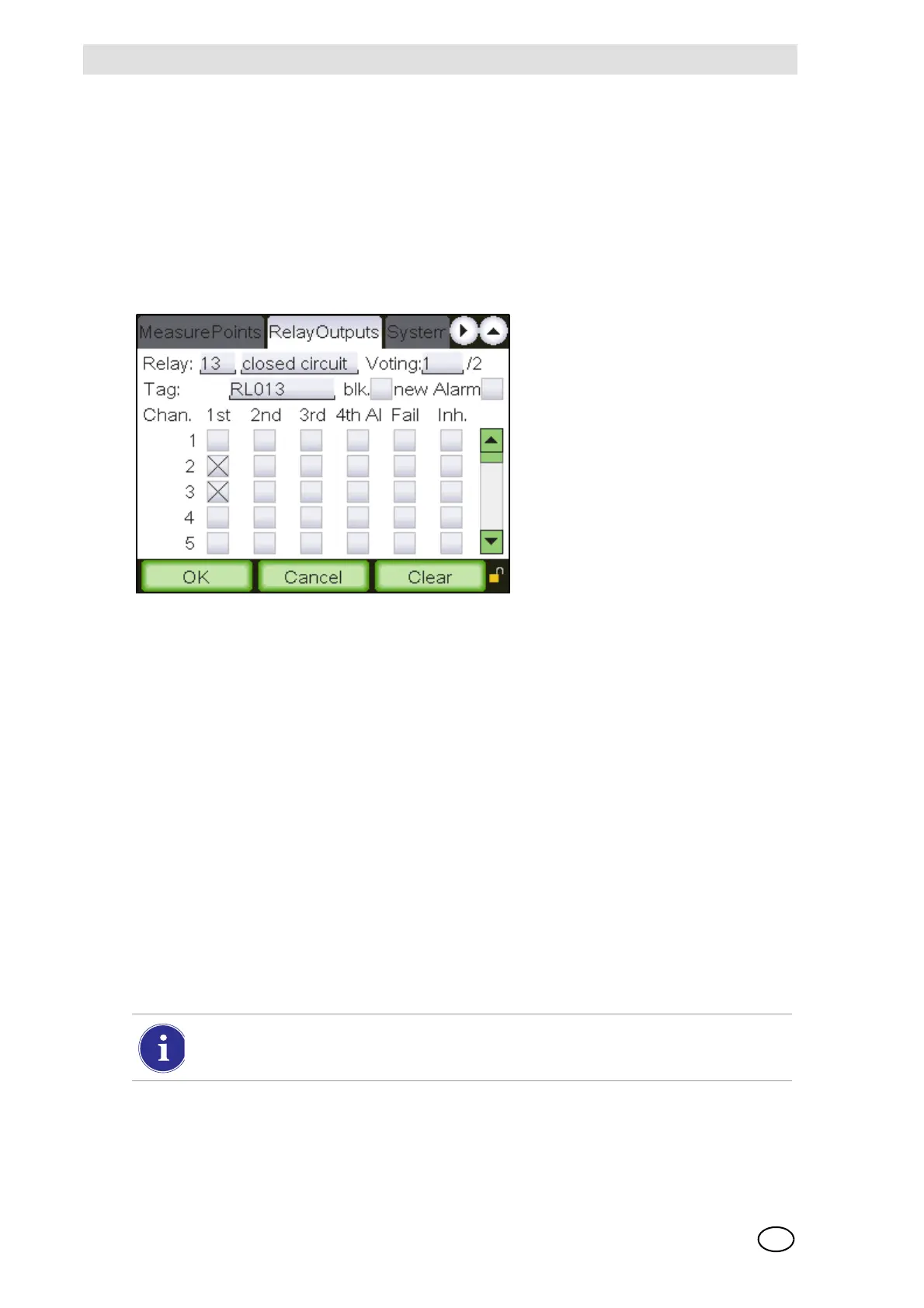
Relay outputs window
This window displays all the parameters set for a relay output. Parameter values for relay outputs
can be viewed and changed here.
The functions of window are similar to the “Relay Output” assignment window described in the pre-
vious section. There, starting from a particular input, a connection to a relay output was made. In
this menu, the setting conditions are configured starting from a particular relay output.
The behaviour of a relay output depends on its parameter settings and the settings of the appro-
priate measure points [see section 11.4, subsection Behaviour of the Relay Outputs].
Fig. 17 Relay output
The functions of the individual window elements are described below:
Relay
Field type: Selection
This window contains a list of available relay outputs. As the first 8 relay outputs of the system are
tied to the common messages, the first relay output which can be configured is No. 9. This window
also contains outputs which no longer physically exist, but whose parameters are still stored in the
system. These outputs are only removed from selection when the user deletes them in this win-
dow.
After an output number is selected, the rest of the window is filled, if settings have already been
entered for that output. This input field can be accessed without a key switch or password if an
output is selected for which parameters have already been set. If an output is selected that has
not been used before, authorisation by means of password or key switch is required. If an output
is displayed that has not yet been configured, default values are used as the preliminary settings
for the certain fields. This makes it easy to copy the settings from one output to another.
All parameter changes using the menu items described below apply to the selected re-
lay outputs in that field.



 To Next Page