Operation of the System
SUPREMATouch
41
US
Clear
Field type: Button
Tapping this button deletes all of the parameters for the selected relay output. The output then
returns to the status it was before it was set up the first time. Default values are used as the pre-
liminary settings for the input of certain fields.
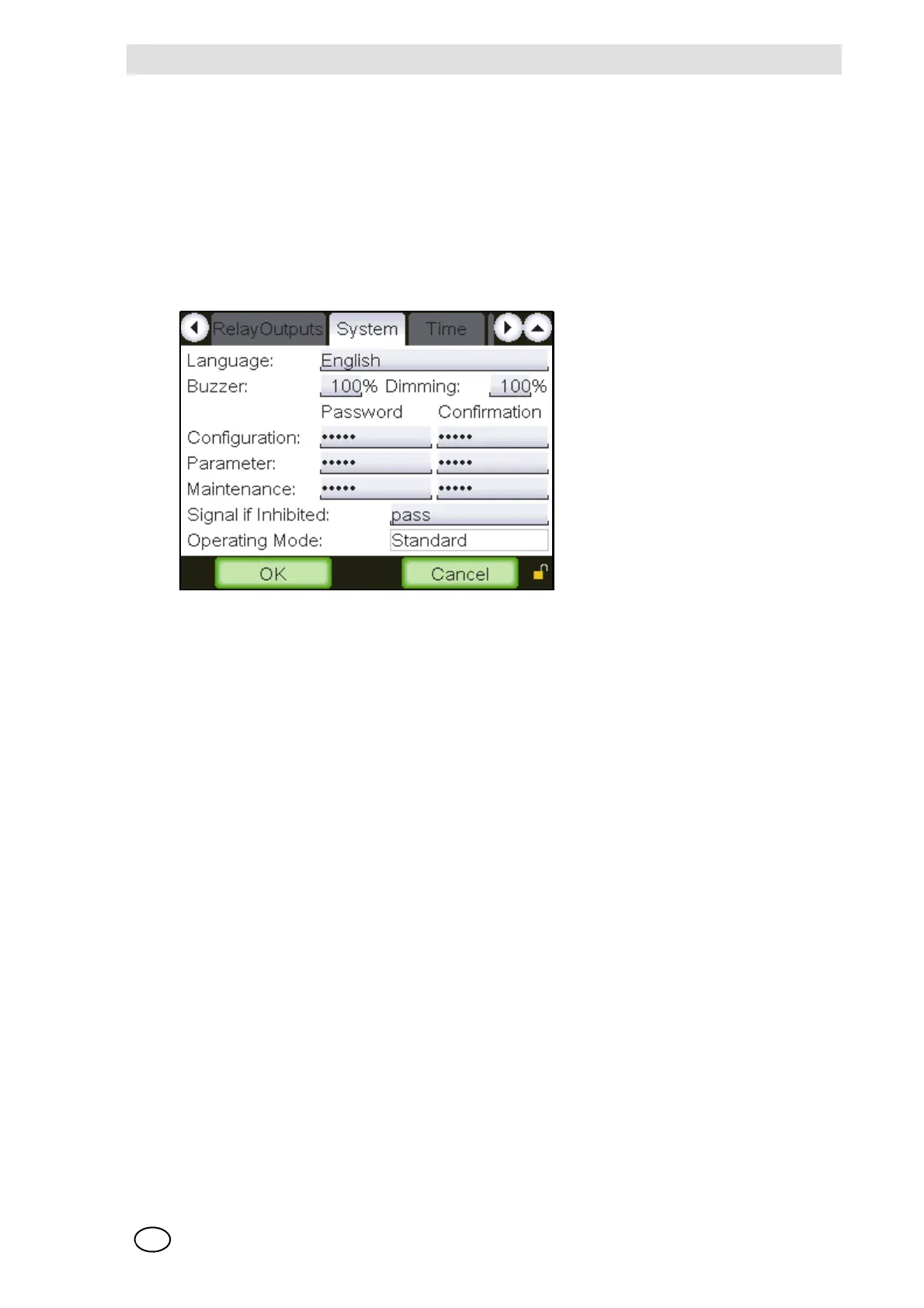
System Window
This window displays parameters that affect the entire system.
Fig. 18 System
The functions of the individual menu elements are described below:
Language
Field type: Selection
In this field, set the language for the user interface [GUI].
Buzzer
Field type: Number Input
This field sets the loudness of the internal beeper.
Dimming
Field type: Number Input
This field sets the dimming of the display.
Password/Confirmation:
Field type: Text input
There are three password levels available. The authorisation for a higher level automatically in-
cludes access to all lower levels. The highest level is the configuration level and the lowest is the
maintenance level. Passwords can be changed by entering up to 8 characters. The password
must be at least four characters long and can include any character/sign.
Upper and lower case letters are recognised as different.



 To Next Page