Operation of the System
SUPREMATouch
57
US
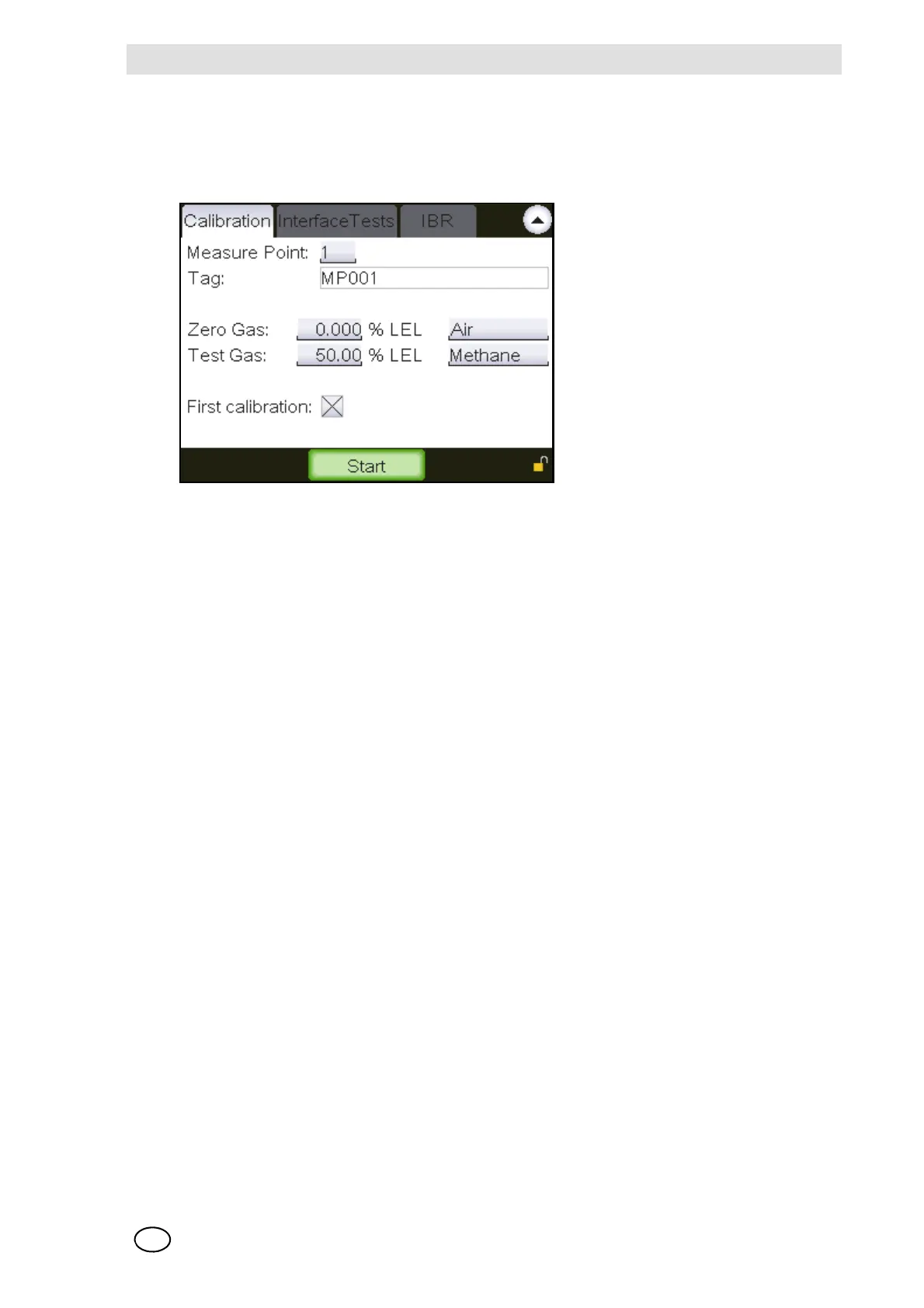
Tag
Field type: Display
The field shows the designation of the selected input.
Fig. 29 “Start calibration”
Zero Gas [concentration]
Field type: decimal number
Enter the zero gas concentration [in the defined measuring dimension] in this field. This value can
be set in a range between 0 and the range value defined in the measuring point parameters, but
should be the same as the measurement range zero, i.e. normally zero. The field defaults to the
value of the last calibration, if the input has already been calibrated.
Zero Gas [type]
Field type: Display
The field shows the type of zero gas for the selected input.
Test Gas [concentration]
Field type: decimal number
Enter the test gas concentration [in the defined measuring dimension] in this field. This value can
be set in a range between 10% of the measuring range and the range value defined in the meas-
uring point parameters. The field defaults to the value of the last calibration, if the input has already
been calibrated.
Test Gas [type]
Field type: Selection
The field contains a list of test gases that can be used to calibrate the inputs. The field defaults to
the test gas [Measure Point window] for the selected input.



 To Next Page